


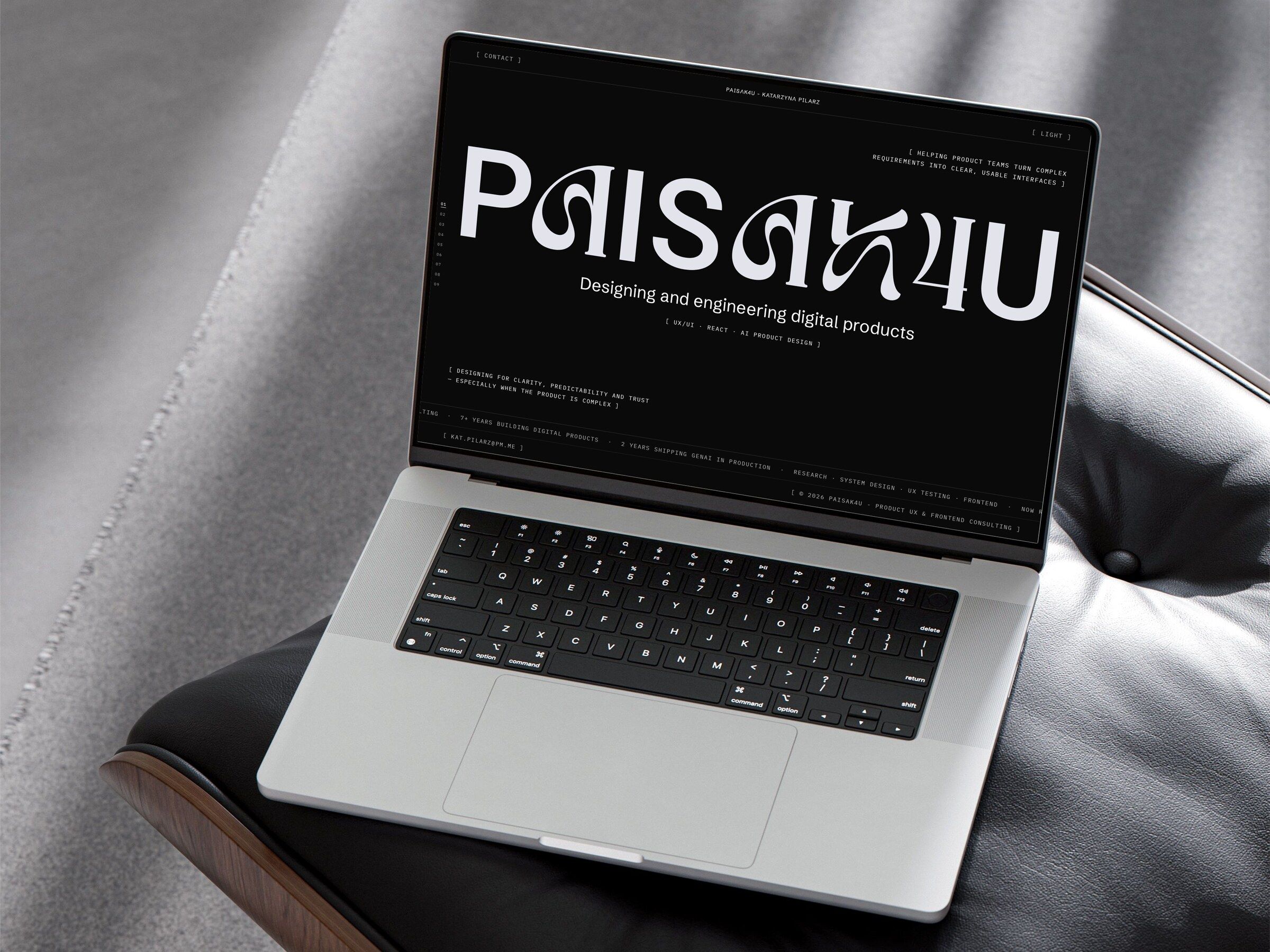
- Produced by
- PAISAK4U
- Role
- UX/UI design, design system and frontend engineering
- Scope
- Site structure and contact flows, a design system in Figma, and an Astro and React build with automated tests
- Year
- 2024—2026
- Tools
- AstroReact 19TypeScriptTailwind CSSGSAPWebGLZustandPlaywrightaxe-coreNetlifyFigma
- Website
- View Live Page
- Design
- View in Figma
Context
My own site is the first thing people judge my work by.
PAISAK4U is the name I work under as an independent consultant, mostly on interfaces for AI products and UX-led frontend work. The site is where product teams decide whether to get in touch. It has to show how I work and turn a first message into something I can plan from.
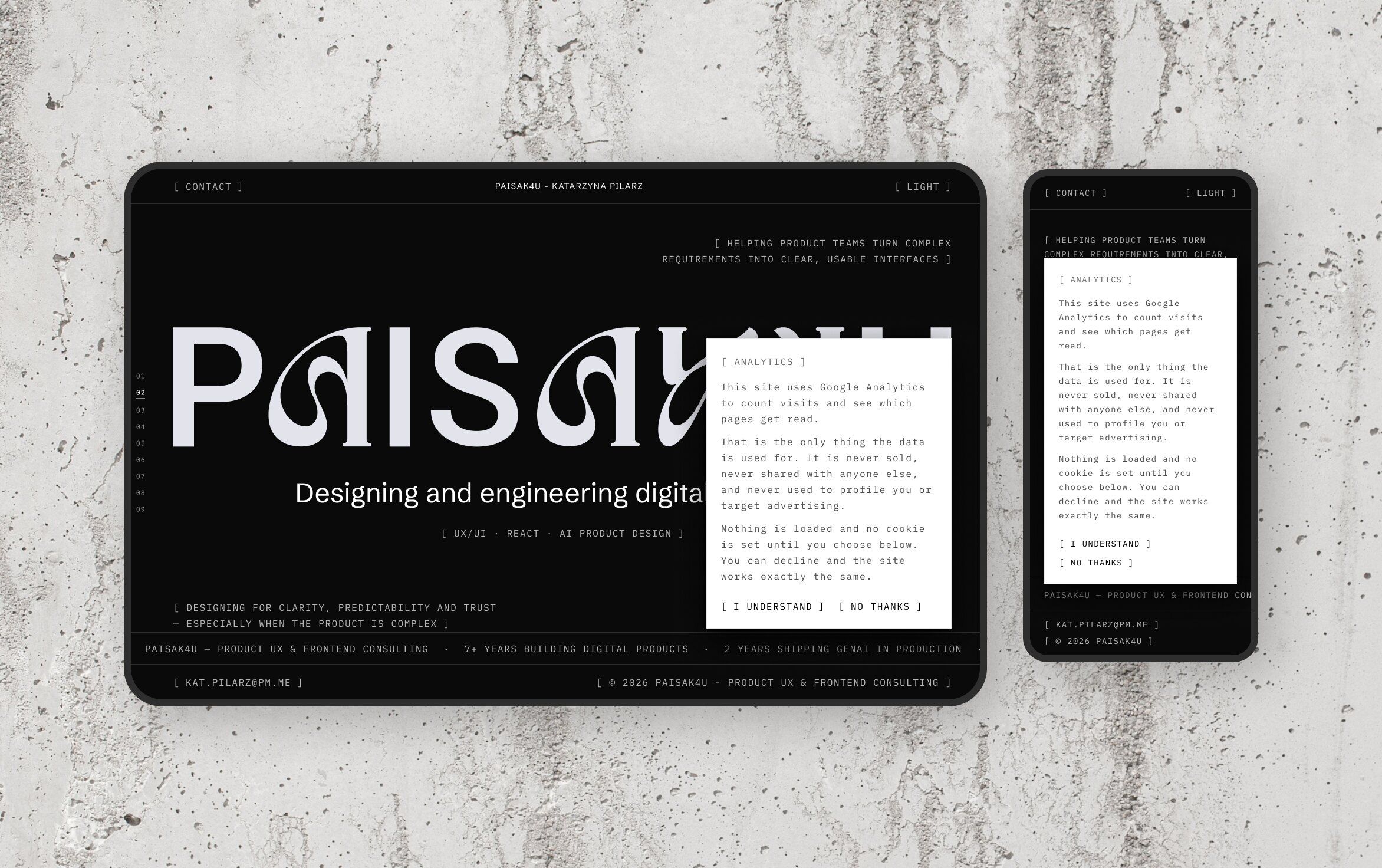
I used two typefaces: Schibsted Grotesk for headlines and IBM Plex Mono for labels and body text. Hierarchy comes from size and opacity, and nothing on the site is set in bold. The palette is black and white, and colour only appears for errors.
Both themes come from the same set of CSS custom properties. A small inline script reads the stored choice before the page paints, so someone who picked light never sees a flash of dark when they come back.
The site moves a lot. A short loader plays on the first visit of a session, and after that a curtain closes and opens between pages. Sections reveal as they scroll in, the services sit in a pinned deck that turns as you scroll, and a WebGL ripple runs over the wordmark and the photos under the pointer.
The site uses Google Analytics to count visits and see which pages get read. Consent Mode defaults are set in the head before anything else runs, and the Google tag is only added once a visitor accepts. If they decline or never answer, no request goes to Google at all.
The notice waits for the first click, tap, scroll or key press instead of covering the page on arrival, and Escape dismisses it for the rest of the visit. Both answers are tested: declining keeps Google entirely unloaded, and accepting loads the tag.

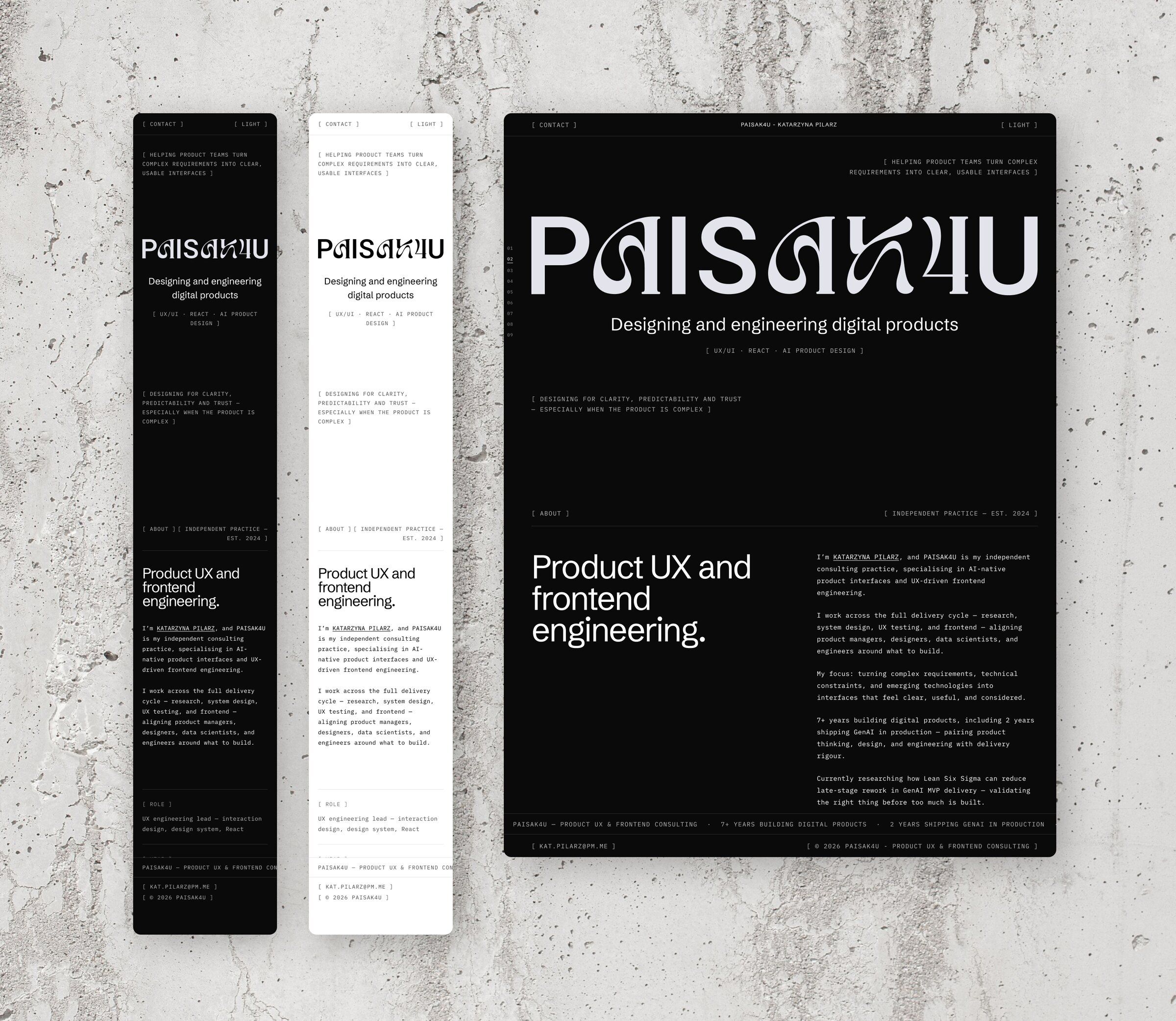

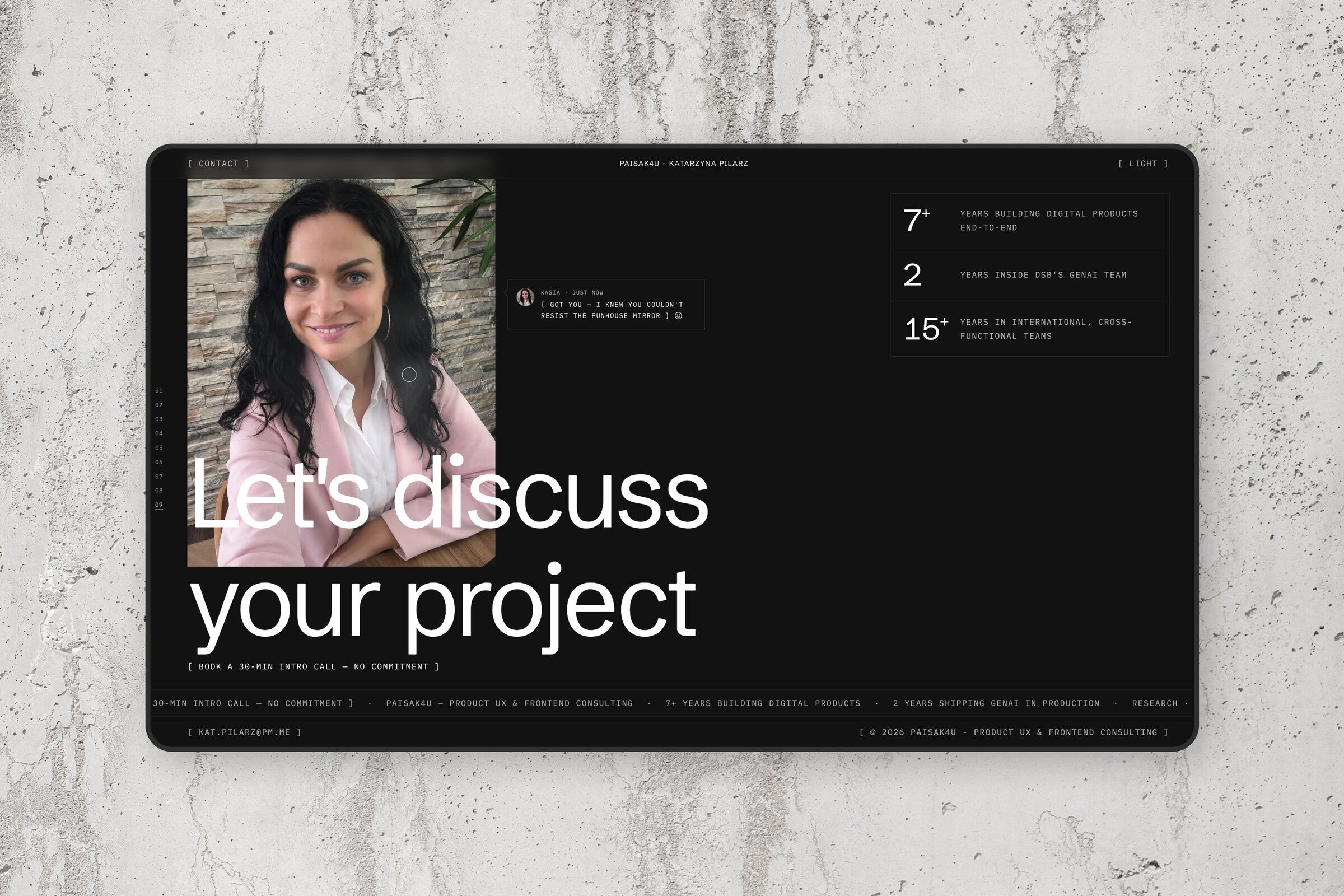

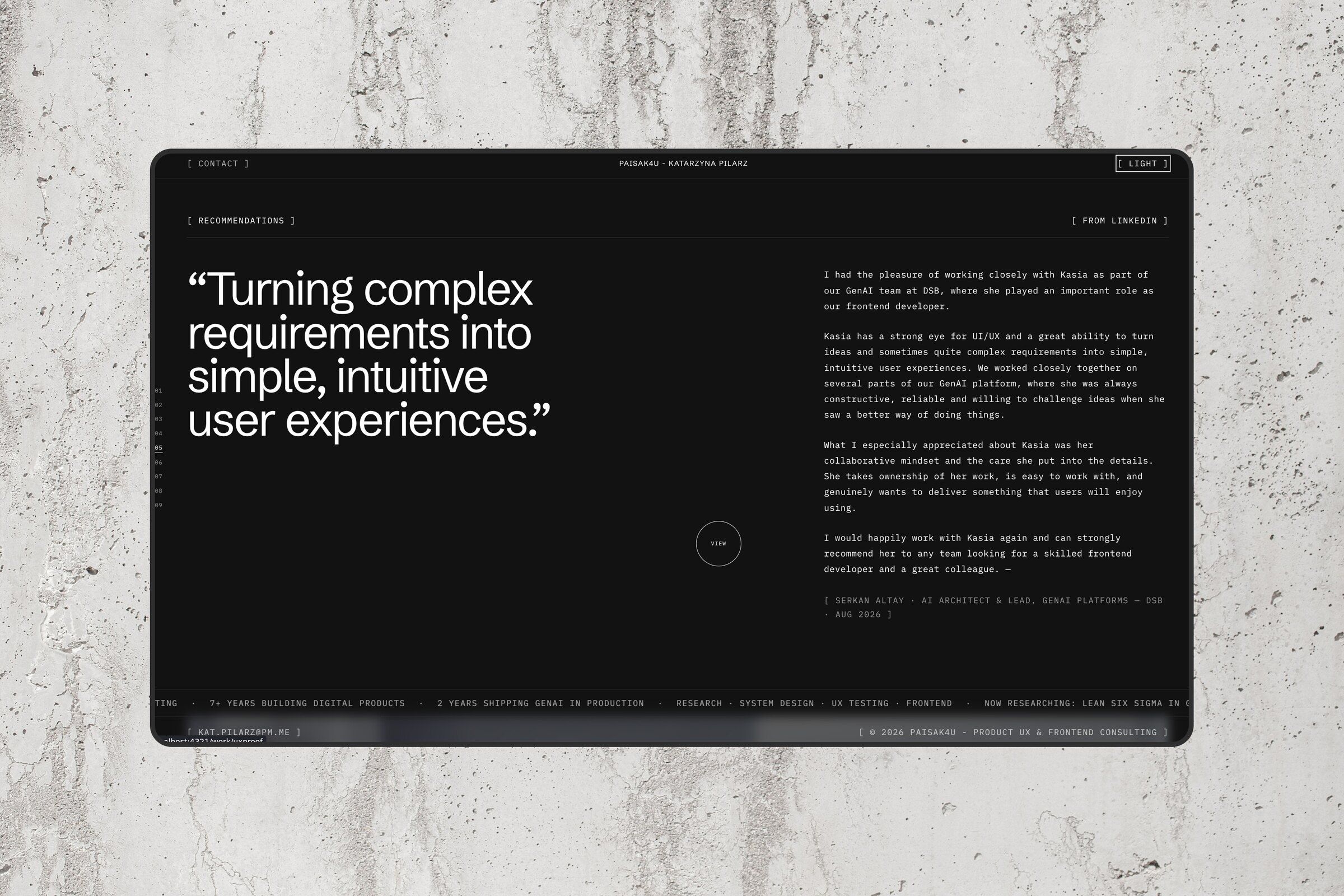

Design system
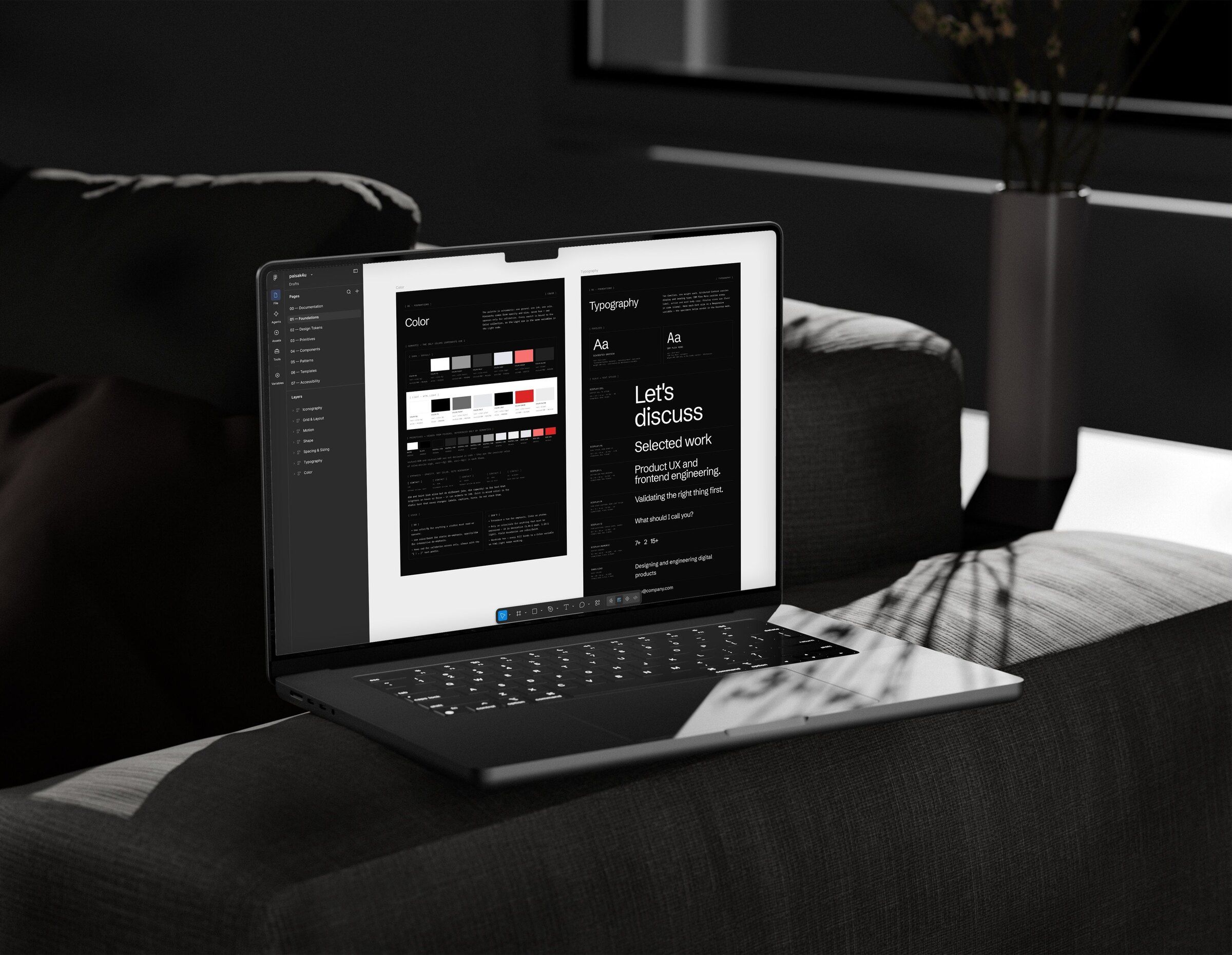
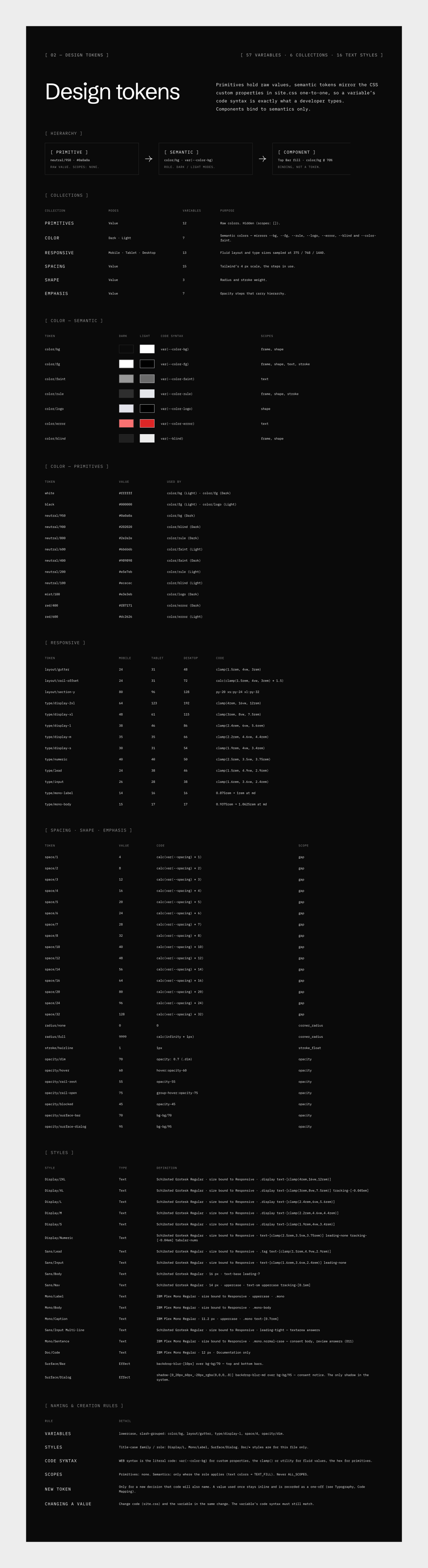
One set of tokens for Figma and the code.
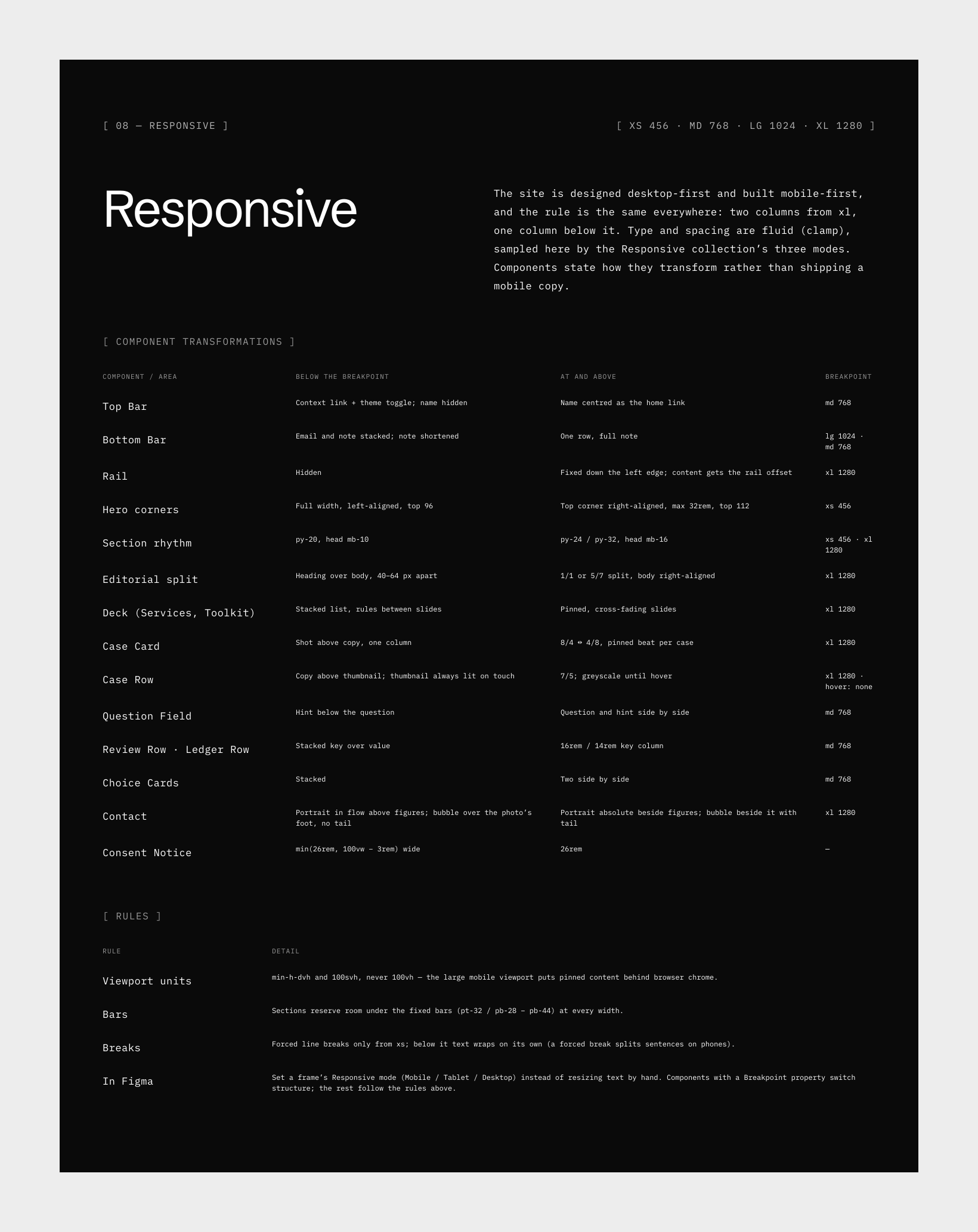
The design system lives in Figma as variables, and each variable carries its CSS name as code syntax, so inspecting a colour shows var(--color-bg) instead of a hex value. Colour has dark and light modes. A responsive collection has mobile, tablet and desktop modes, and the type sizes carry the same clamp() values as the code.
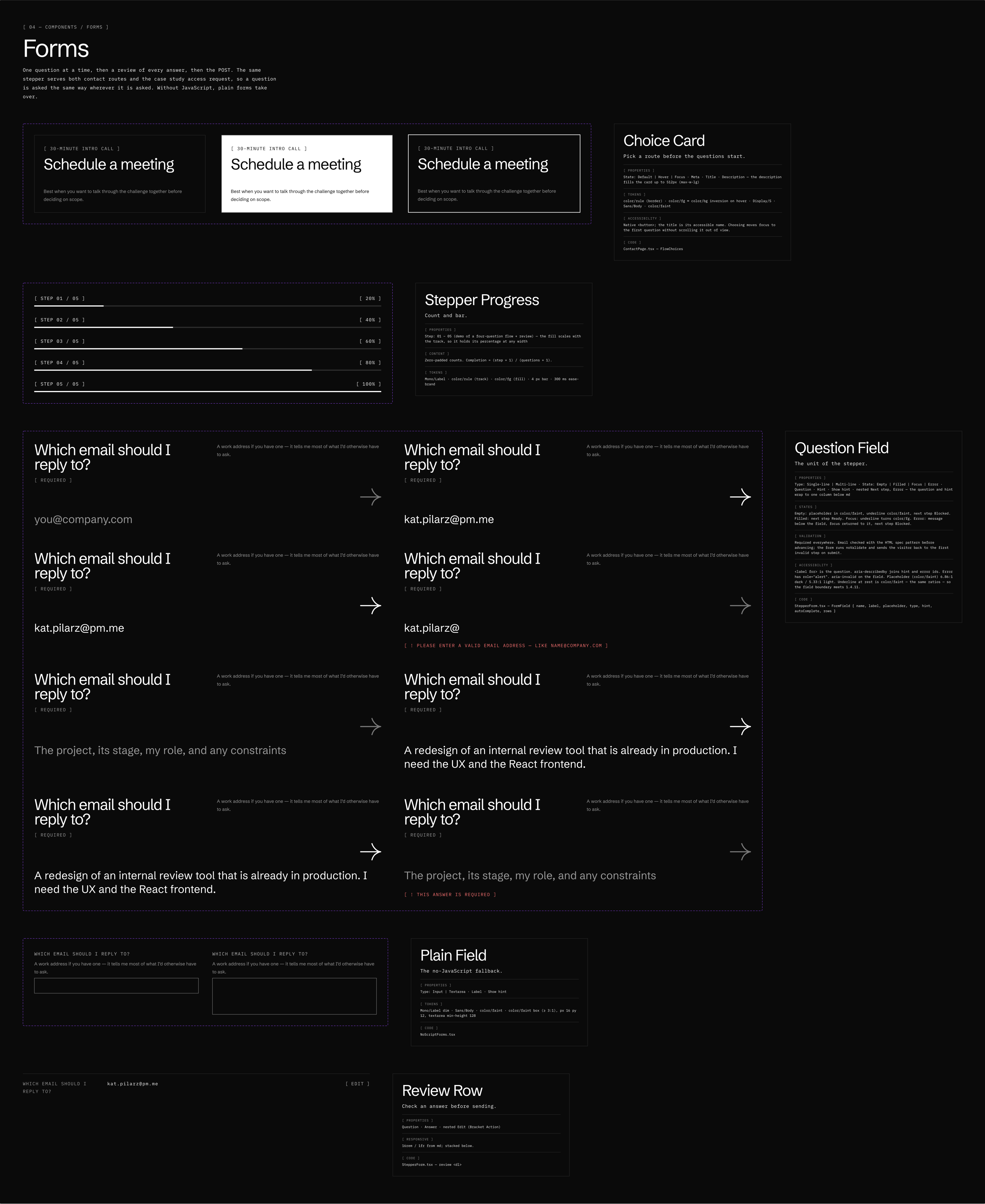
Every primitive has a spec beside it: the tokens it uses, how it behaves, what it does for screen readers and the file it lives in. The arrow, for example, is the only icon on the site. It’s sized in em so it matches the text around it, it’s always hidden from screen readers, and its meaning comes from the words next to it.
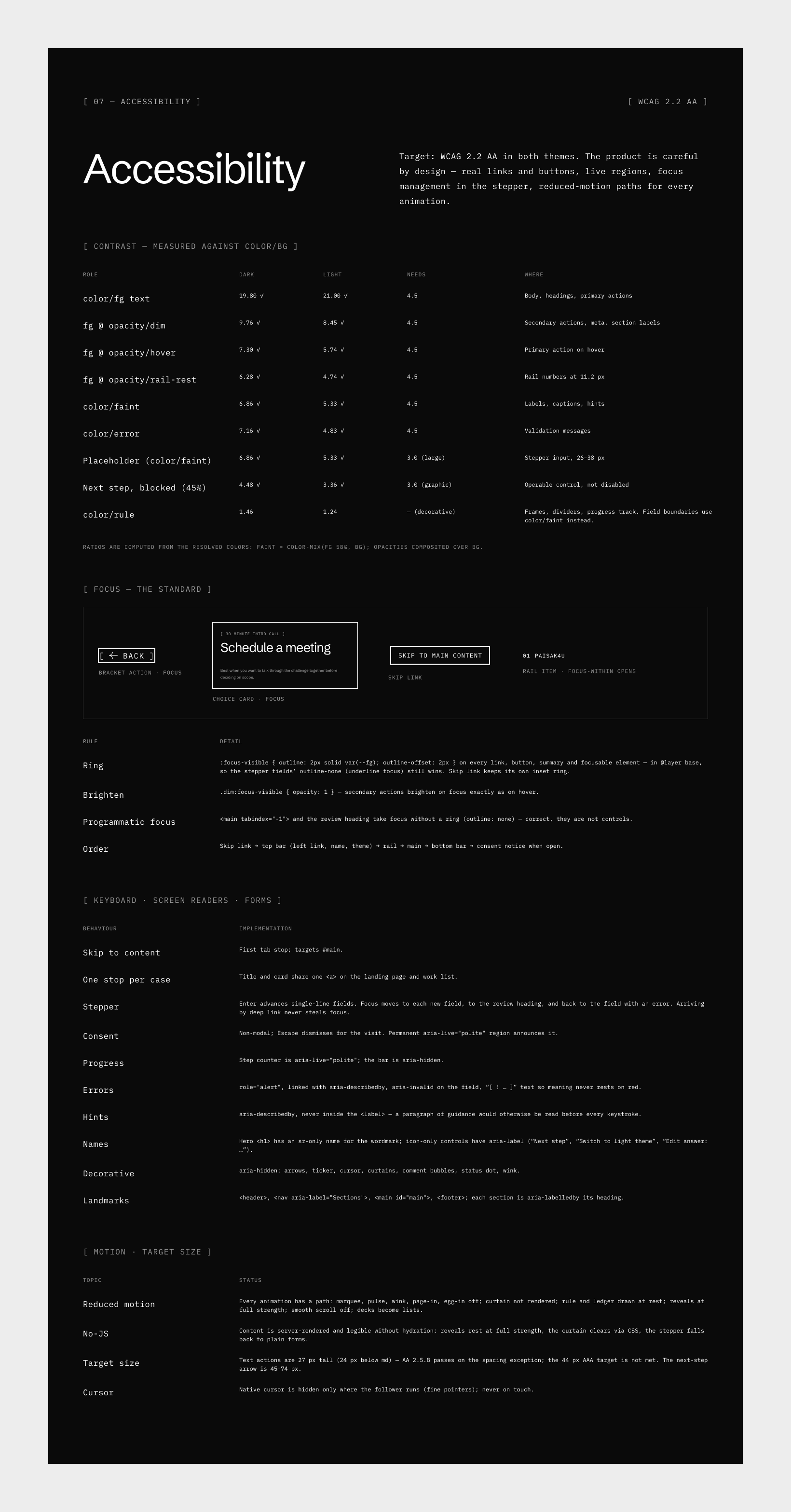
Contrast is measured in both themes. Dimmed mono text is 9.76:1 on dark and 8.45:1 on light, and the faintest text is 6.86:1 and 5.33:1.




Contact
One question at a time.
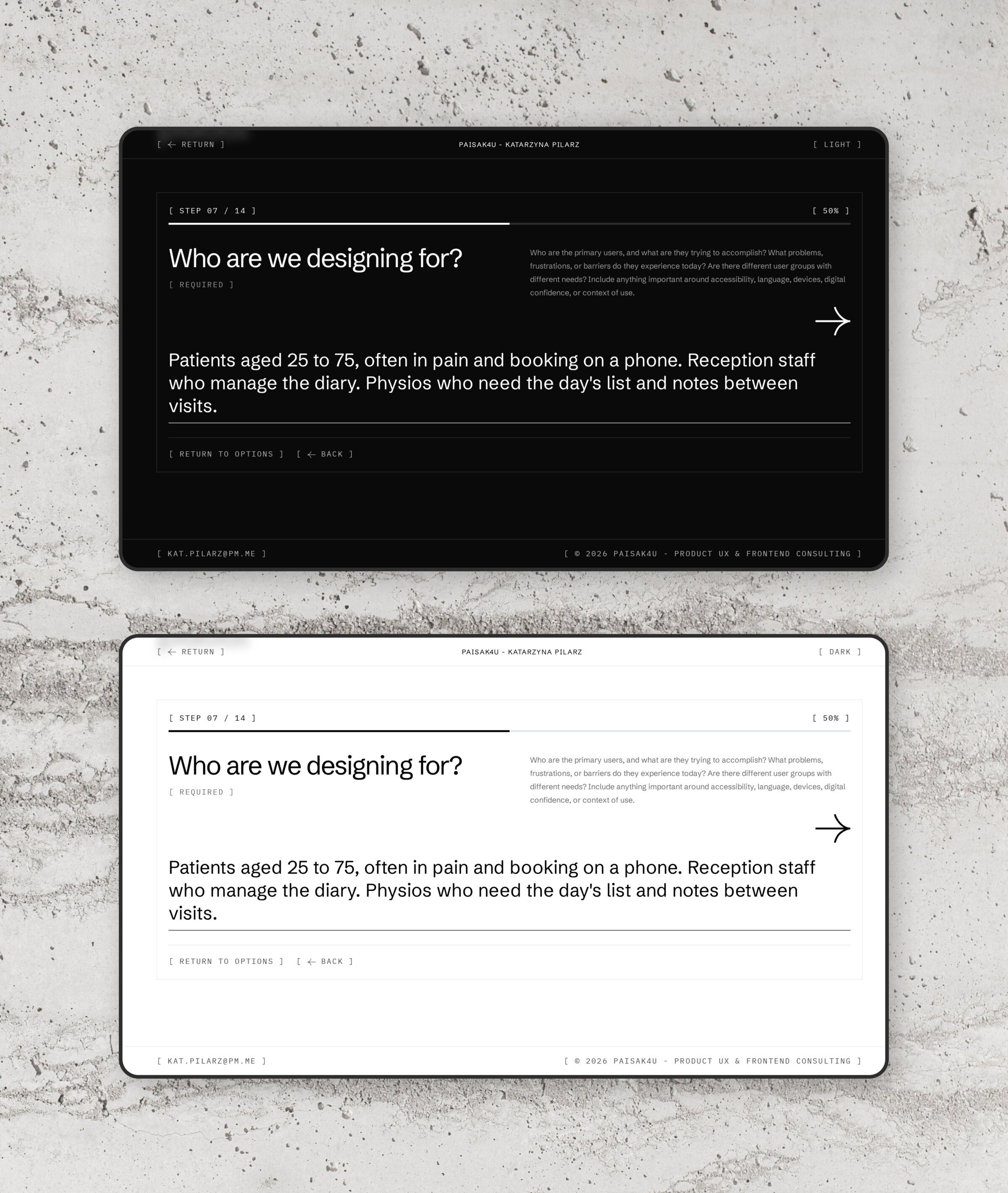
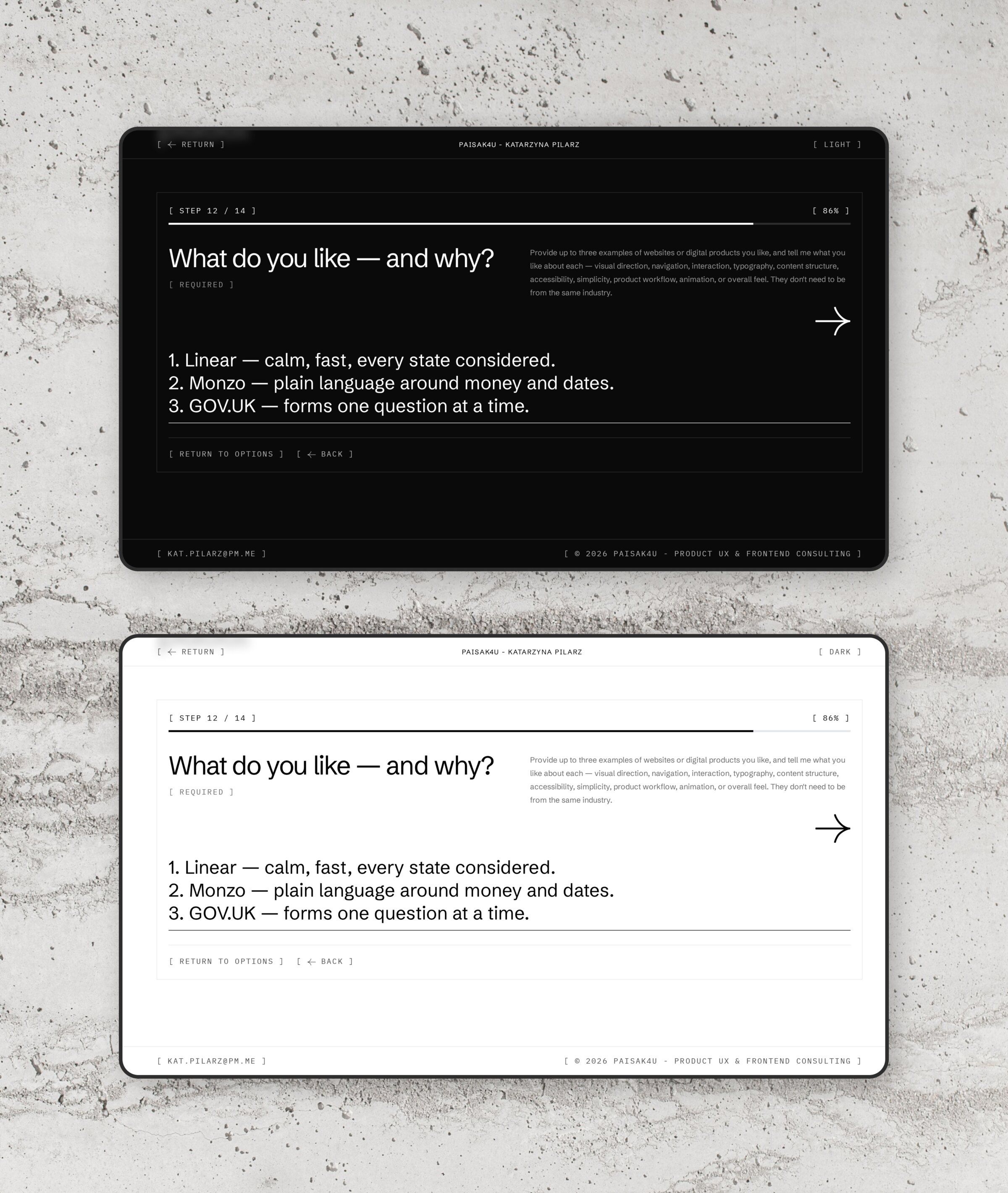
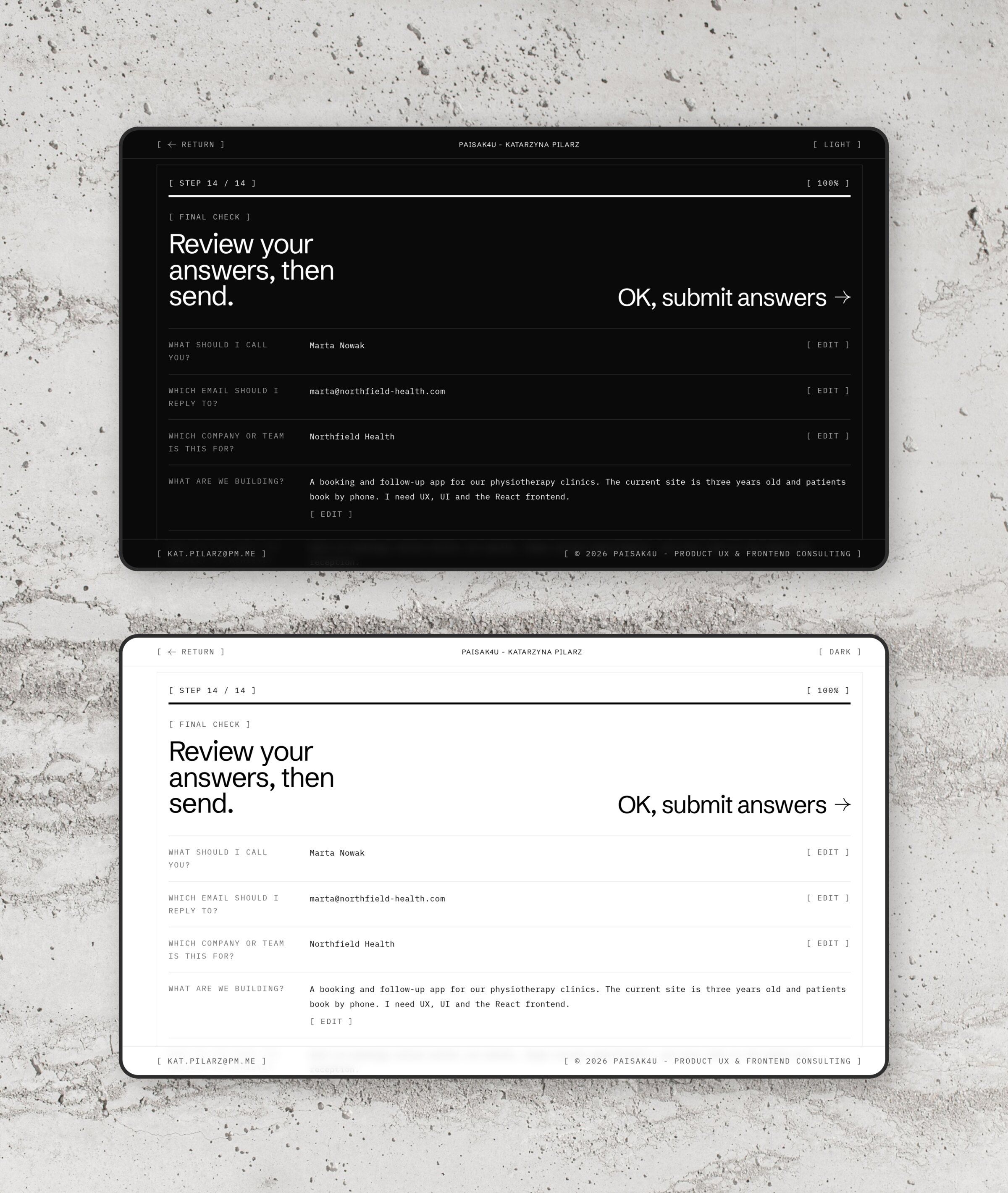
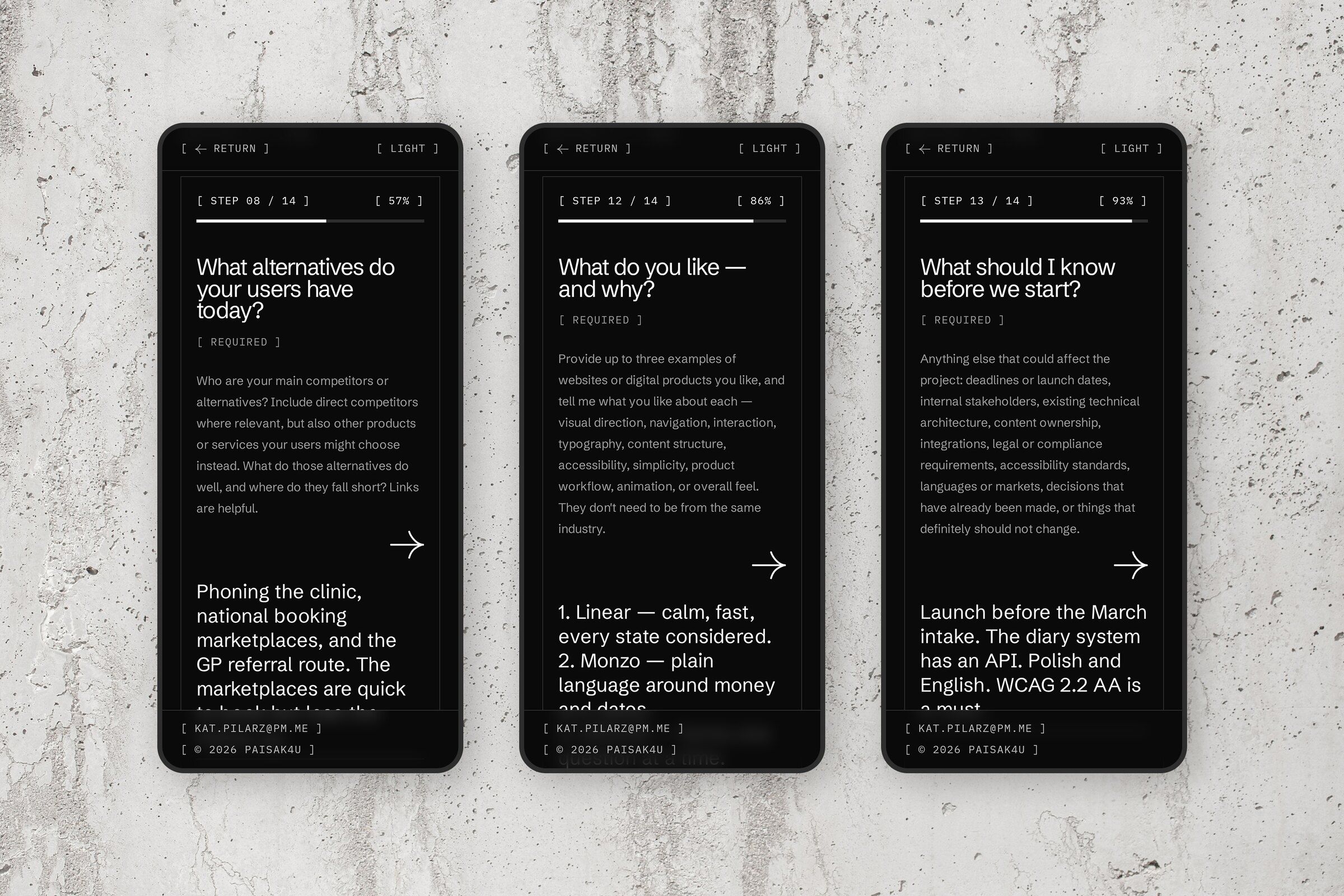
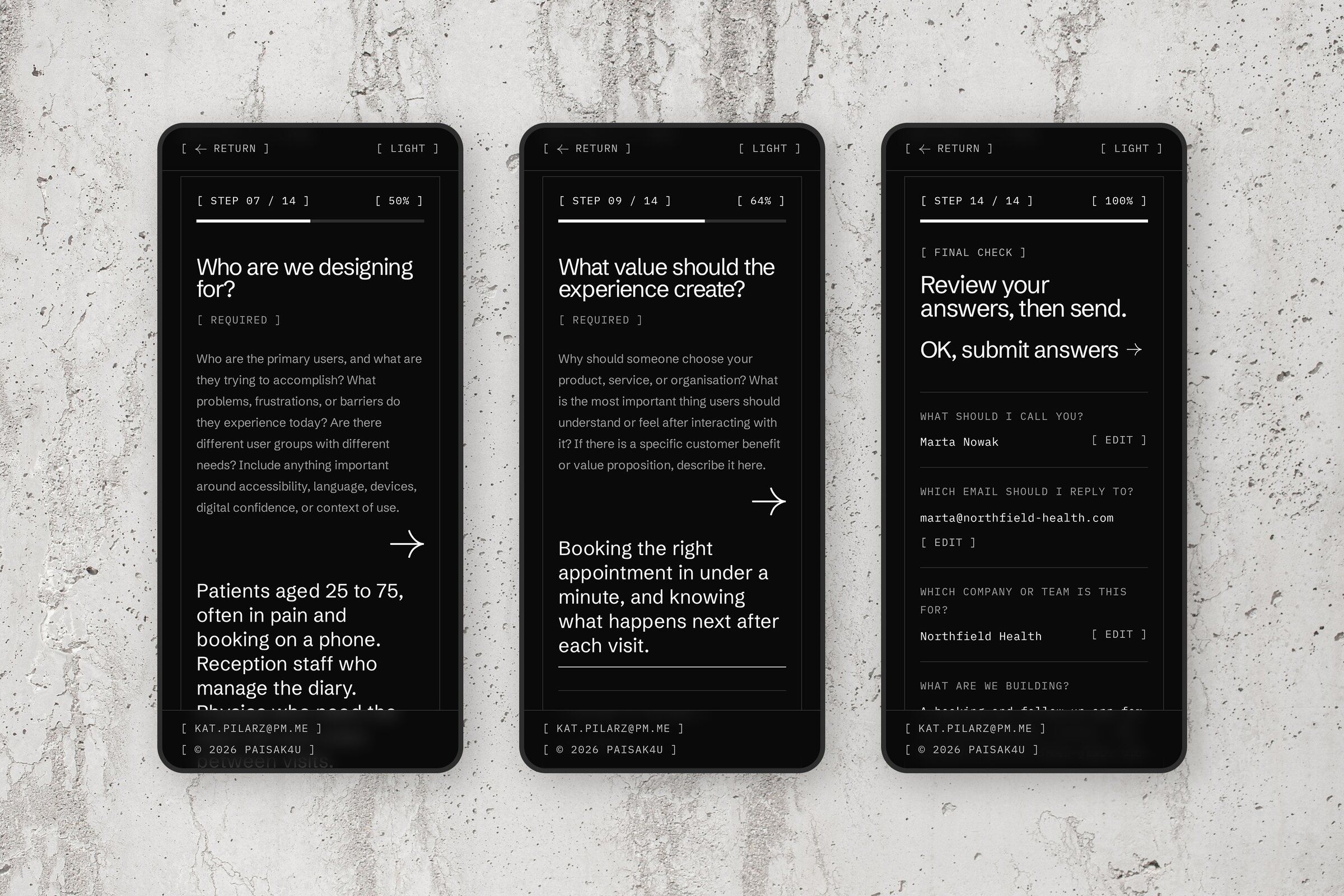
The contact page asks visitors to choose first: a short route to book a 30-minute intro call, or a longer one to send a project brief. The call takes five questions. The brief takes thirteen, and they’re the questions I’d ask in a first discovery session, such as who we’re designing for, what alternatives those users have today and what value the experience should create.
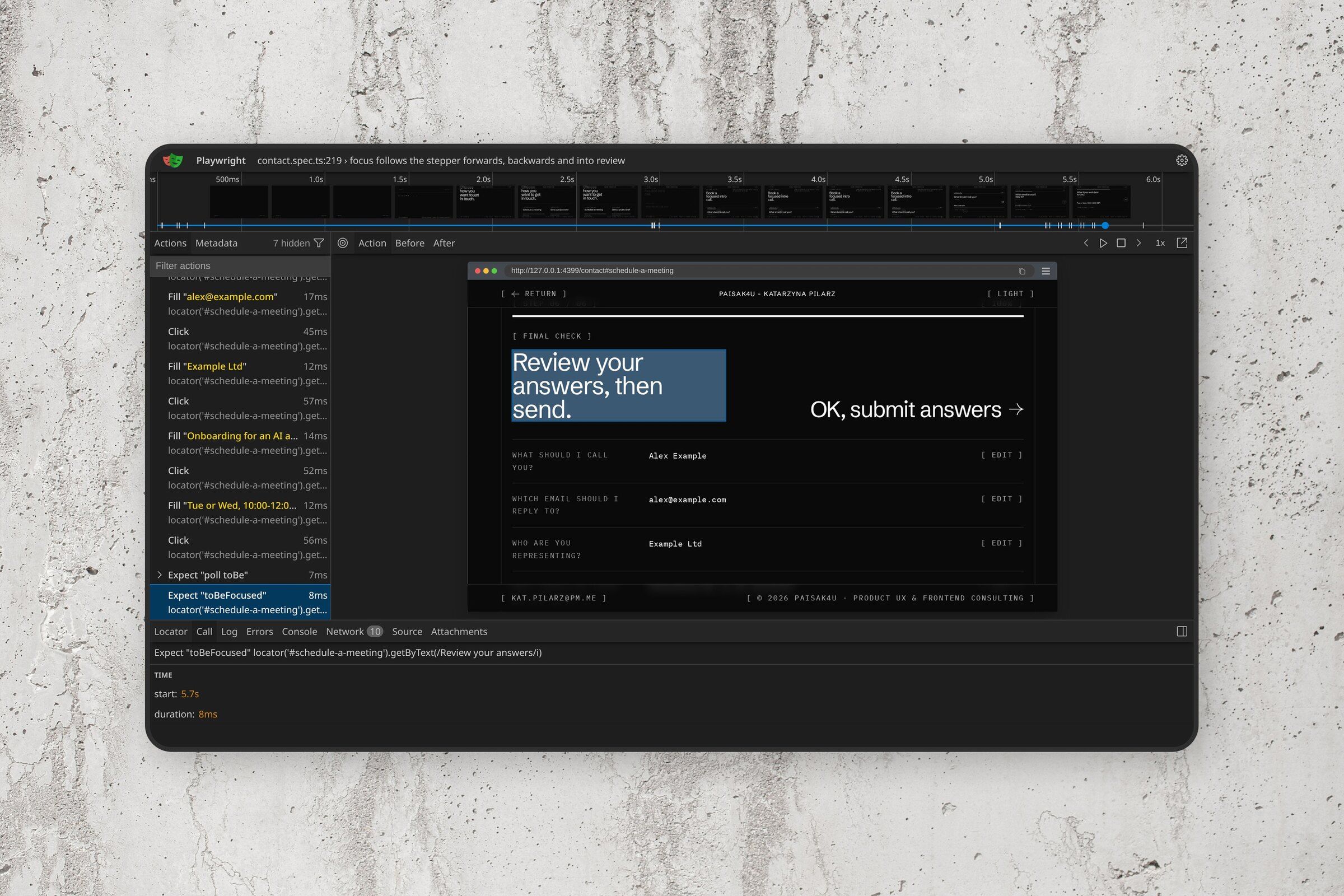
Each question is its own step. Focus moves to the new question going forwards or back, and to the review heading at the end. An error shows on the step that caused it, is announced, and is tied to its field, so a screen reader reads it with the question. From the review screen any answer can be edited, and the flow jumps straight back to it.
Small details got the same attention. Enter moves a short answer on but adds a new line in a longer one, and on phones the controls stay clear of the fixed bottom bar.
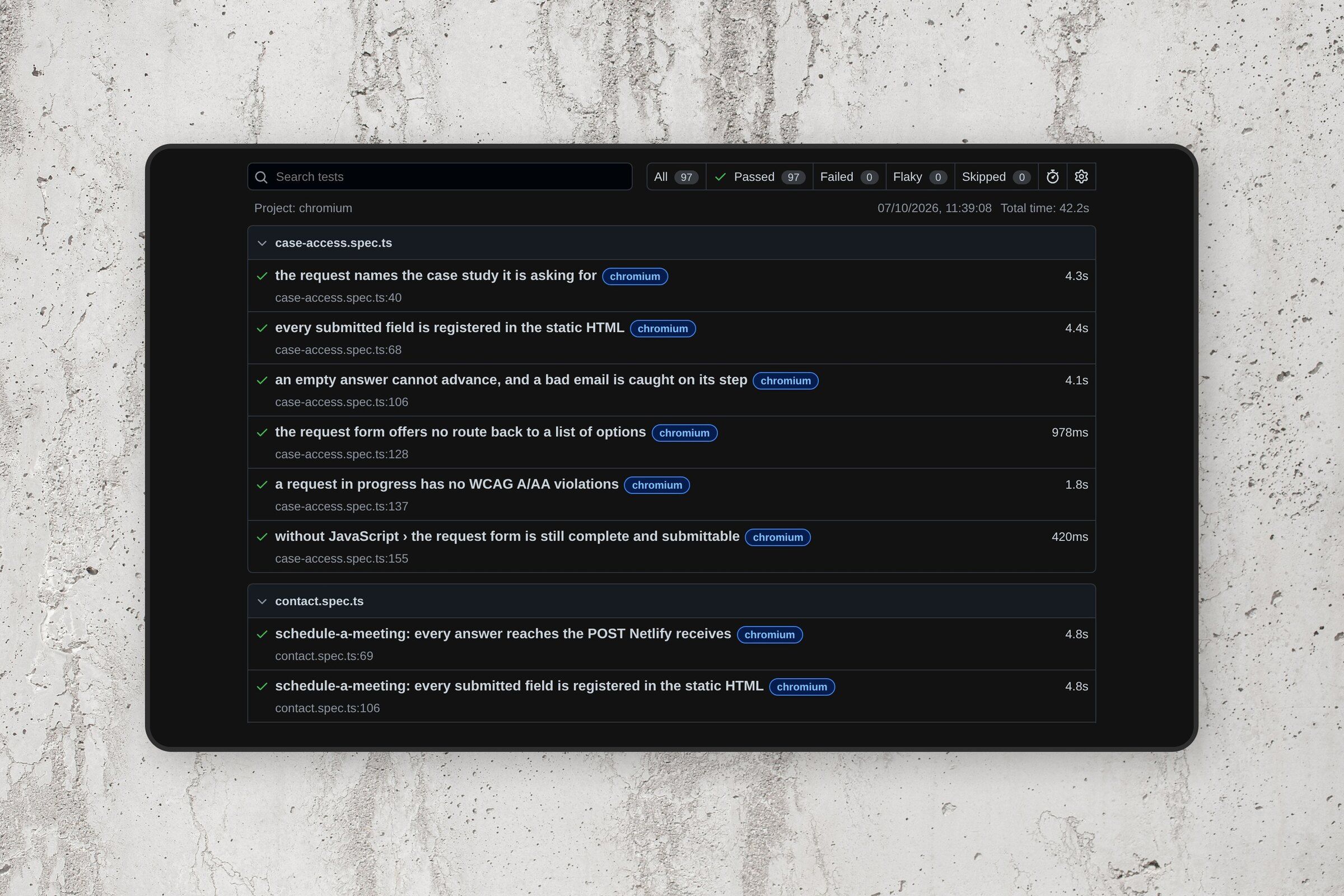
Without JavaScript, both routes render as complete ordinary forms and still submit. Tests check that every answer reaches the POST Netlify receives, and that every field is registered in the static HTML Netlify reads at build time.






Testing
97 tests, with and without JavaScript.
The site has 97 Playwright tests. axe checks all eight routes against WCAG 2.1 A and AA, plus the home page in both themes and the contact and request forms while they’re being filled in. Other tests check that no page scrolls sideways on a phone, tablet or desktop, that every internal link and anchor resolves, and that each route has one h1 and its own canonical URL, title and social card.
A few cover things that break quietly. The skip link has to be the first tab stop, the theme has to apply before any script runs on reload, and a browser that blocks storage mustn’t break the page. TypeScript runs in strict mode, astro check runs in every build, and ESLint includes the jsx-a11y rules.
On the version live in October 2026, all 97 pass.