



- Client
- QRCodeFlip
- Role
- UX architecture, product design, design system and frontend engineering
- Scope
- Version one of the product, guest ordering and the staff application, built around the client’s existing backend and data model
- Year
- 2026
- Tools
- FigmaReact 19ViteReact RouterZustandFramer MotionSwiperCSS ModulesPlaywrightaxe-core
- Website
- View demo
Context
One product for many hotels, with a guest side and a staff side.
QRCodeFlip is a QR ordering system used by many hotels, each with its own number of service points, and each service point can offer a different menu at different prices. A guest who scans a code lands in that hotel’s menu, at the service point where the code sits, and staff run the menus, orders and feedback from an admin application. Both sides are one product, built on the same domain model and design system. The hotel this case follows has five service points: a restaurant, a bar, a lounge, a pool bar and room service.
The client already had a backend holding the menus, outlets, prices and images. It worked, but its interface was data-heavy and hard to navigate, and the hotels found their menu data difficult to manage. That set two constraints from the start: make ordering simple for guests without simplifying the business rules underneath, and make the operation manageable for staff without replacing the client’s existing data system. What made it interesting was the relationship between context, catalogue state, basket identity and operational change.
I designed and built the UX architecture, the domain and state model, the design system and the React frontend for version one, around the JSON the client’s system already produces. Version one is complete as a frontend prototype, with live basket reconciliation, role-based staff workflows, layouts from phone to desktop in light and dark, accessibility validation and cross-browser QA.
Payment, staff sign-in and the dashboard’s activity stay simulated until the client’s backend is connected. The client’s team owns the existing backend and connecting it to this frontend, production sign-in, payment integration and testing with real guests and staff, which becomes the input for version two. I don’t present adoption or revenue figures, because there aren’t any yet; the numbers in the demo are generated data.
The live demo opens the menu the way a guest would, from the QR code on a lounge table. The admin panel is one tap away through the dashboard icon in its corner, and the sign-in page offers demo accounts.


Problem
The menu changes while the guest is ordering.
A QR ordering flow looks linear: scan, menu, basket, checkout, order. The system underneath it isn’t. While a guest is choosing, a dish can sell out, its price can change, an option can disappear, a required choice can become invalid, and a dish can be offered at one location but not at another.
So the menu a guest opened is only a snapshot. The real question was what should happen when the truth in an active basket stops matching the truth in the live catalogue, and that became the main UX problem and the main engineering problem at once.
The second problem sat at the integration boundary. The frontend reads JSON from the client’s existing system, shaped for that backend rather than for the way a guest or a member of staff thinks. The first audit showed one concrete consequence: prices were stored in minor units, and every dish was showing at a hundred times its price.


System model
A scan is context. A basket line is an identity.
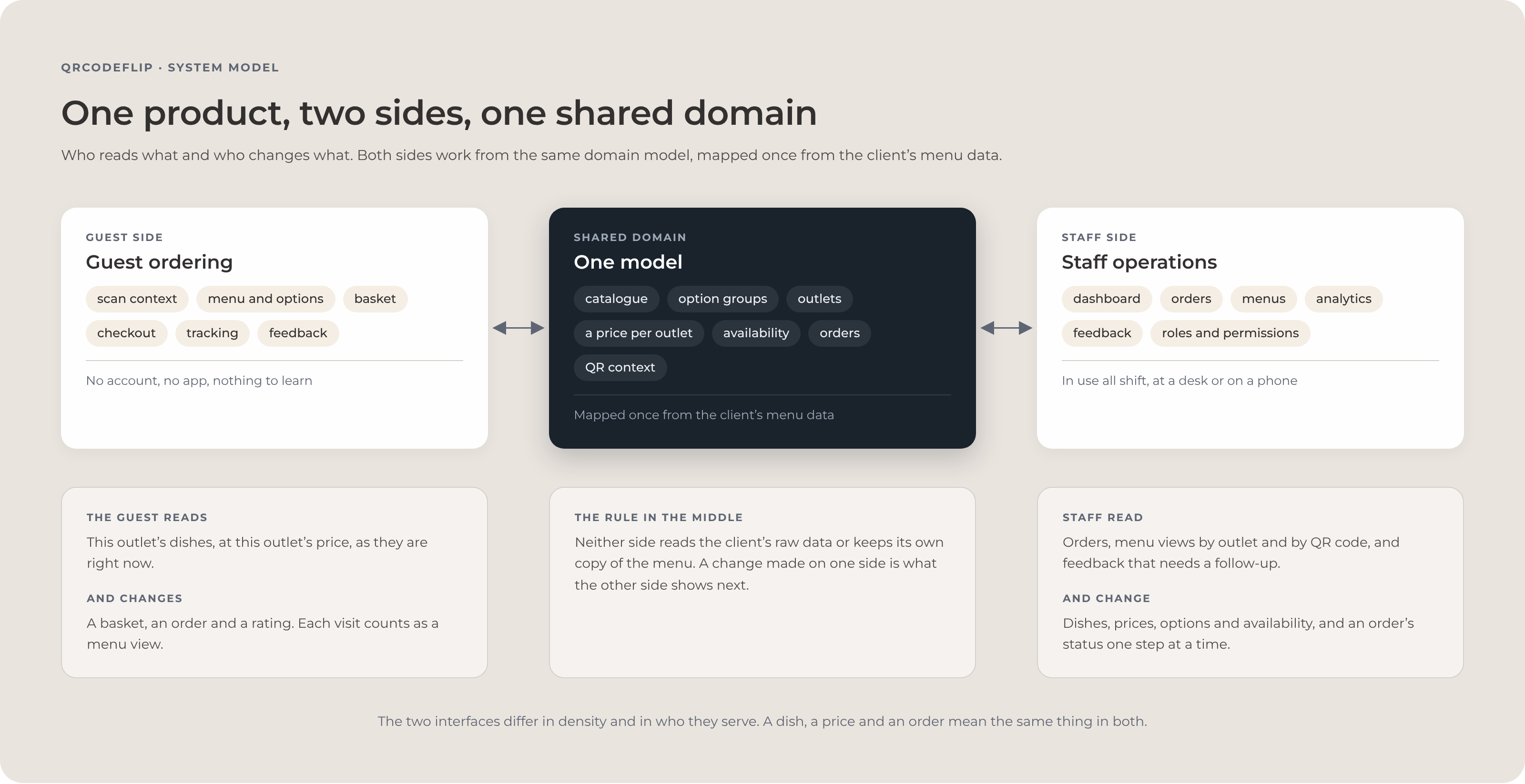
The key modelling decision was to separate context from selection. A QR code sets the context: the hotel, the service point, the menu and location prices that apply there, and the code that started the session. That context stays with the browser tab, so every menu view and order is recorded against it.
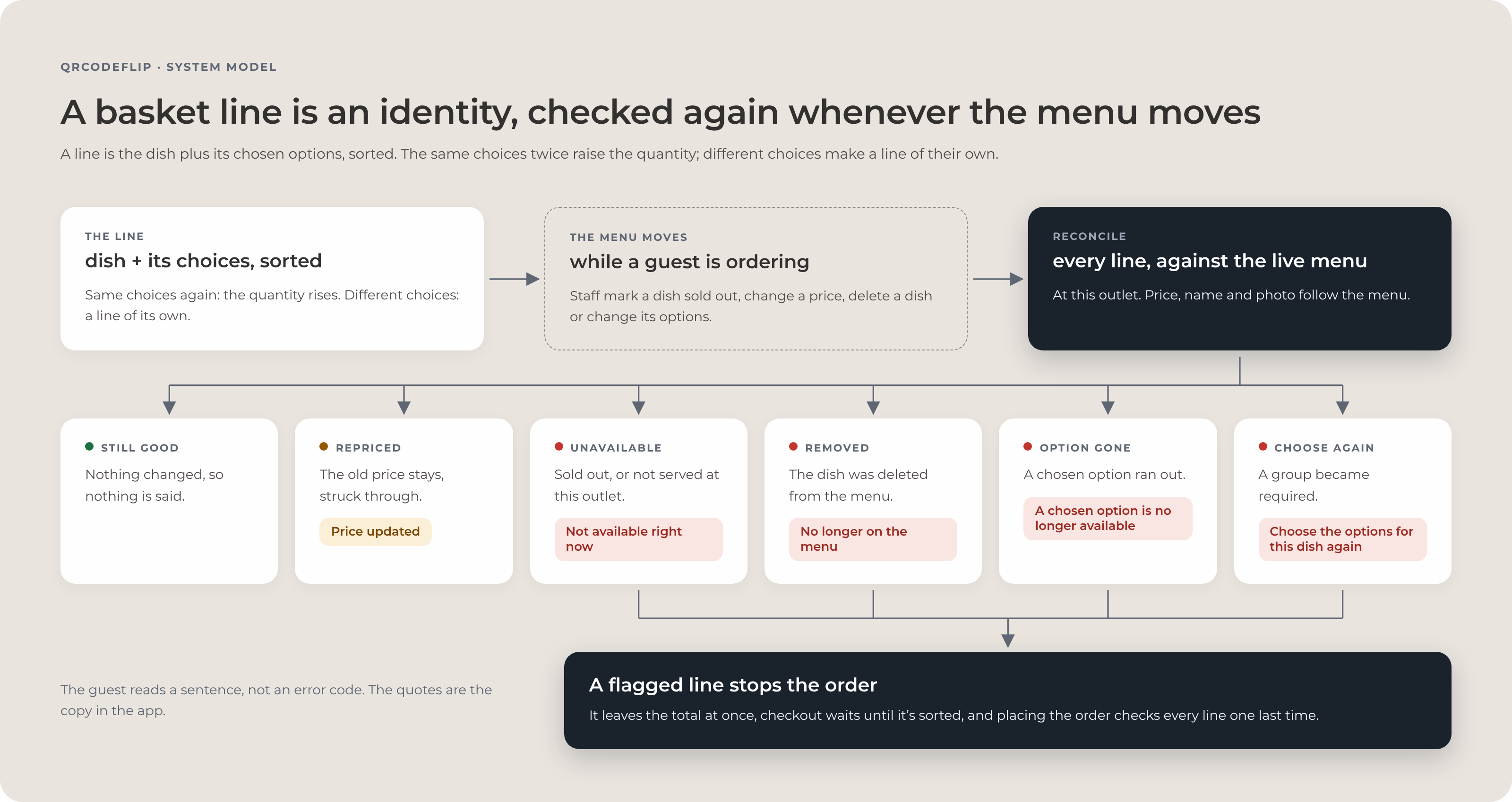
A basket line is a selection: the dish plus its chosen options. The same configuration twice raises the quantity, and a different configuration is a line of its own, so every line keeps a stable identity while the catalogue changes around it.
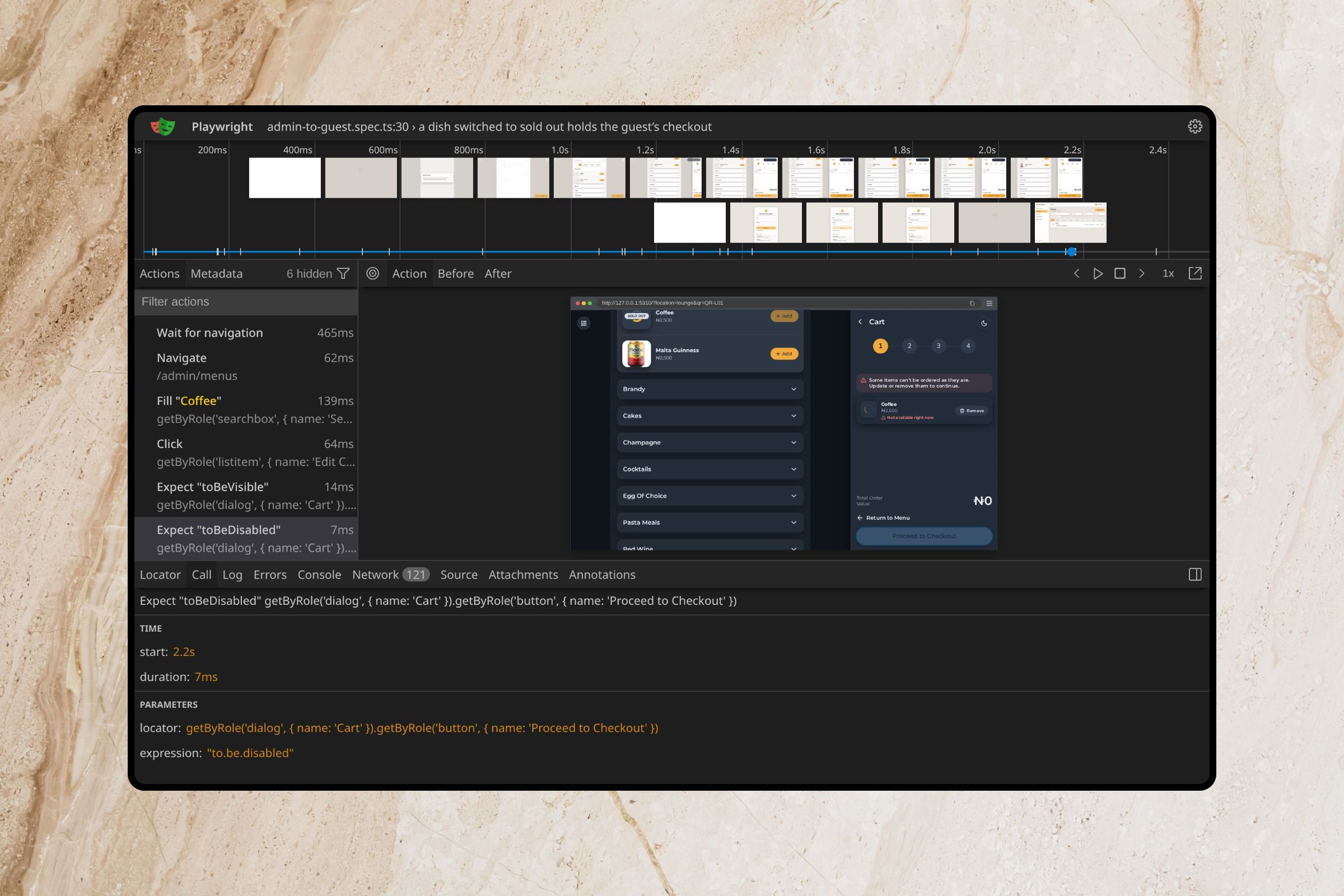
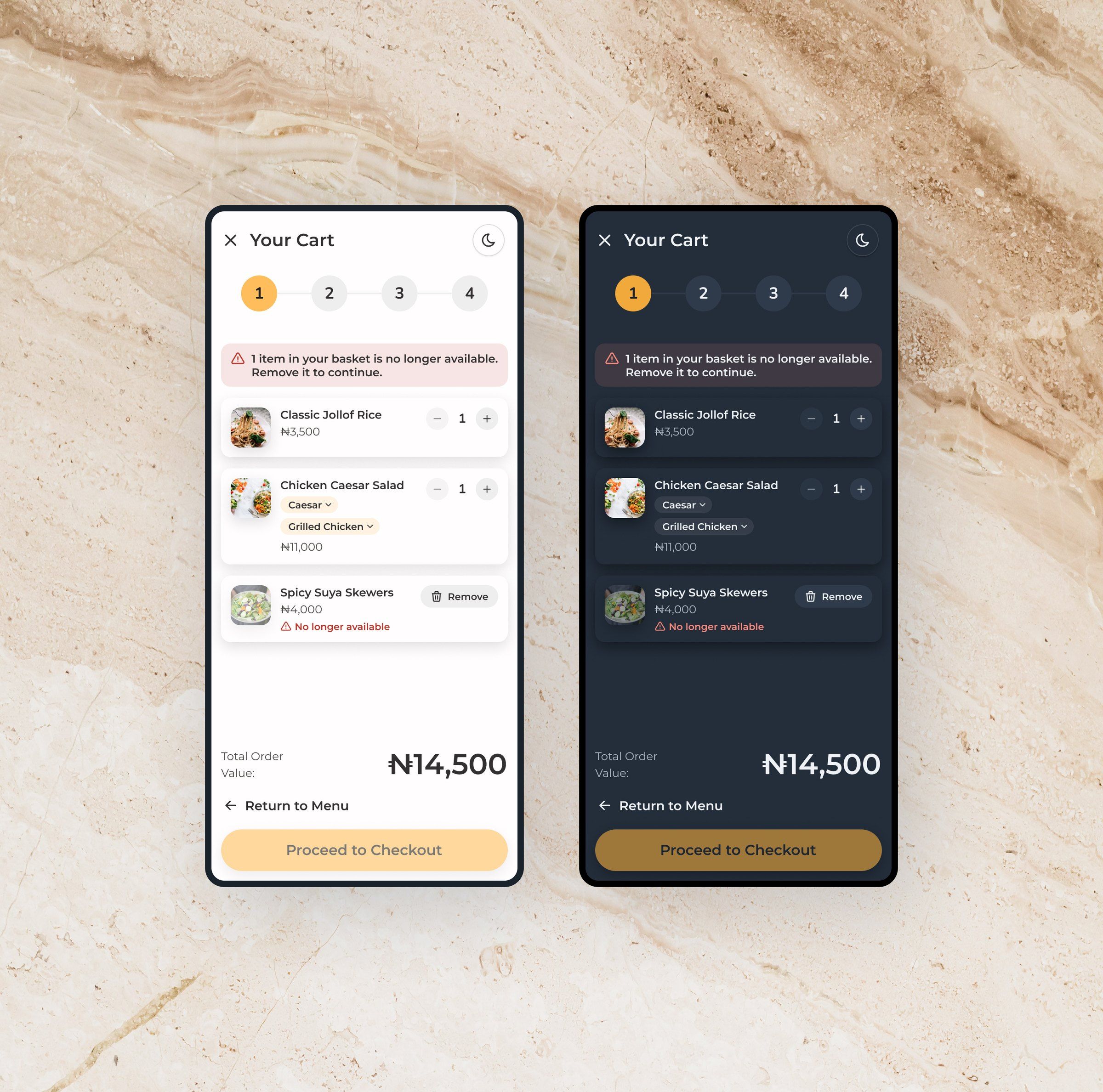
The rule for what happens next came out of the first audit, which found the basket keeping stale prices and still allowing dishes that staff had made unavailable or deleted. Now, whenever the live catalogue changes, every line is reconciled and resolves to one of six states: still valid, repriced, unavailable, removed, an option no longer available, or a choice required again.
These are product states with their own sentence for the guest, and none of them is a backend error passed through. A line that can’t safely be ordered is flagged, drops out of the total and holds checkout until the guest resolves it. That rule became the bridge between the product design and the engineering architecture.


Guest experience
Every step between the scan and the order is designed, not defaulted.
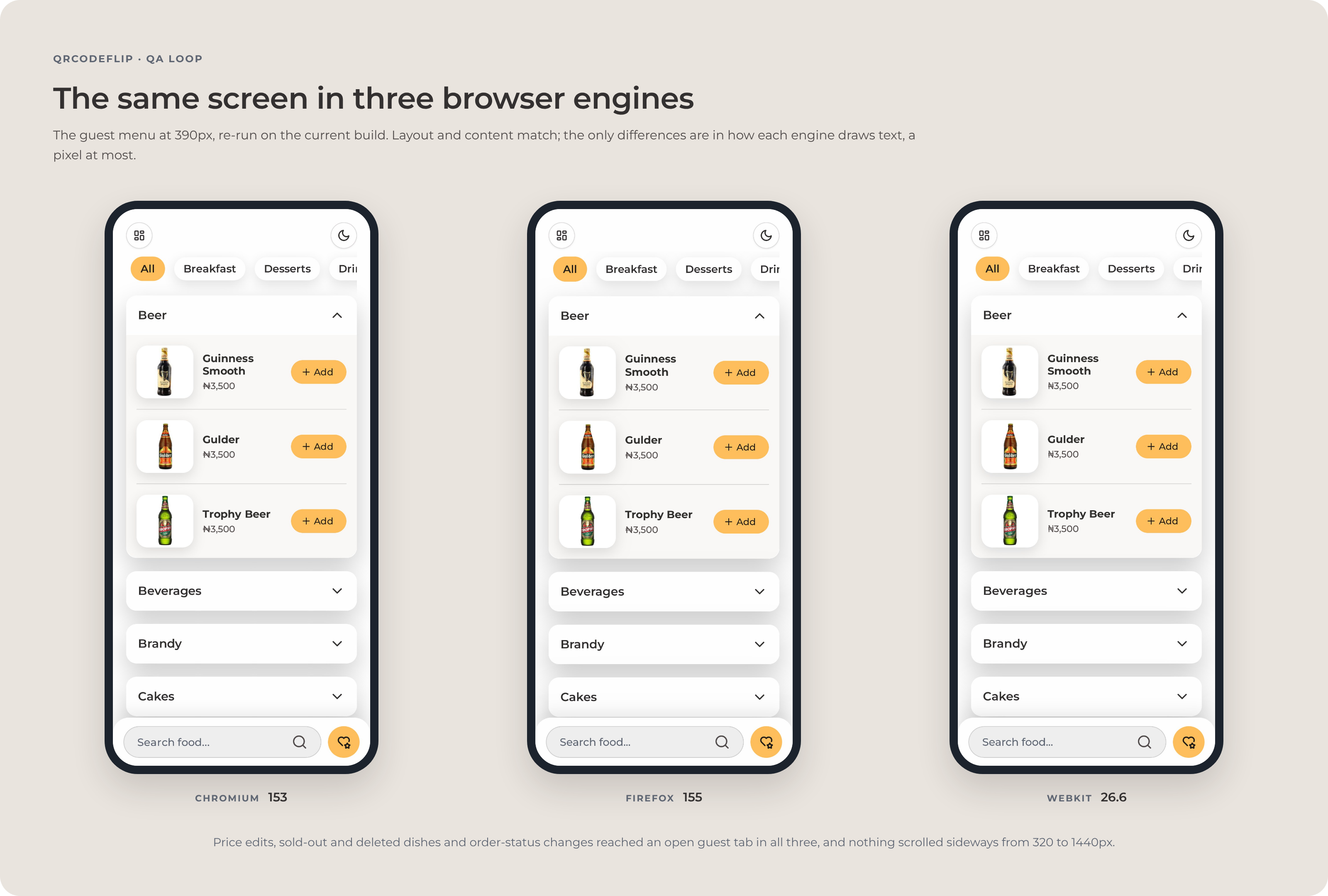
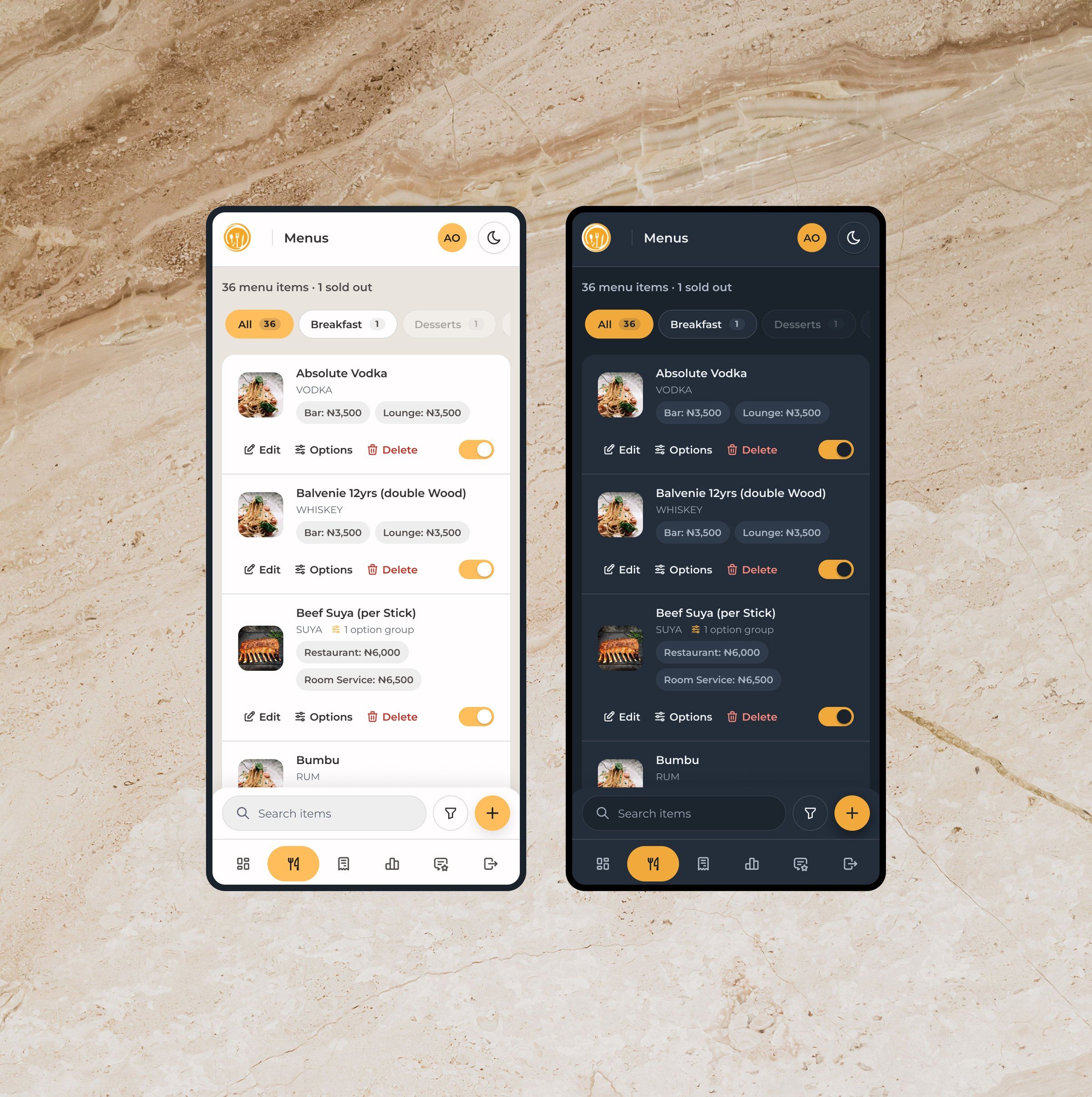
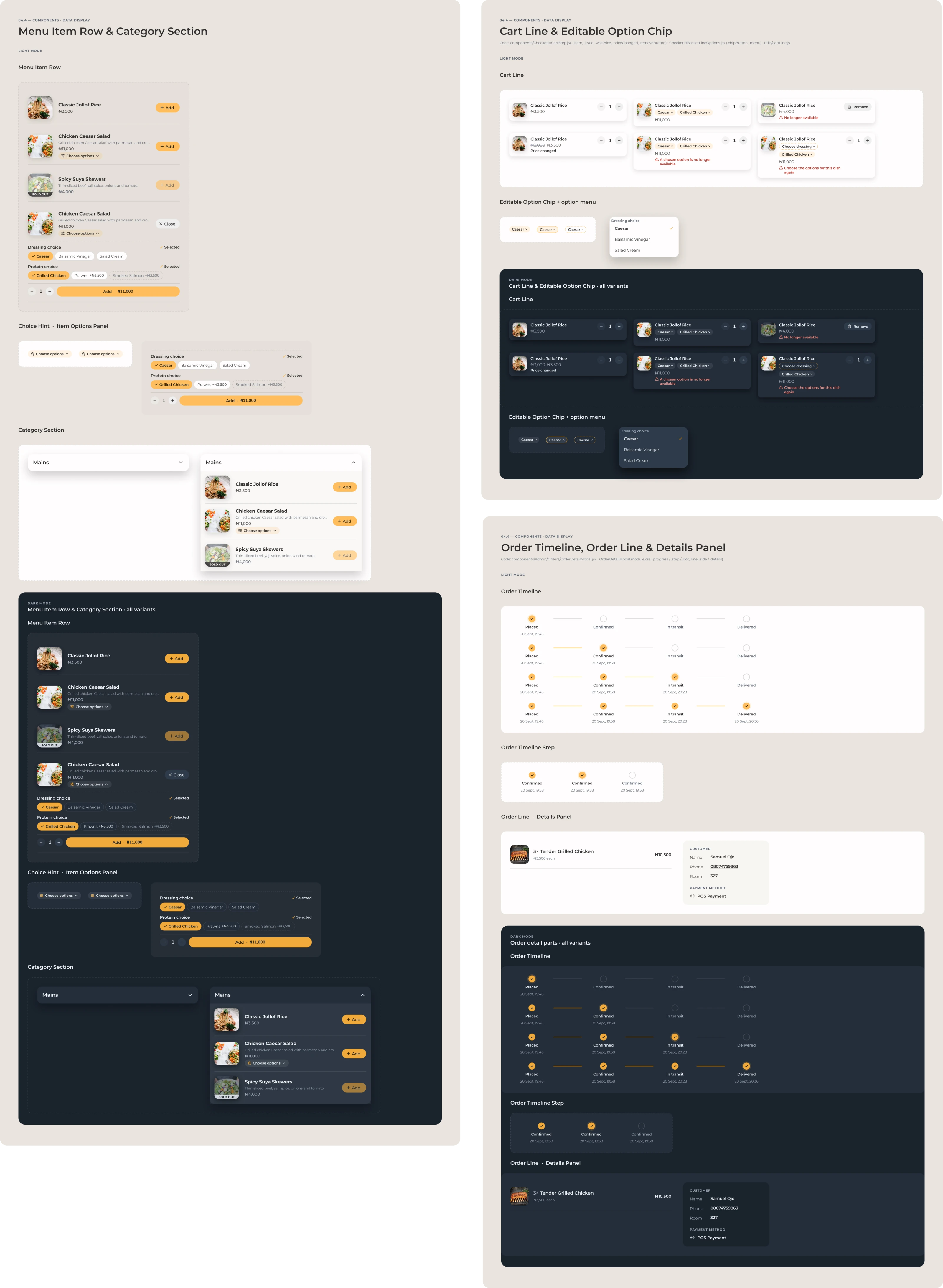
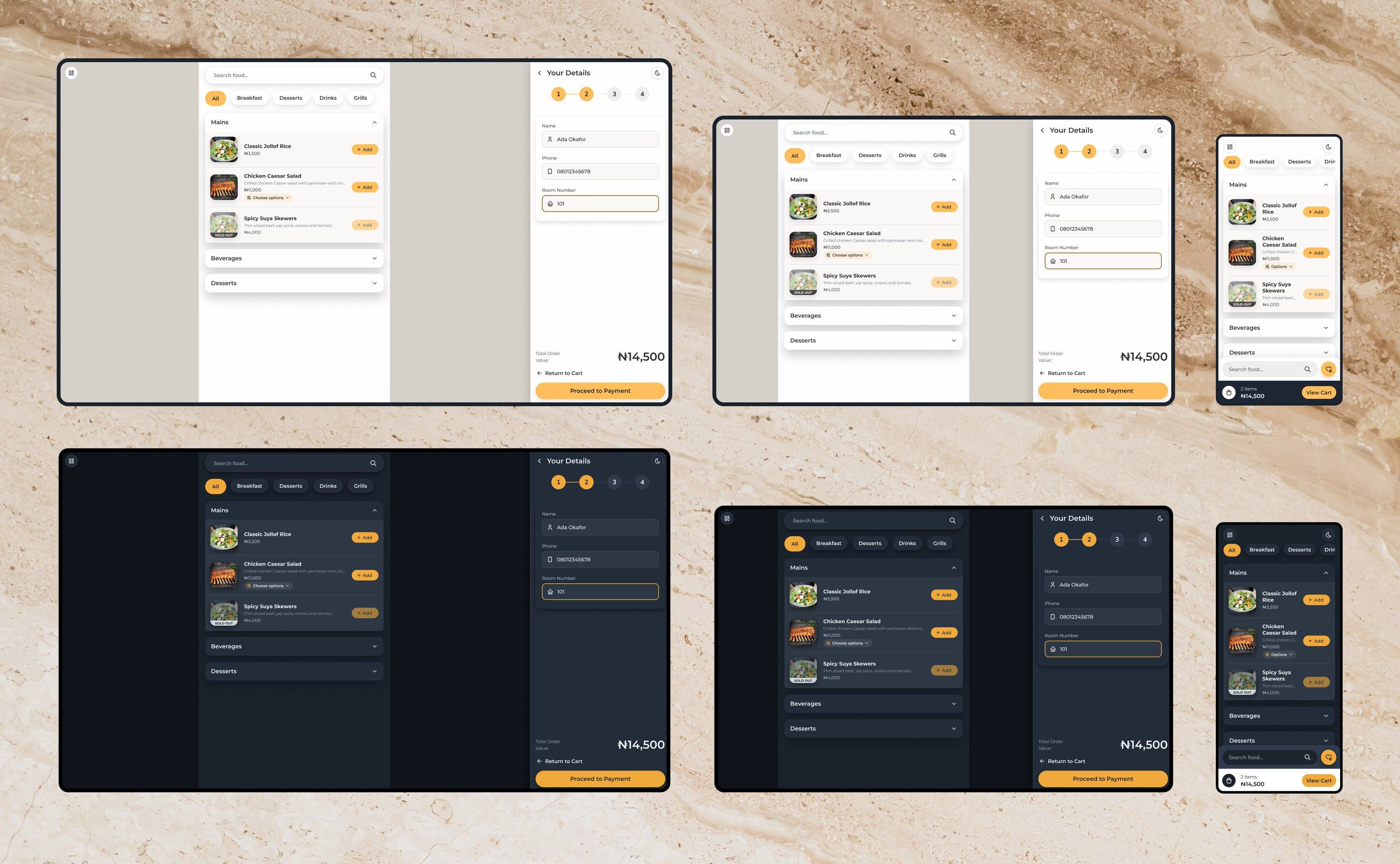
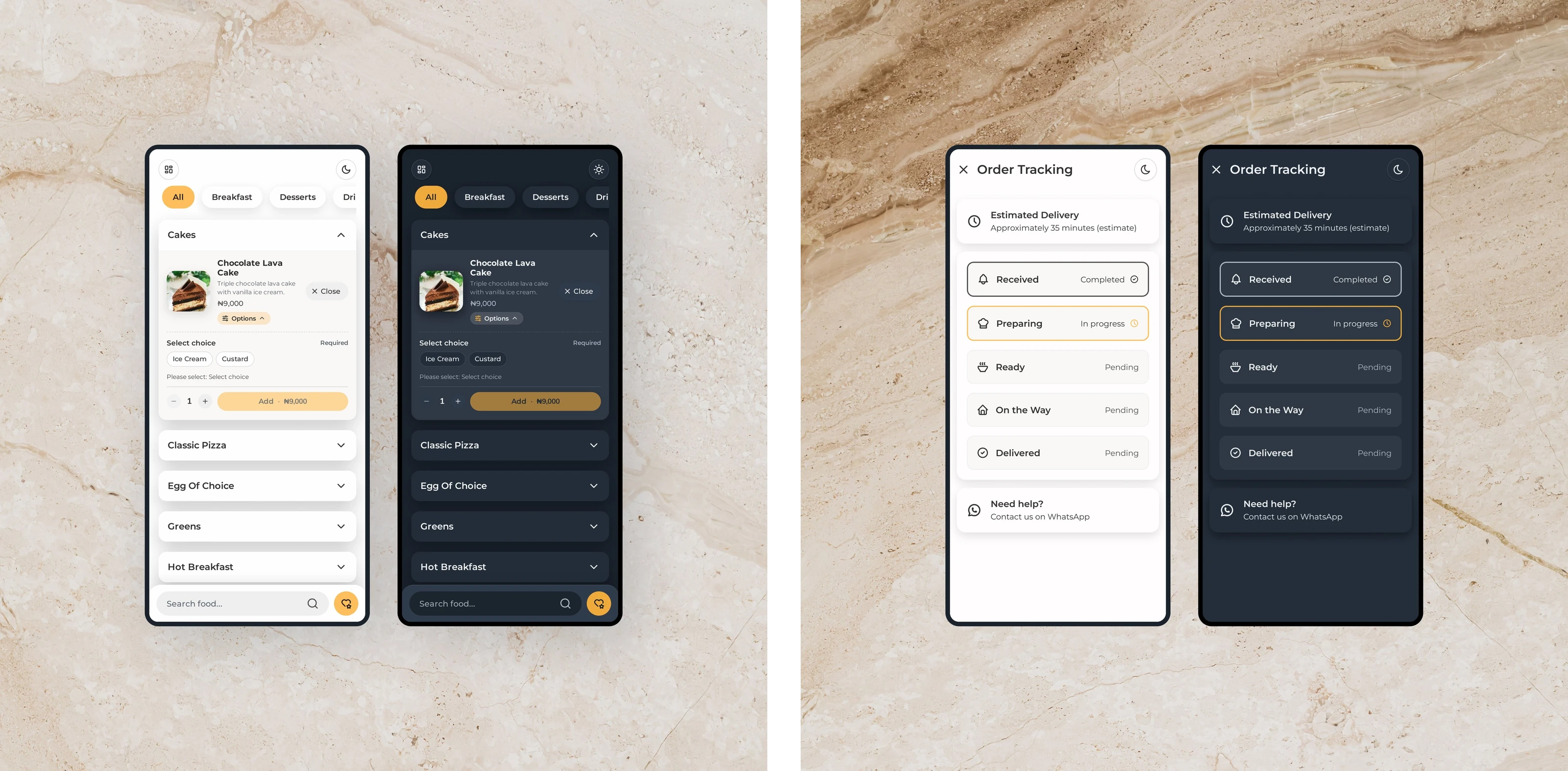
The guest interface is simple because the system underneath isn’t. The menu has categories, sections that open and close, and a search that ignores accents and reads descriptions as well as names. A dish with choices opens them where the guest is already deciding, with required groups marked, and the Add button states the dish and the total.
Checkout is four steps, basket, details, payment and summary, and the basket stays editable throughout, so changing a side doesn’t mean removing the dish and building it again. After the order the guest gets a confirmation, an estimated delivery time, the order’s status as staff move it, a WhatsApp line for help and a feedback form tied to a recent order.
Empty, loading, unavailable and error states were designed as part of the product, next to the main path. On a desktop the guest app stays a narrow column, keeping the mobile ordering model.


Staff application
The admin panel is organised around what needs doing next.
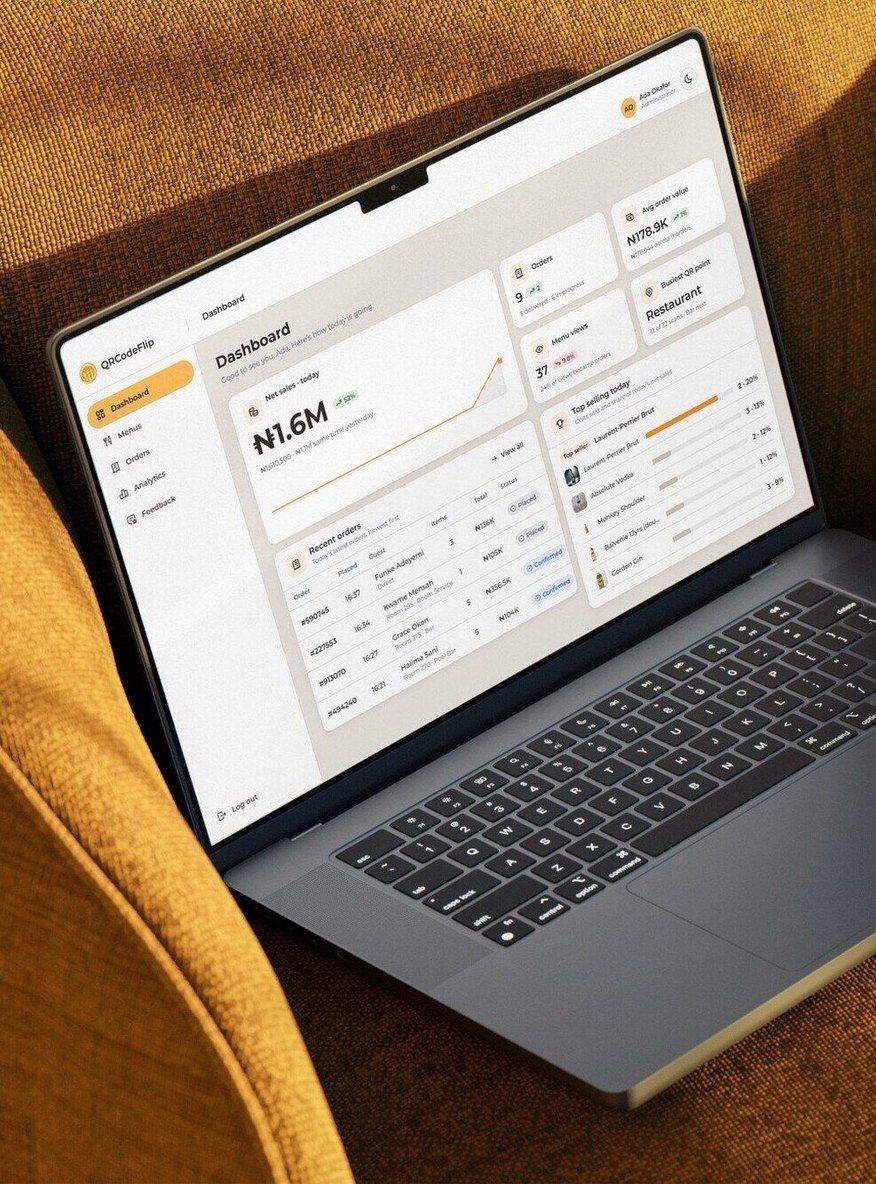
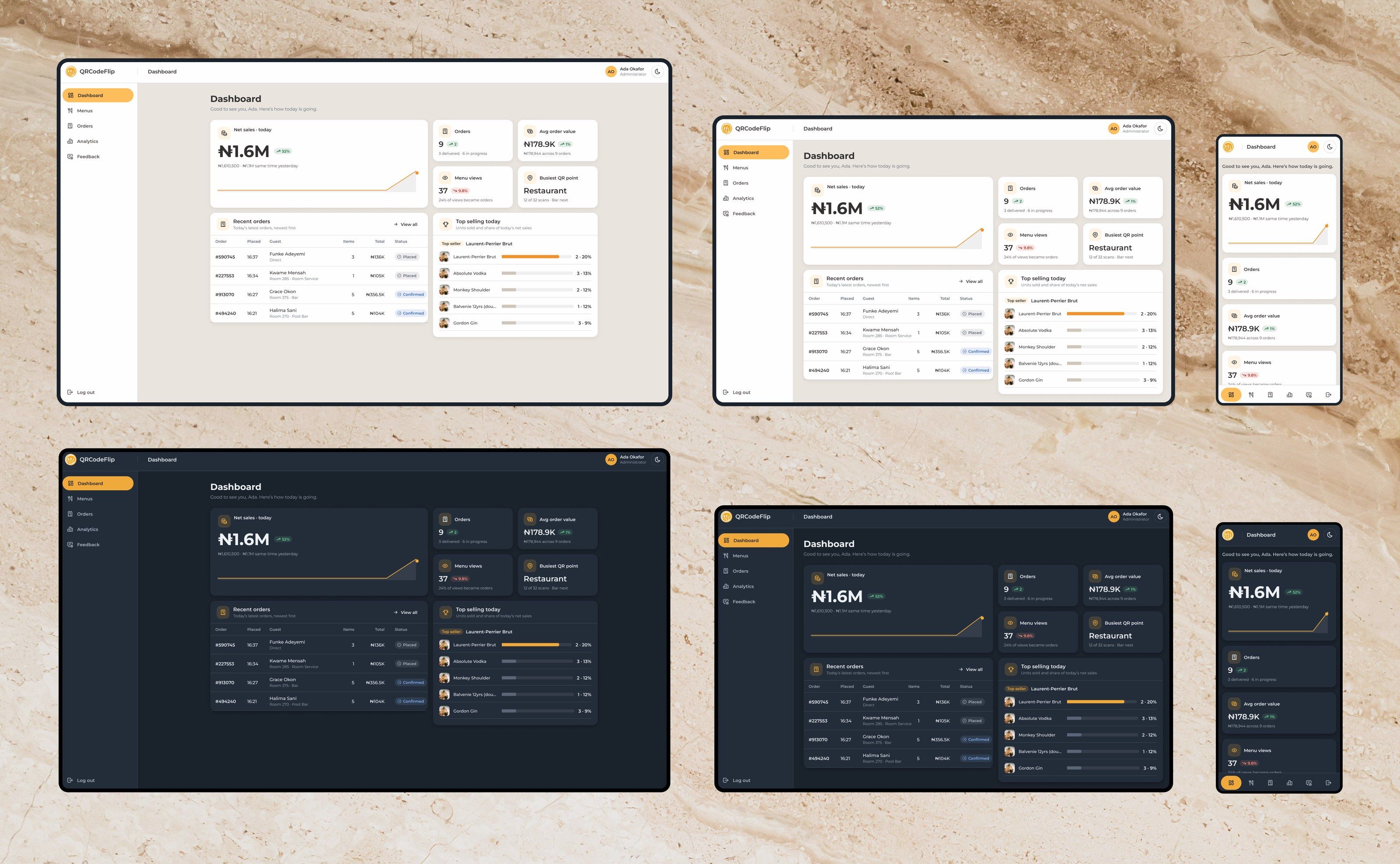
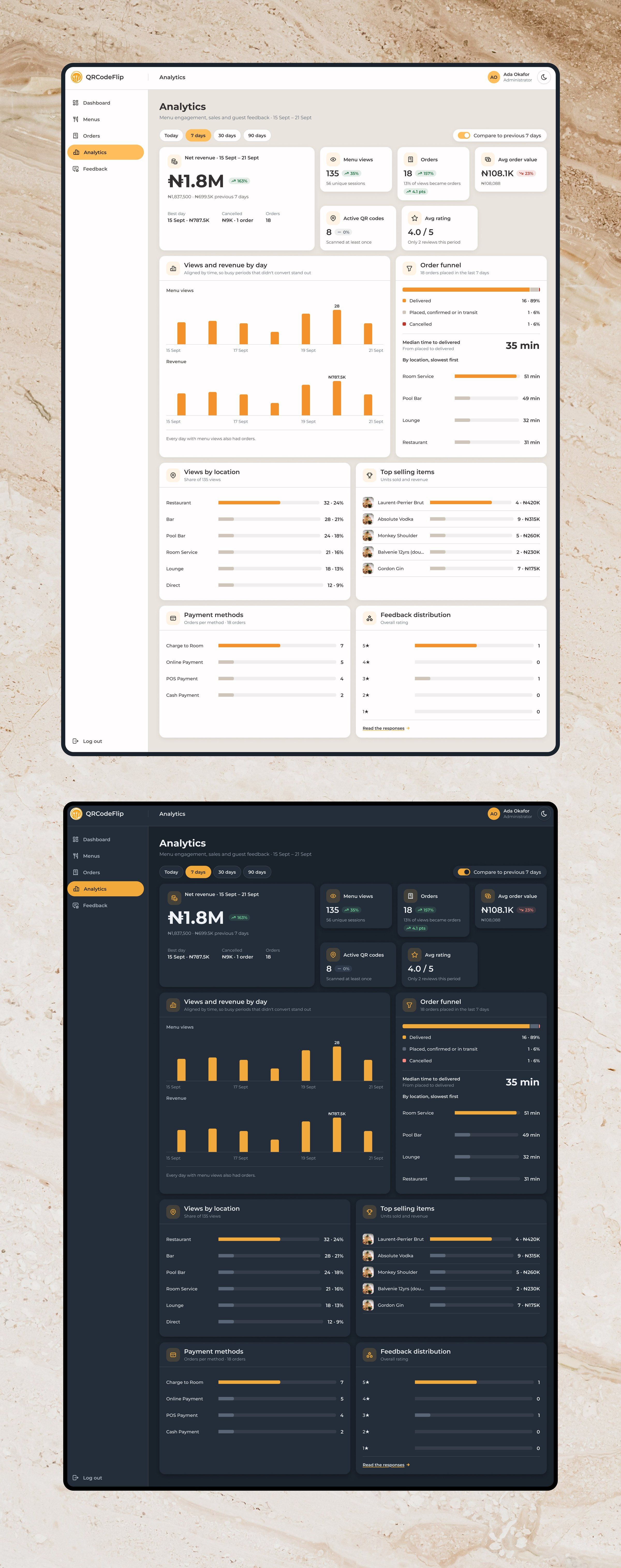
The staff application has five areas with role-based access. An administrator manages everything, and a manager has the operational areas without menu administration. The dashboard leads with today: net sales against the same point yesterday, orders in progress, menu views and how many became orders, and the busiest QR point. Analytics compare each period with the one before over the same stretch of time, and break menu views and delivery times down by location.
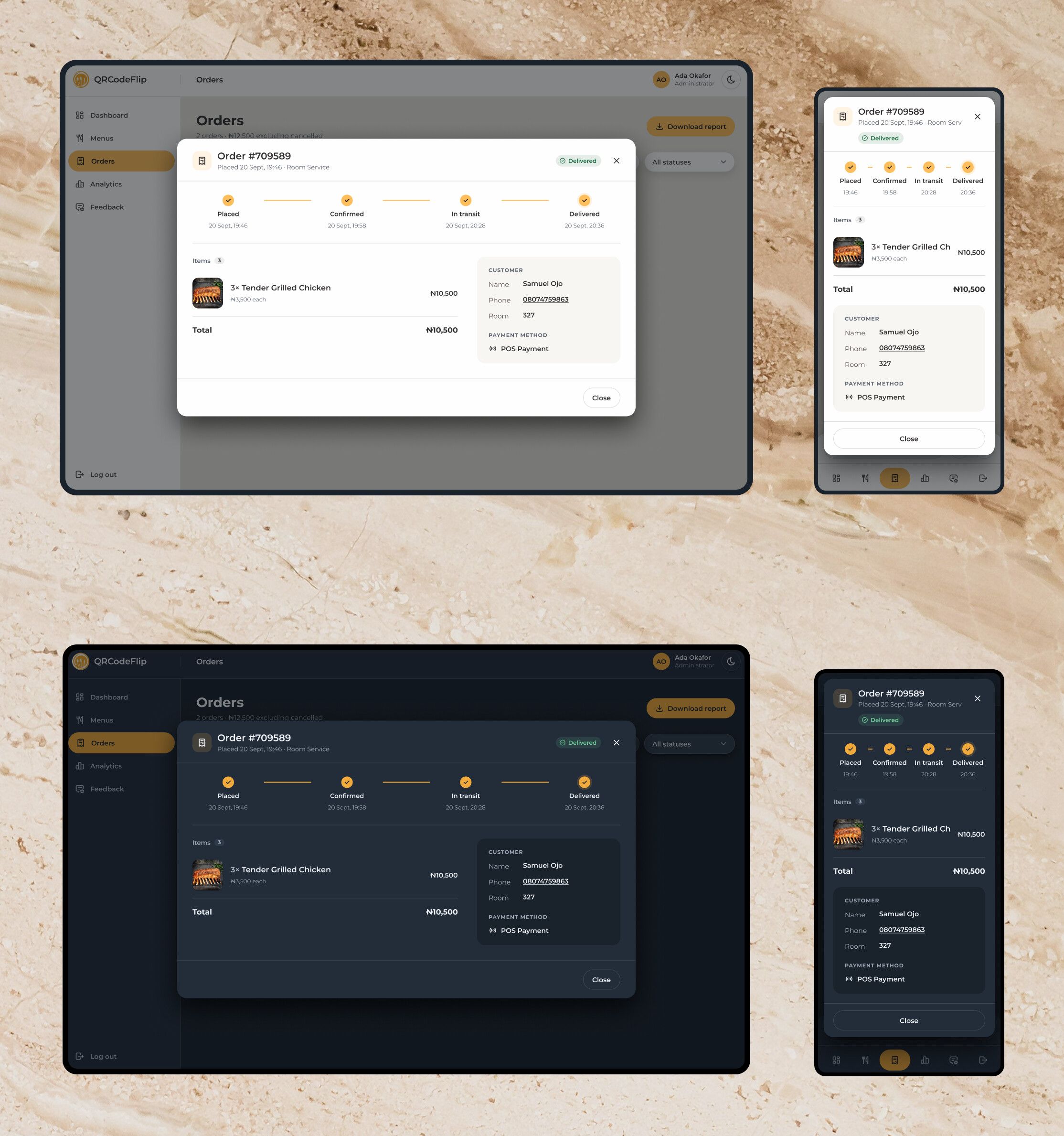
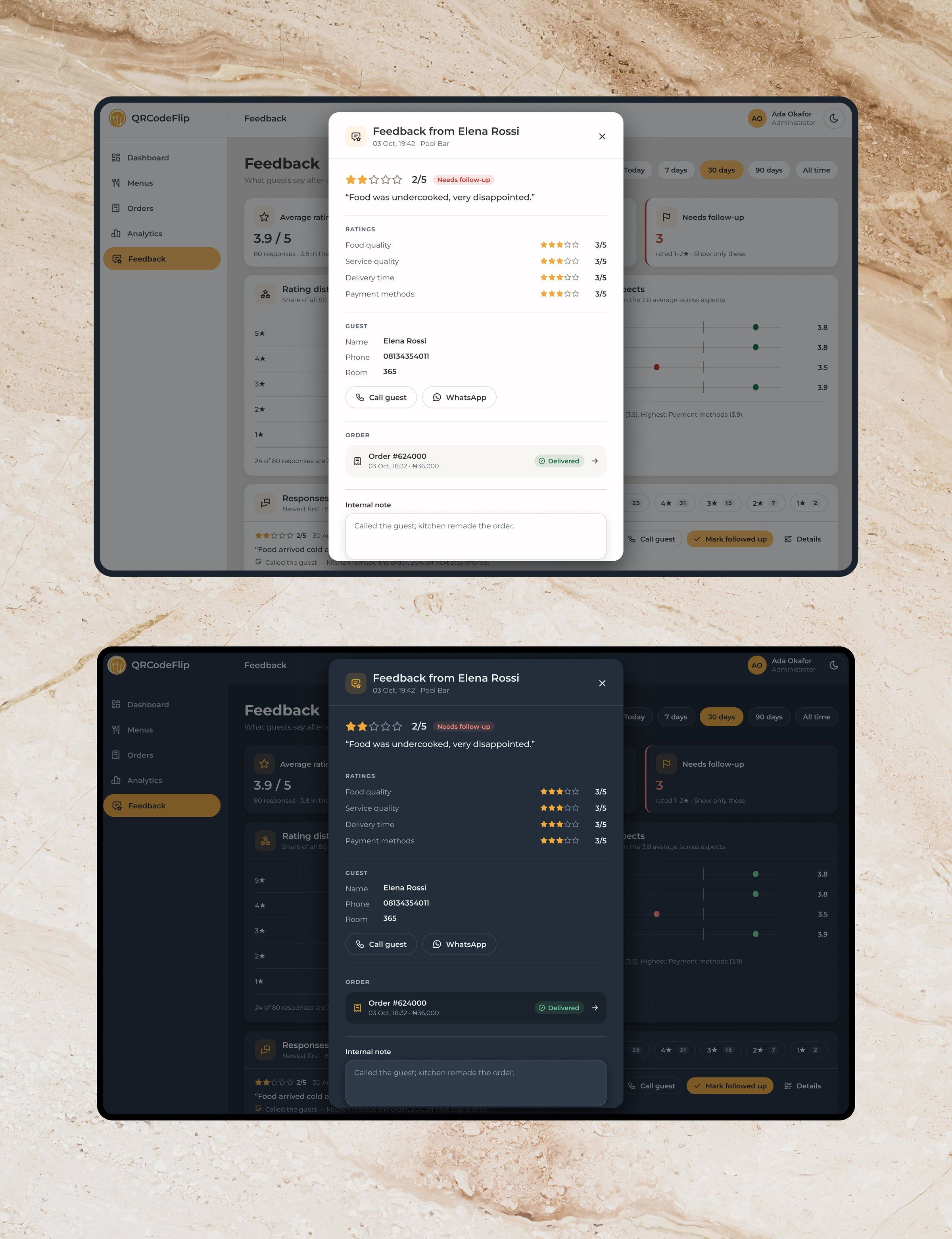
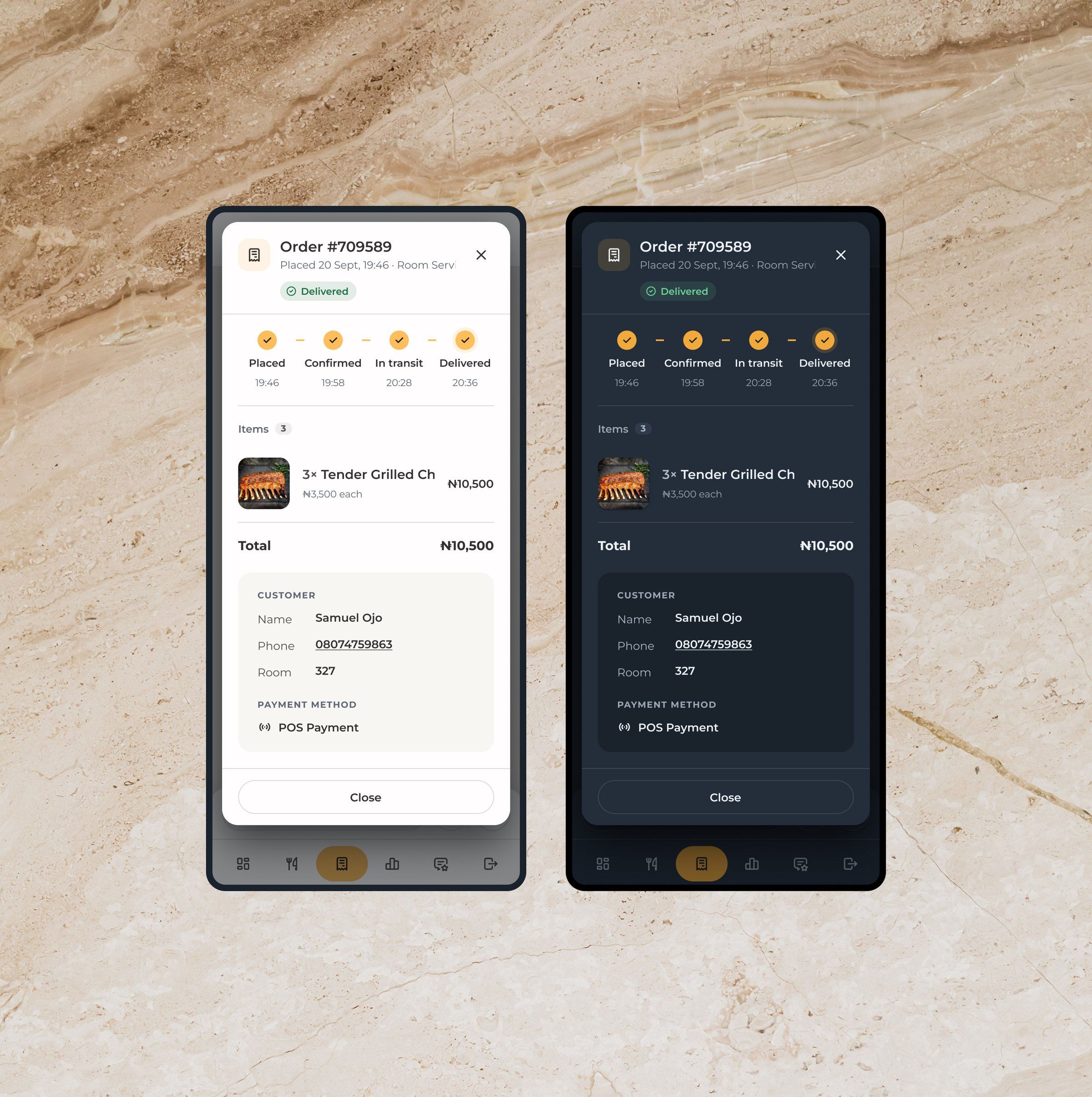
Orders move through explicit states, and filters live in the URL, so opening an order and coming back keeps your place. Feedback is organised around follow-up: a low rating brings up the related order, the guest’s details, call and WhatsApp actions and an internal note.
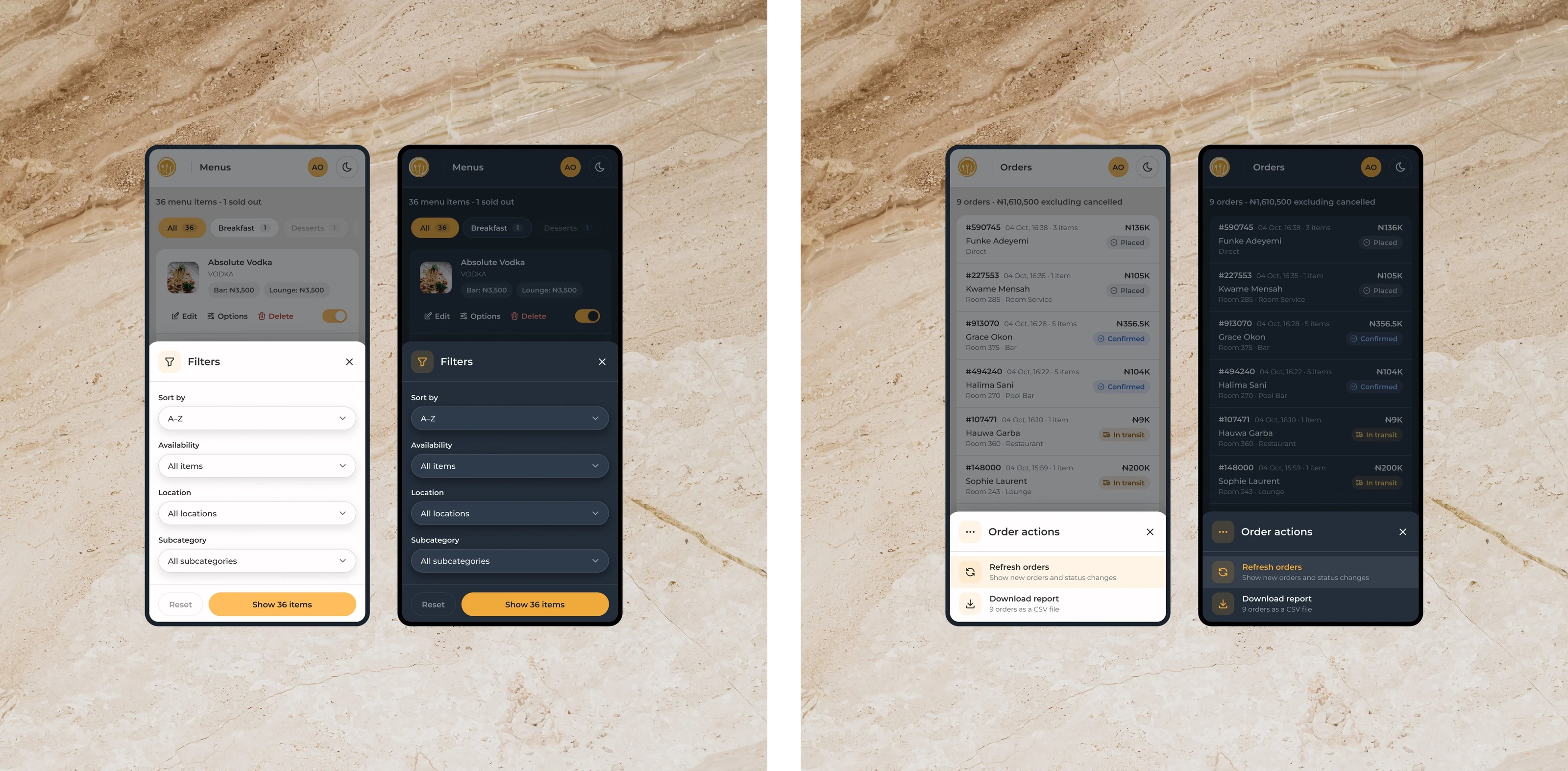
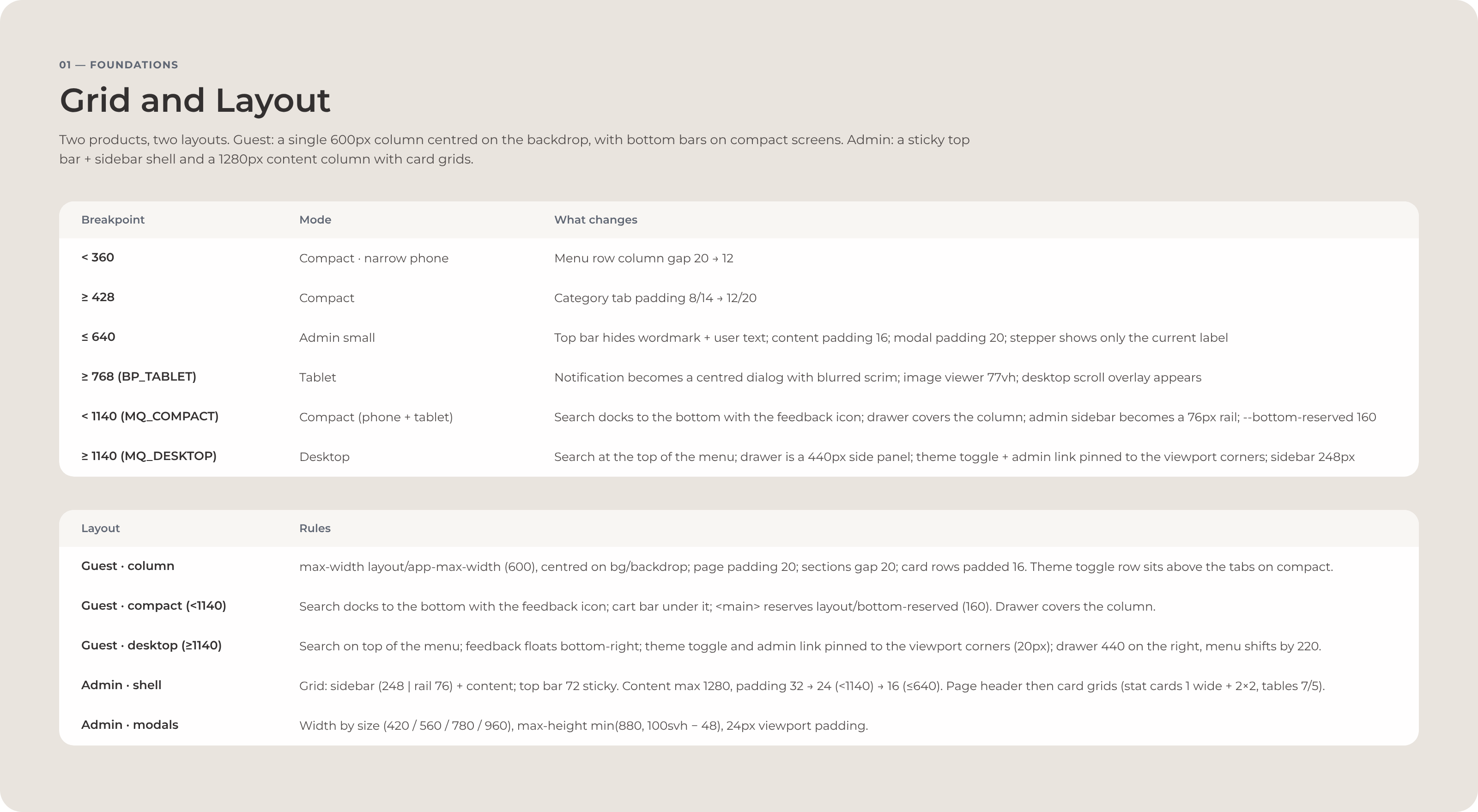
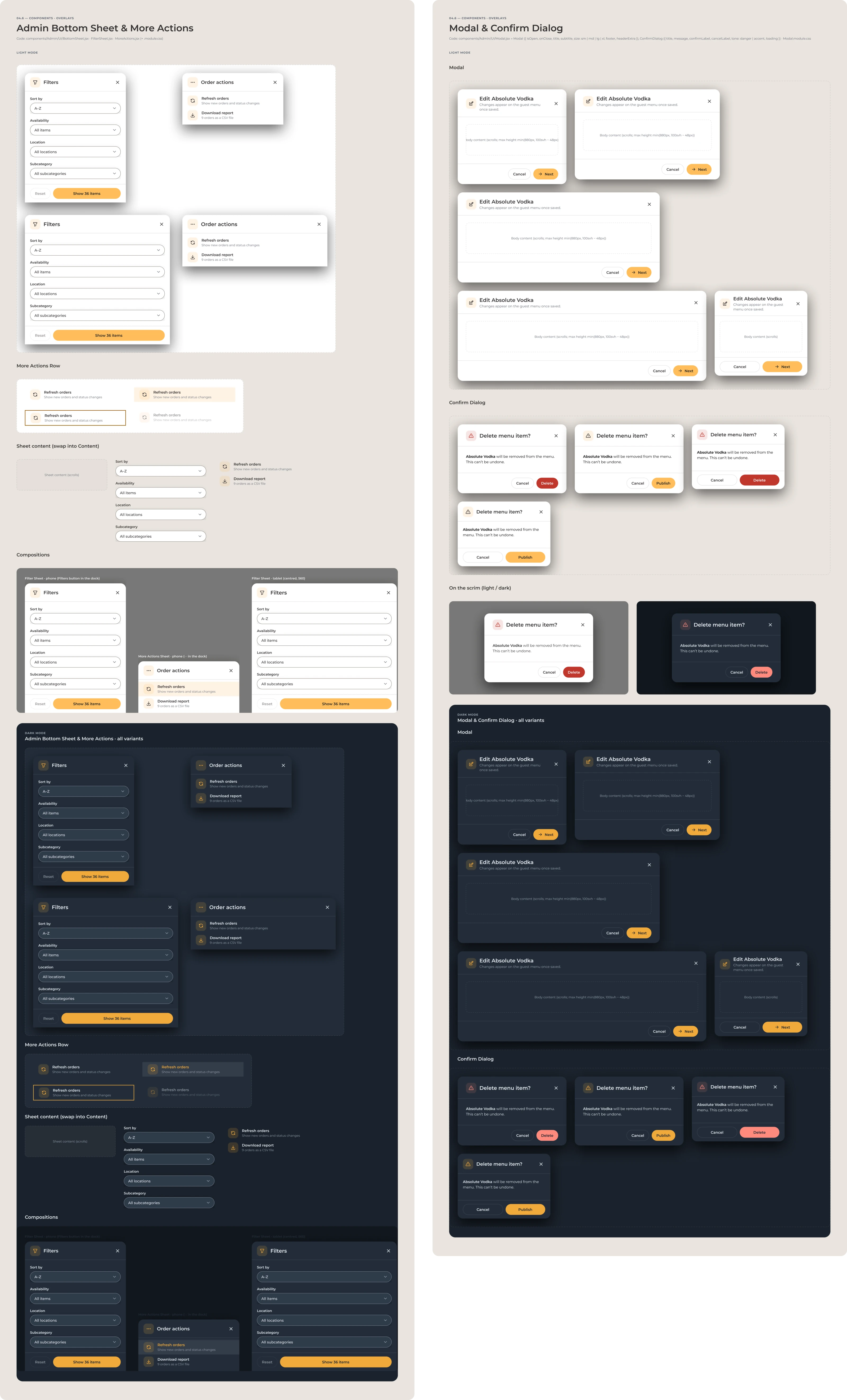
The information architecture changes with the screen. The admin shell goes from a sidebar to a compact icon rail to a bottom navigation bar, filters become sheets, page actions collapse into a menu, and dense tables become readable rows on a phone.





Menu management
Adding a dish is a sequence, not a form.
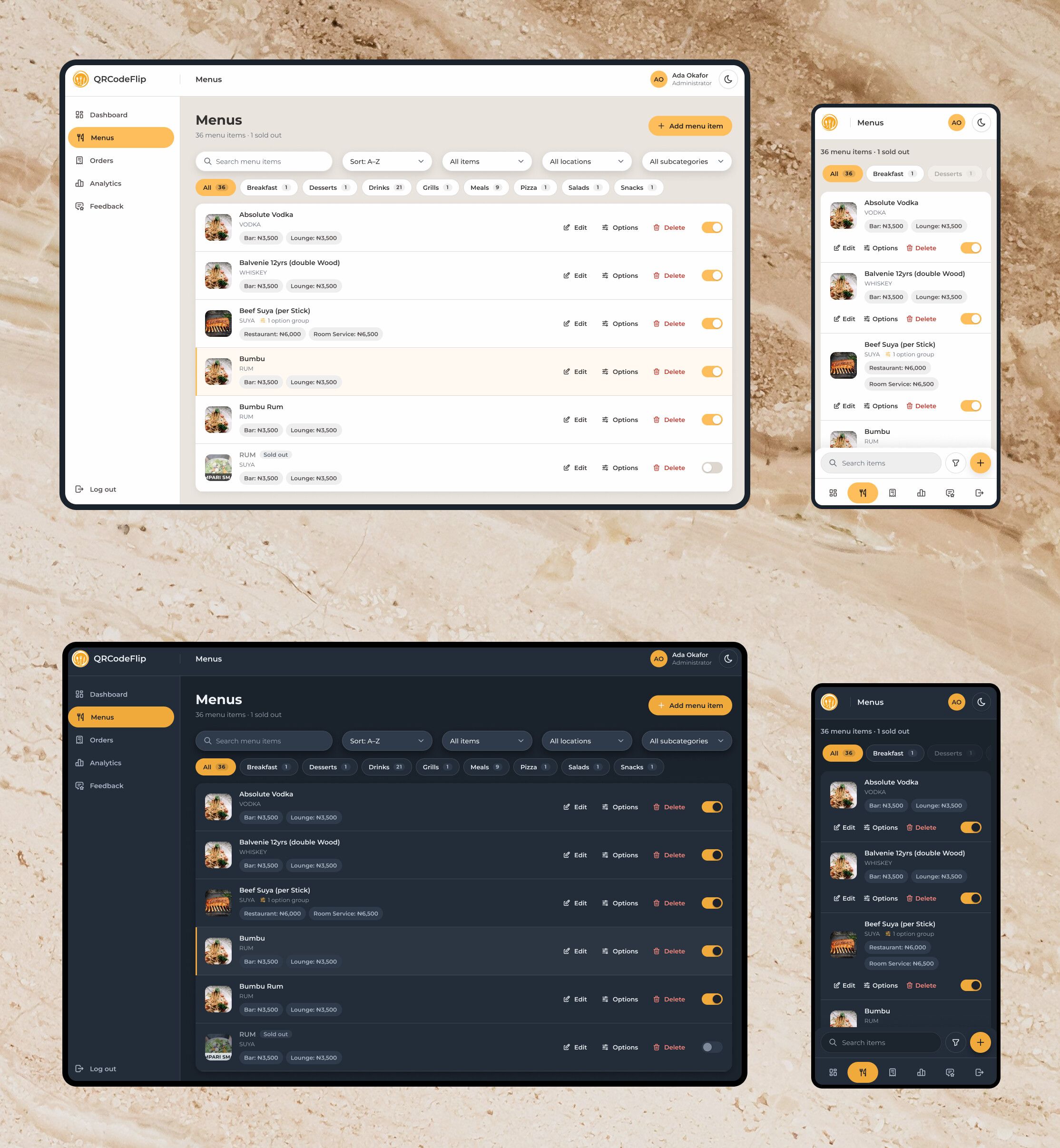
The menu editor sits right on the boundary between staff and guests. A menu change is more than a data update: it can change what a guest sees, what they can order and whether an open basket is still valid.
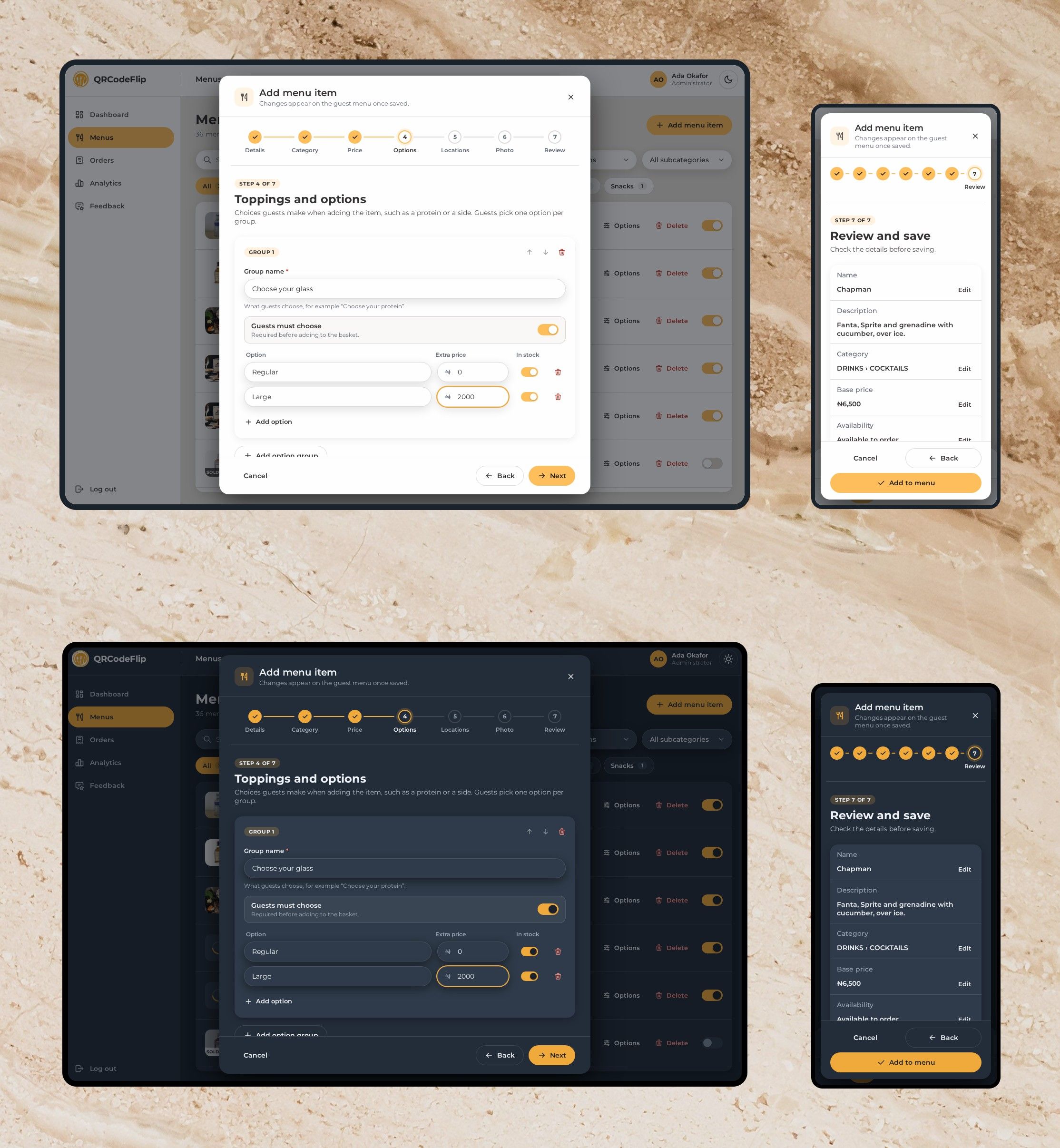
So adding a dish is a sequence of steps, each with one job: details, category, price and availability, options, locations and photo, then a review. Availability shares the price step because a new dish is usually available, and an eighth step wouldn’t fit the stepper on a small phone.
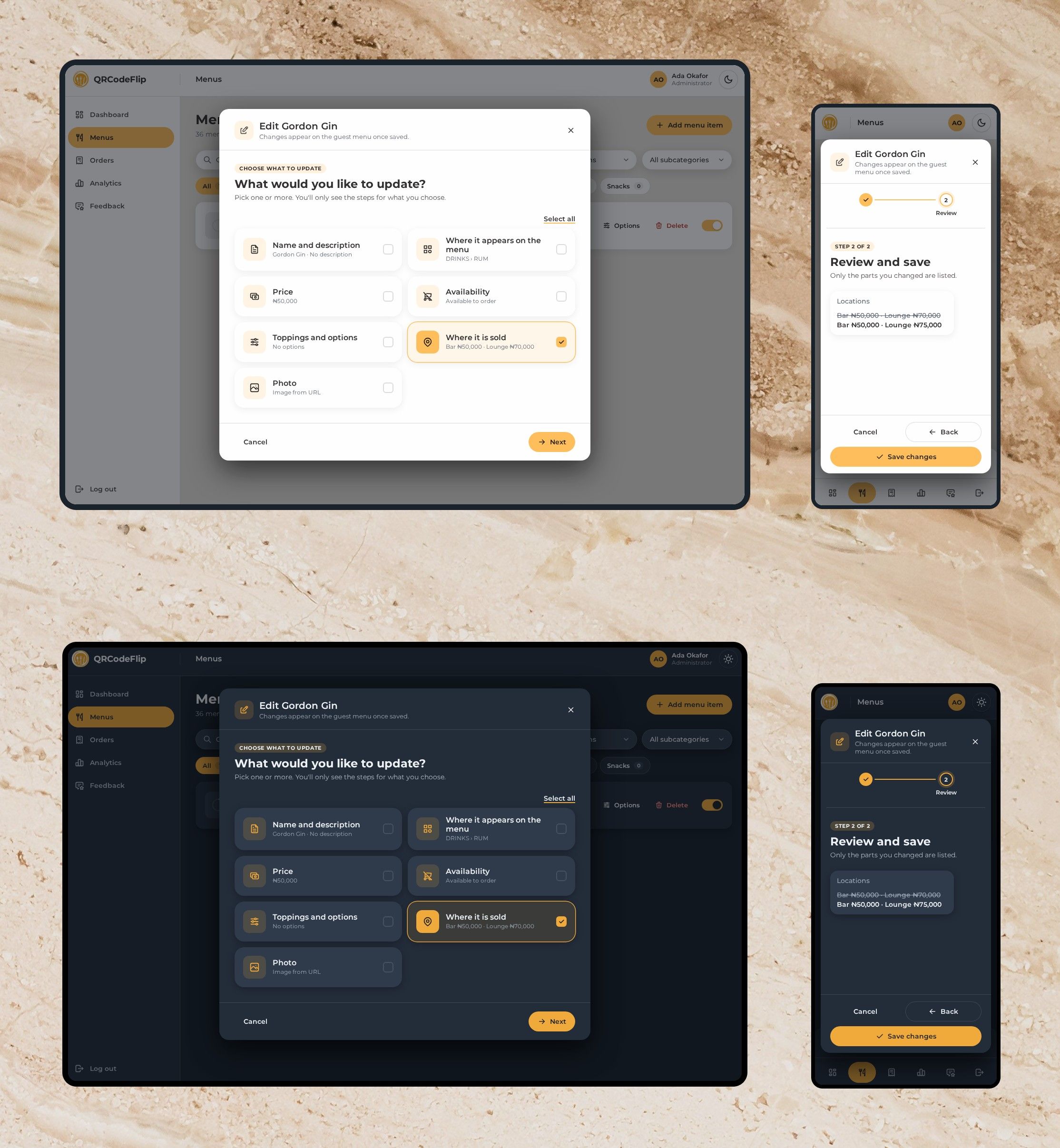
Editing starts with a different question: what do you want to change? The editor then shows only those parts, and the review lists only what changed, with the old values struck through. Option groups carry their own rules, such as required choices, extra prices and stock, and the availability switch on the menu list is an operational control: flip it, and the guest menu changes.



Engineering system
Three decisions carry the architecture.
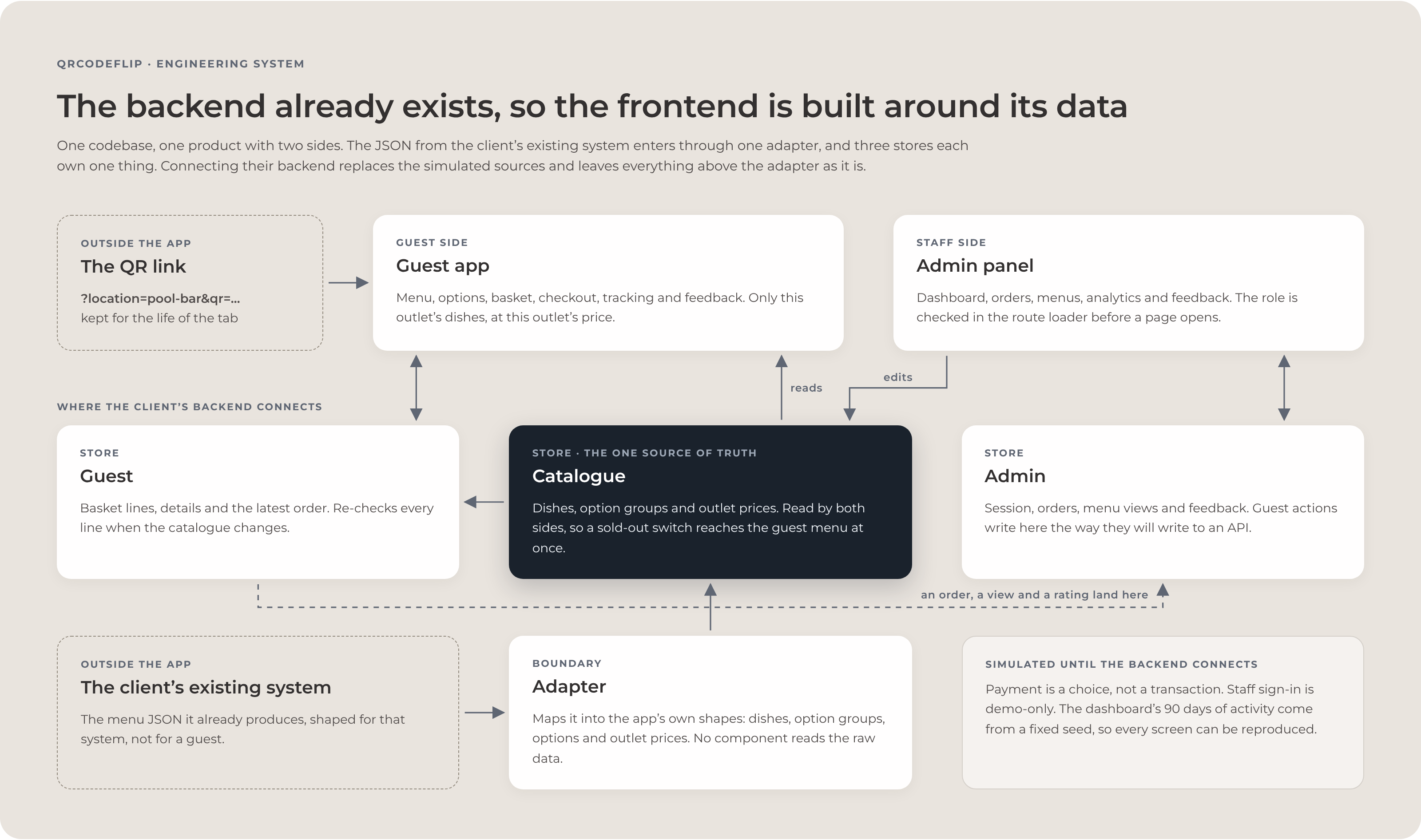
The first is a domain boundary. The client’s JSON enters through one adapter that turns it into the app’s own model: dishes, option groups, options, locations, location prices and availability. No component reads the raw structure. When the price representation turned out to be wrong, the fix stayed in the data and a migration: the data was corrected at the source, and a versioned migration rescaled the baskets and orders already saved on devices, leaving prices entered in the admin untouched.
The second is state ownership. The catalogue store holds the menu and is read by both sides, the guest store holds the basket, the guest’s details and the latest order, and the admin store holds orders, menu activity and feedback. The two interfaces never keep competing copies of the catalogue, so a change made in the admin travels through the same model the guest app reads.
Because the client’s developers own the final backend integration, these boundaries are also the integration contract. Replacing the simulated sources with API calls changes where the data comes from, and the model the interface understands stays the same.
The third is reconciliation. A catalogue change has somewhere to go: into the basket, where each line resolves to one of the six known states, so a changing menu is an expected event at checkout. The rest of the frontend follows the same idea, with route-level code splitting, role checks in the route loaders, sessions that expire, redirects that stay inside the admin, simulated features kept separate and labelled, and shared behaviour in reusable hooks.

Design system
Figma, tokens, components and accessibility share the same rules.
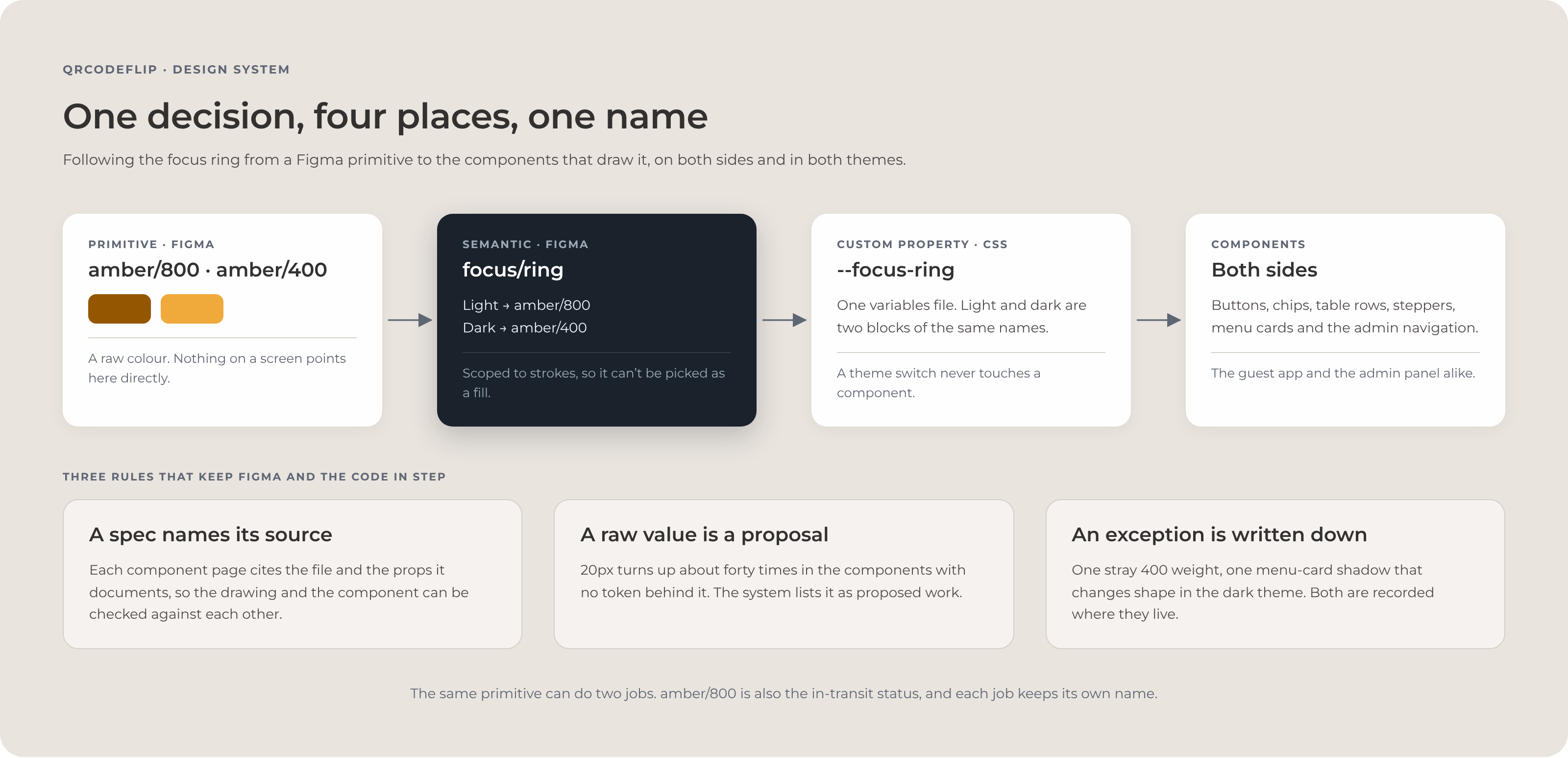
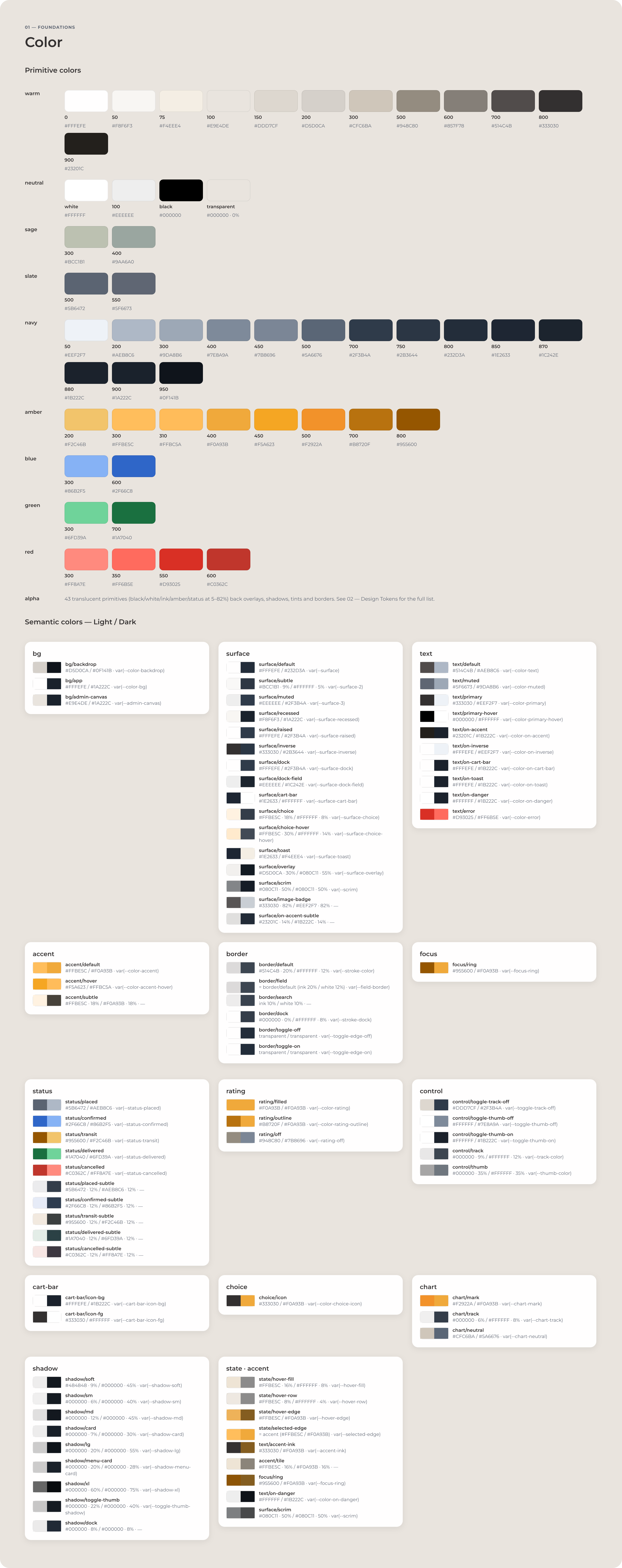
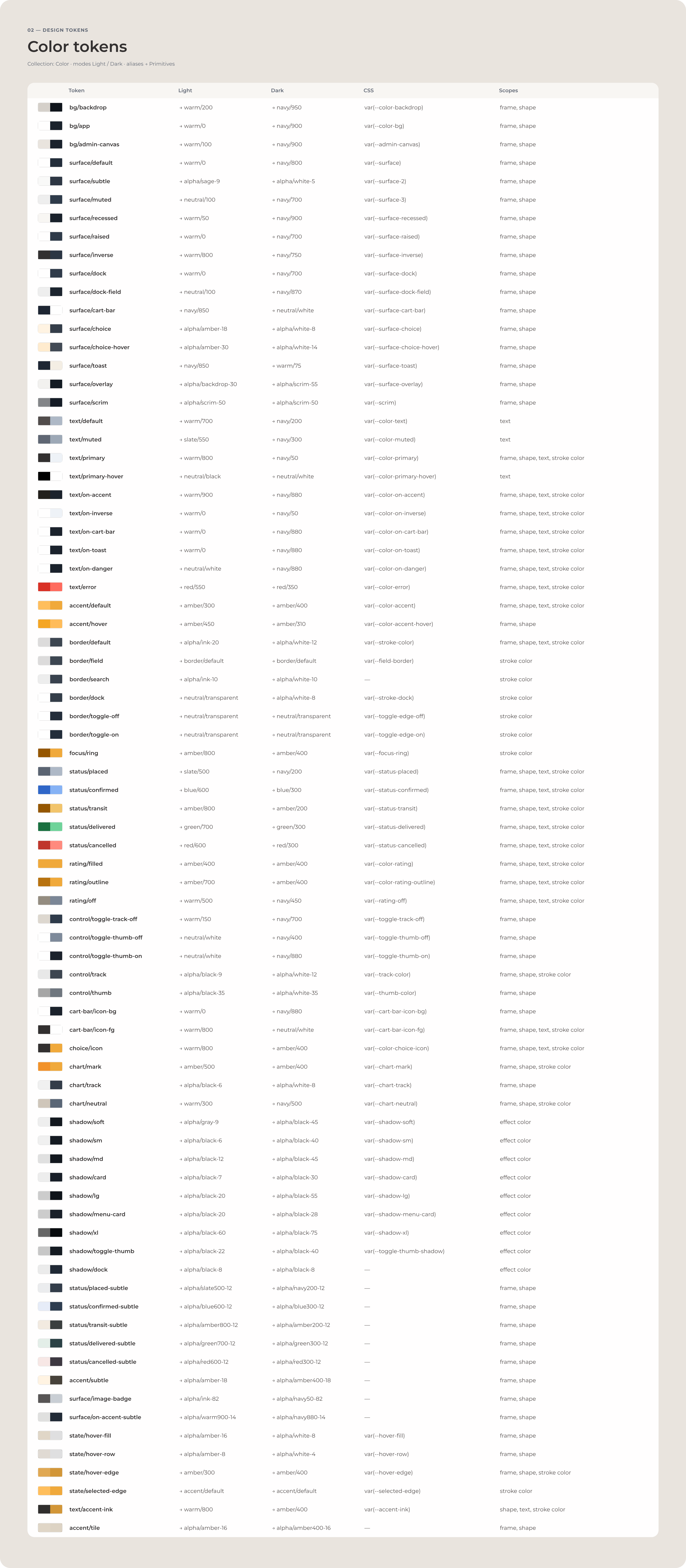
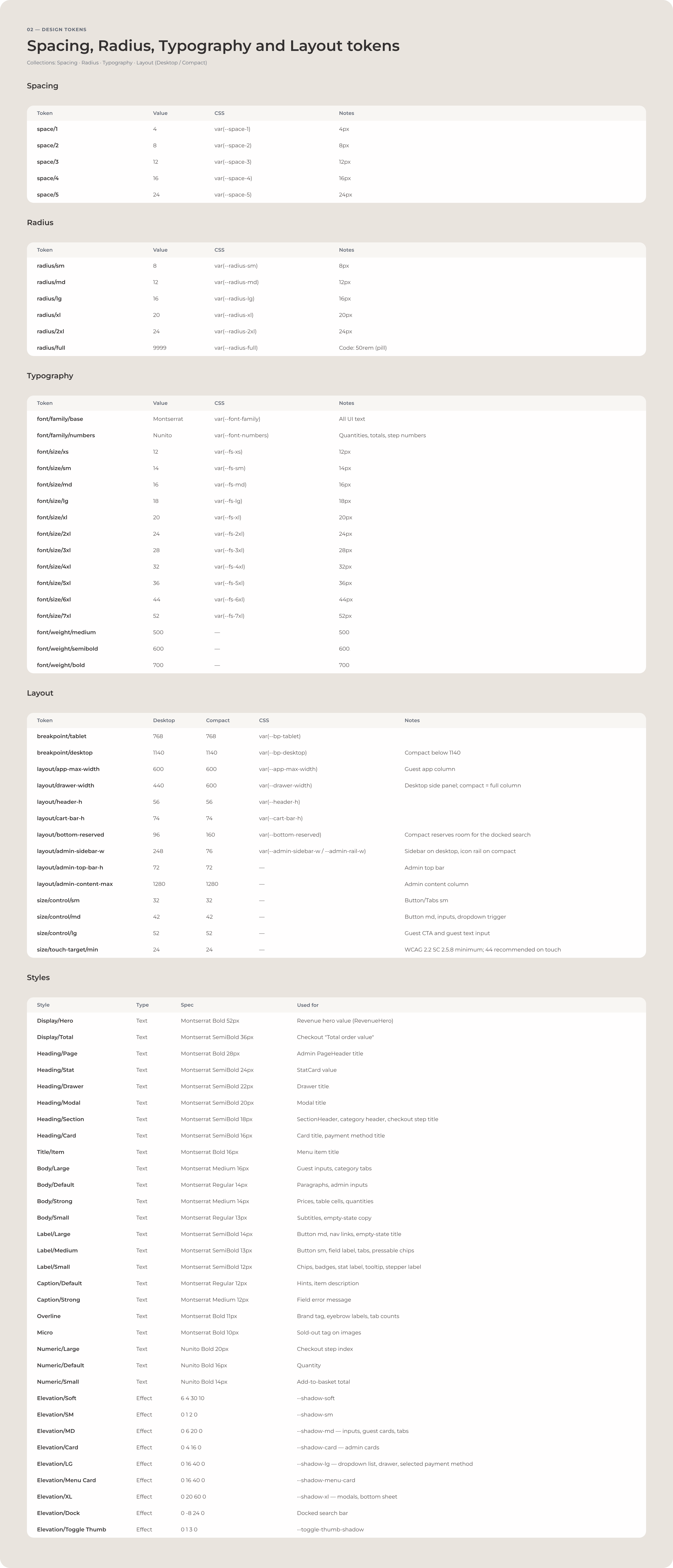
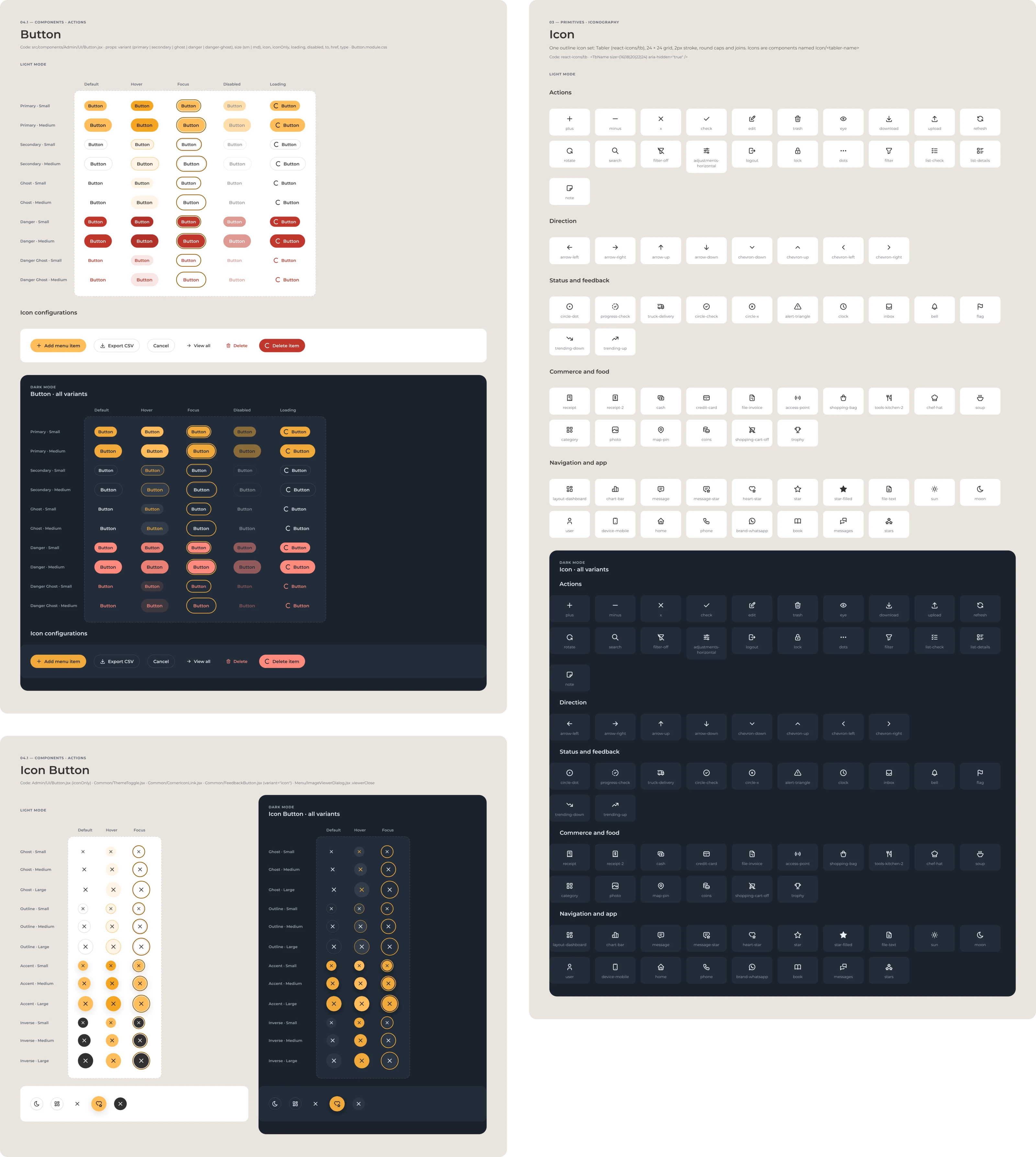
The design system works as an implementation system as well as a visual reference. Interfaces never use primitive values directly; components use semantic tokens. Semantic tokens carry a light and a dark value, the CSS custom property they ship as and a Figma scope, so a value in Figma can be traced to the code that draws it.
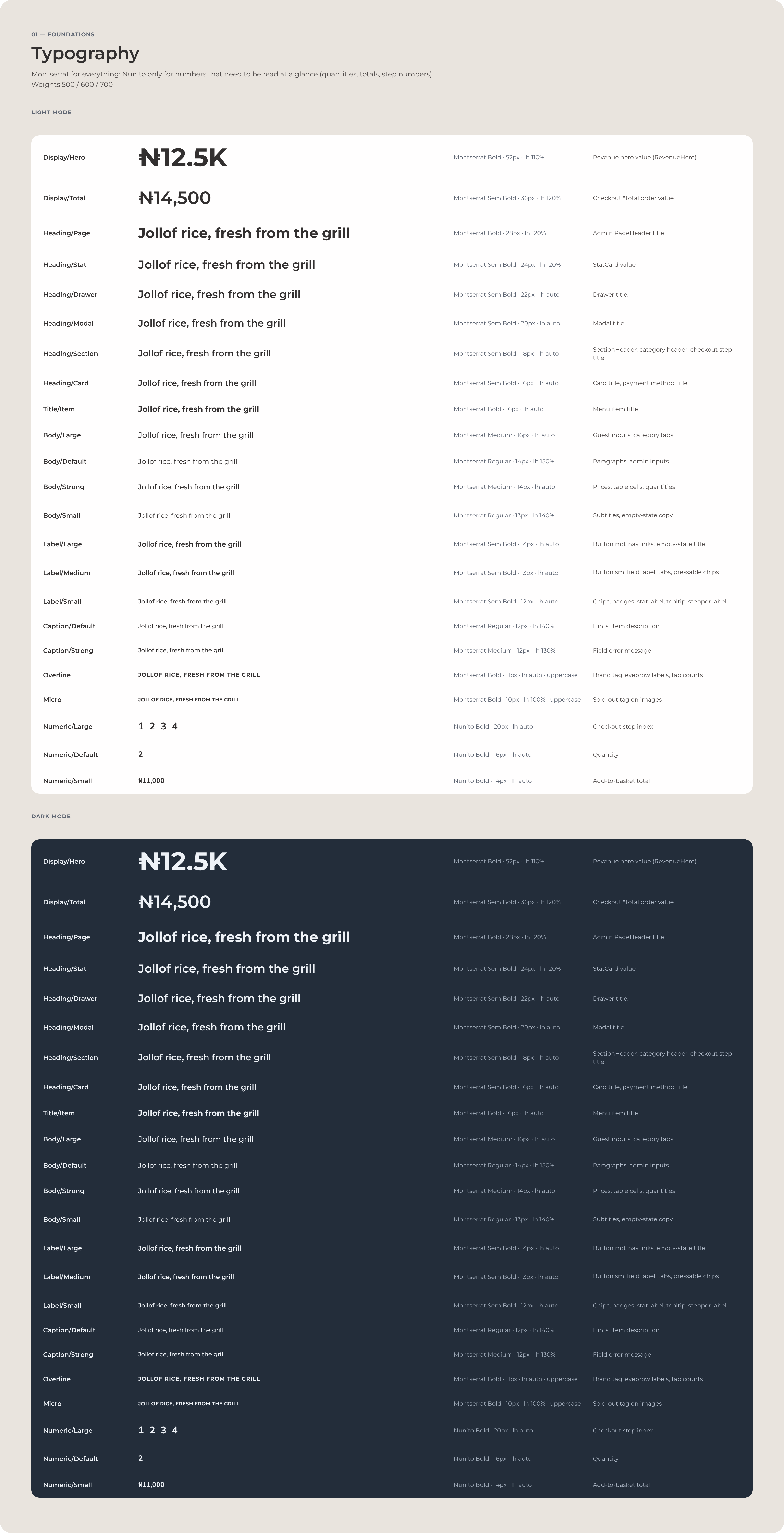
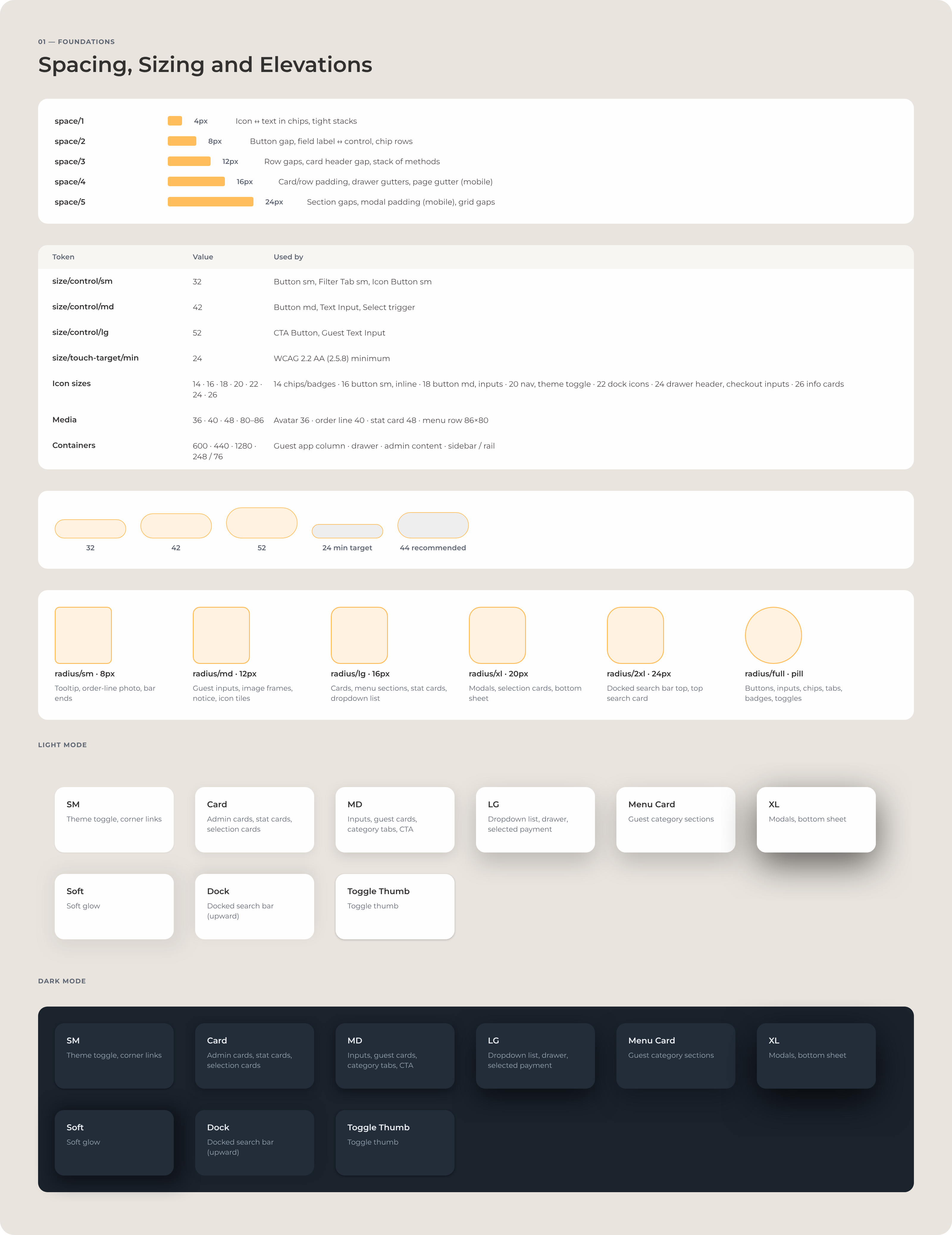
The same applies to typography, spacing, sizing, focus states and component states, in both themes. Where the code and the system don’t agree yet, the system says so: the spacing tokens exist, but some components still use raw values, so the system lists that as proposed work. A design system is only useful if it describes the system that actually exists.









Accessibility
Accessibility lives in the components, so every screen inherits it.
Dialogs manage focus. Only the active one responds to the keyboard, and when it closes, focus goes back to the control that opened it, or to the page heading when that control no longer exists. Status changes and basket totals are announced, and accessible names start with the visible label. An order opened from the list on a phone is a dialog like any other: focus moves in, stays there, and returns to the row when it closes.
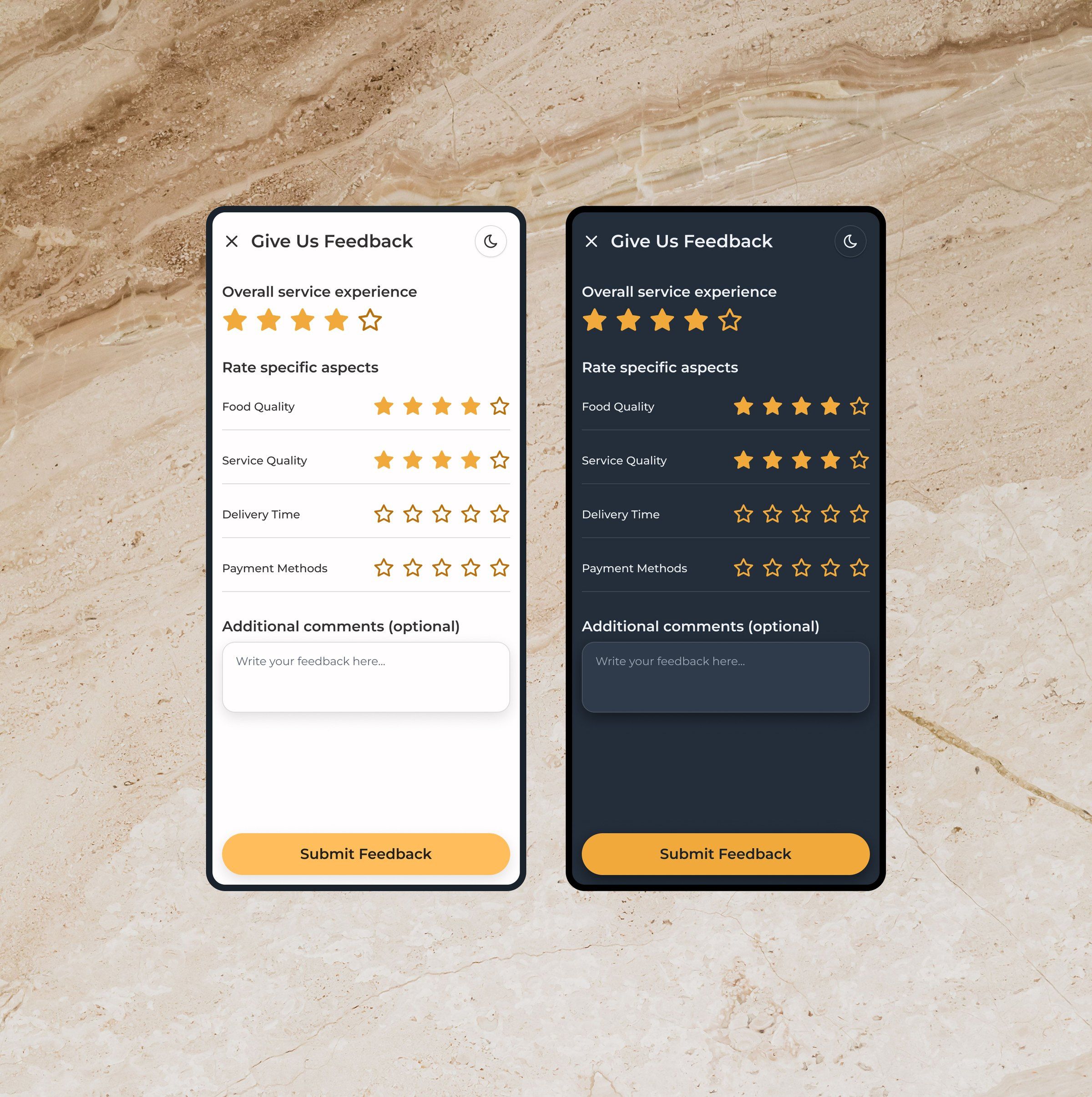
Charts don’t depend on colour alone. Contrast was checked against the semantic tokens the app actually uses, in the dark theme as well as the light one, so accessibility sits in the component and token architecture, where every screen inherits it. In the feedback form, each row of stars is a radio group named after what it rates, so a screen reader hears, for example, “Rate Food Quality 4 stars”.


QA loop
The agent finds. I decide. The system validates.
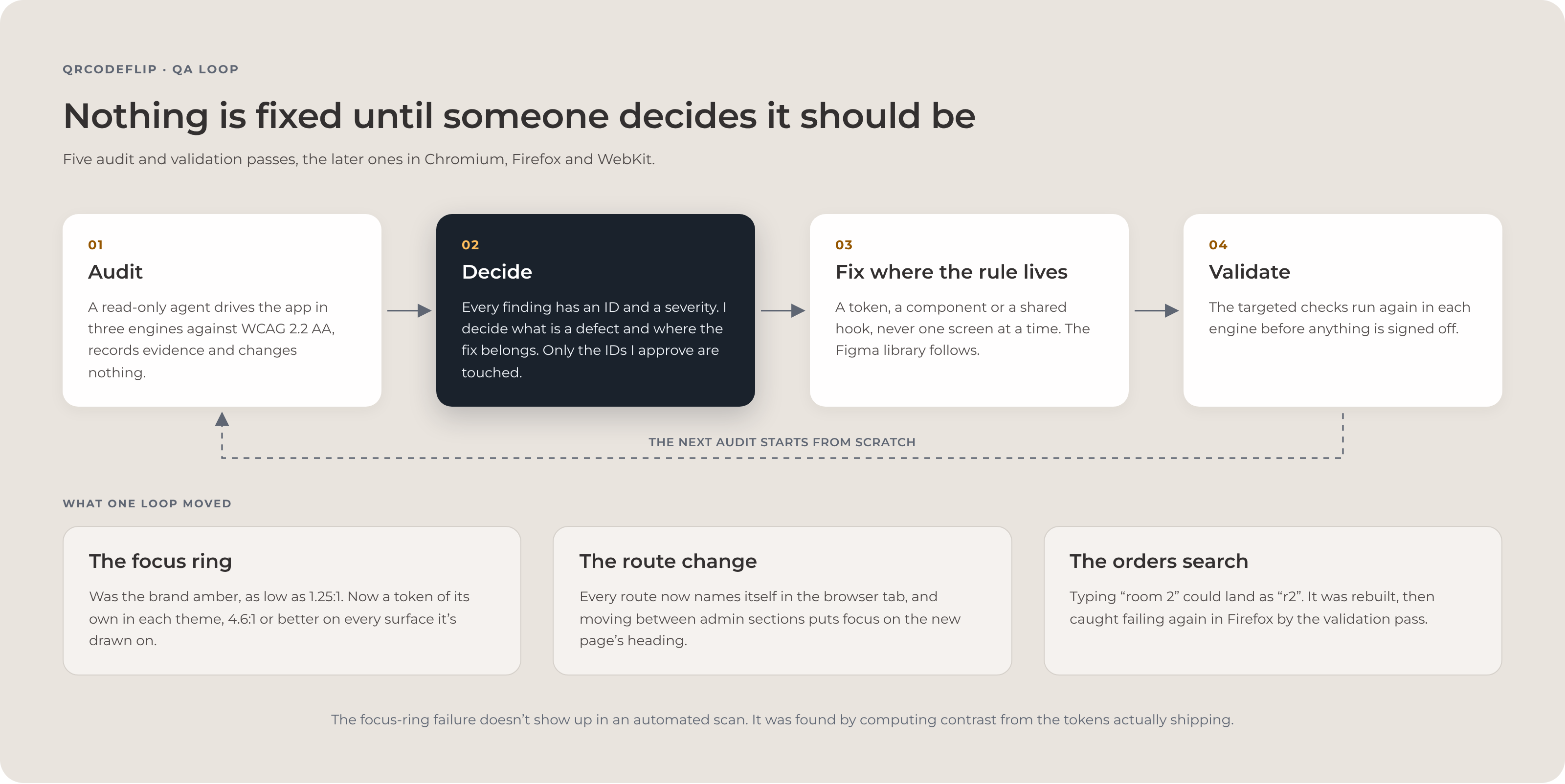
I used a read-only browser agent as part of the validation workflow. It drives the app in Chromium, Firefox and WebKit at widths from 320 to 1440px, reproduces findings, checks keyboard and focus behaviour, runs accessibility checks, computes contrast from the tokens actually shipping and collects screenshots as evidence. It never changes the application.
Every finding gets an ID and a severity. I decide whether it’s real, whether it’s a defect, where the fix belongs and whether the result is acceptable. Only approved findings are fixed, and the next validation pass checks that specific change.
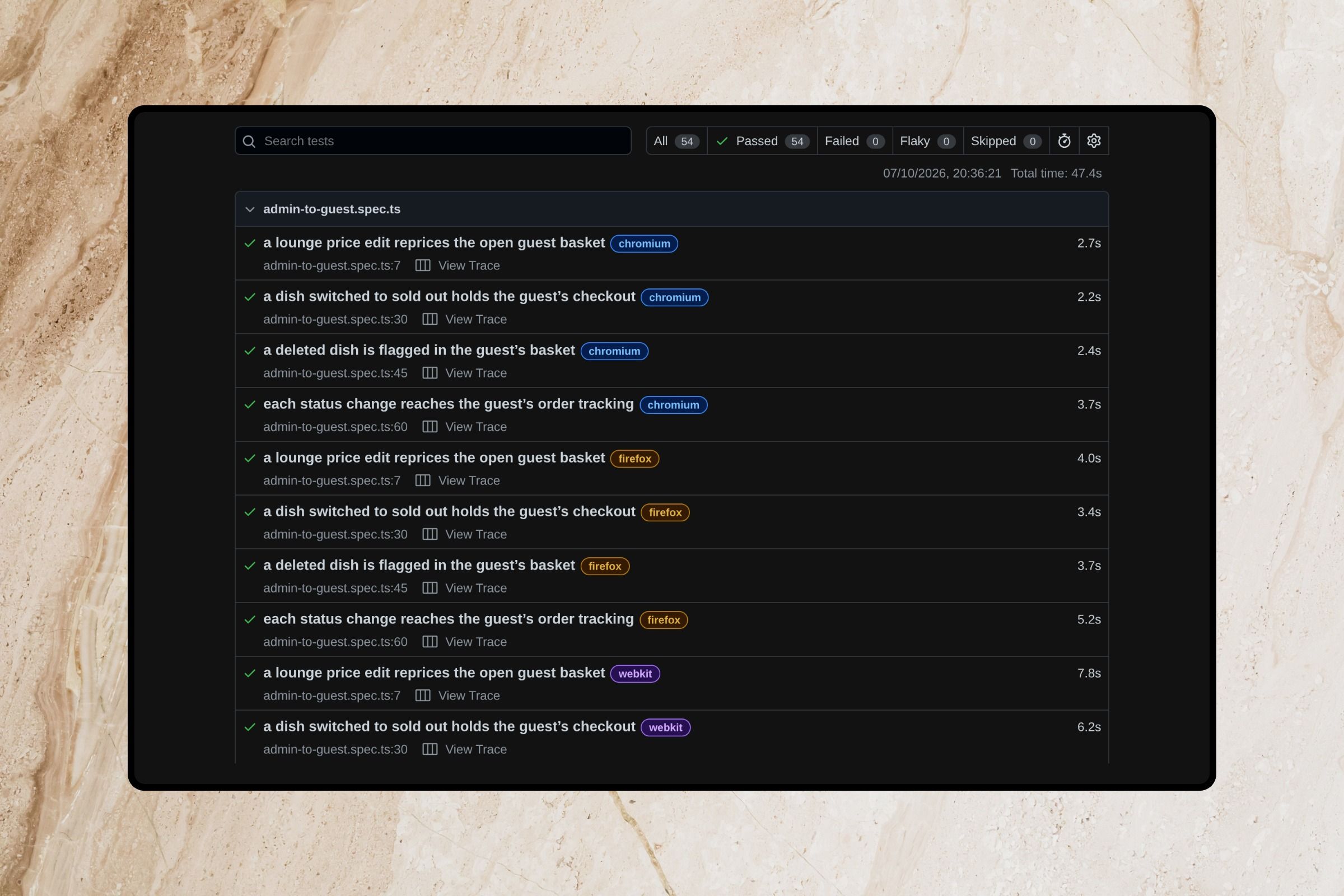
There were five audit and validation passes, the later ones in all three engines. The first audit produced 48 findings, including the critical hundred-times prices. One validation pass ran 74 targeted checks in each engine, 222 in all, caught the rebuilt orders search losing keystrokes in Firefox alone, and was signed off only once all 222 passed. That’s why I don’t treat an AI-generated audit as a quality certificate. The point isn’t the agent. It’s the gate.
For this page I re-ran the key checks on the current build. In Chromium, Firefox and WebKit, a price edit, a sold-out dish, a deleted dish and each status change reached an open guest tab, nothing scrolled sideways from 320 to 1440px, and a guest’s first visit loaded none of the admin code.