




- Produced by
- PAISAK4U
- Role
- UX design, design system and frontend implementation
- Scope
- Page structure and responsive layouts, Figma variables and components, an Astro and React build with automated tests
- Year
- 2025
- Tools
- FigmaAstroReactTypeScriptVitestPlaywrightaxe-core
- Website
- View Live Page
- Design
- View in Figma
Context
Designing for a studio that values restraint.
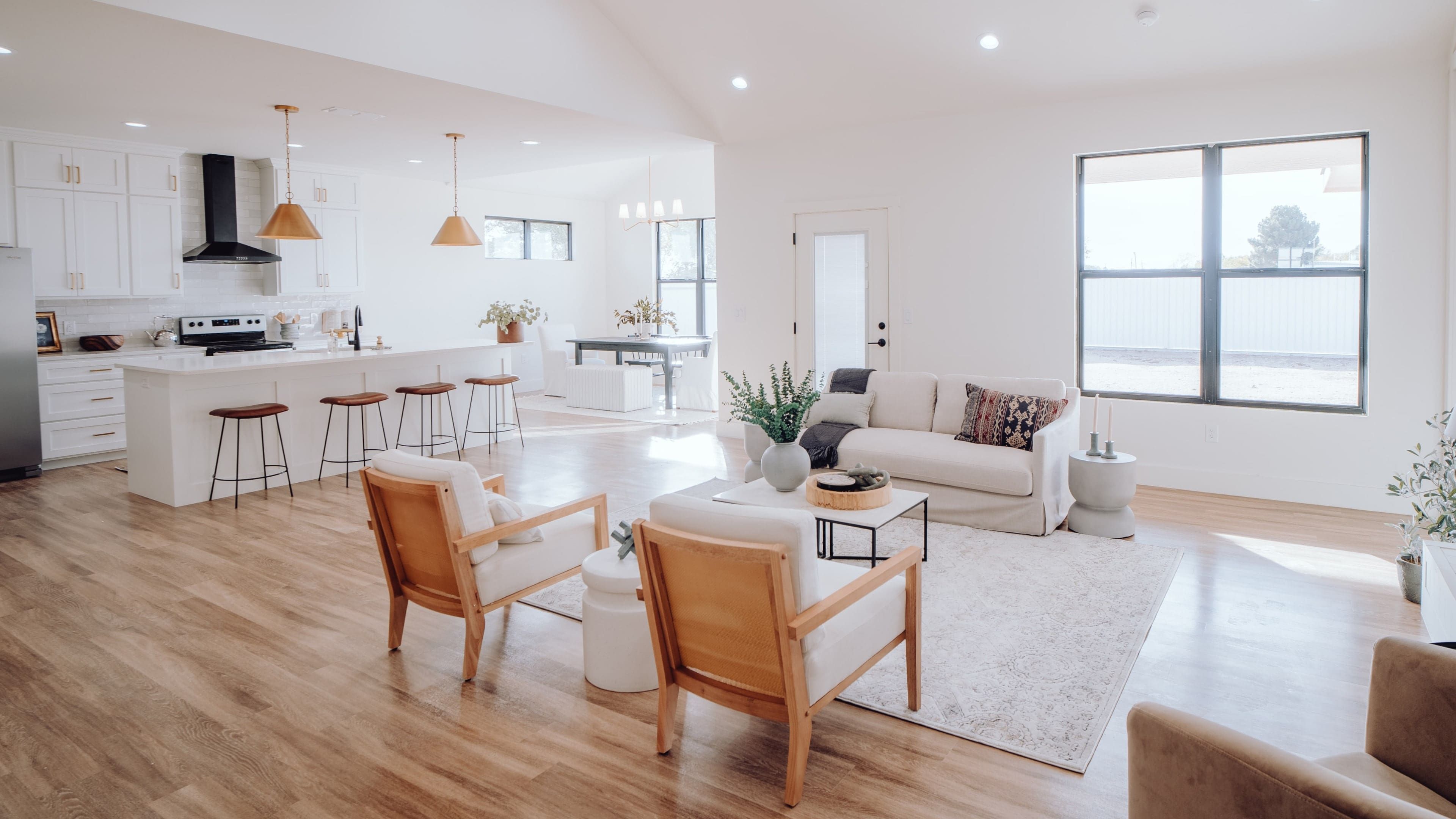
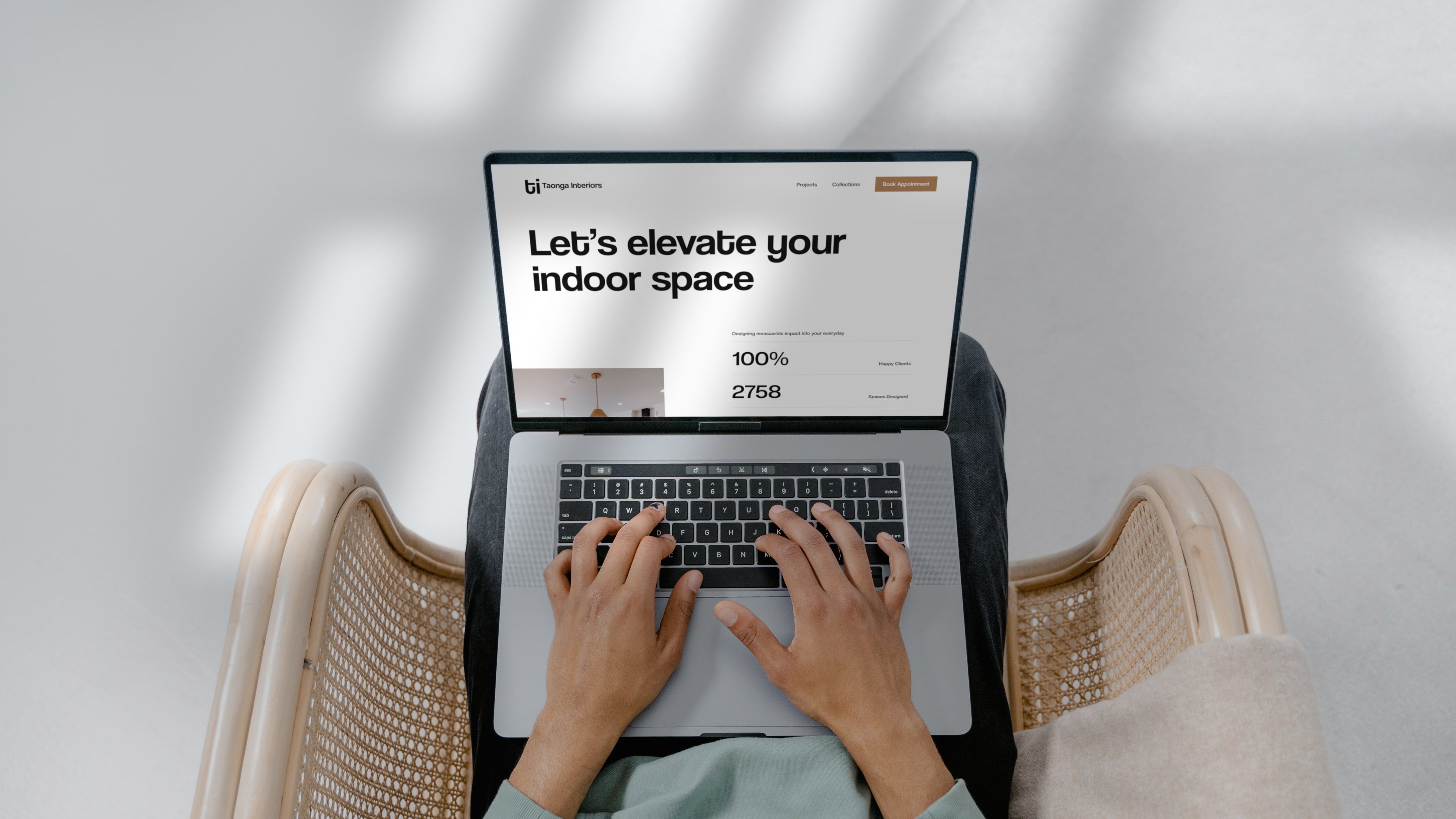
Taonga Interiors is a landing-page concept for an interior design studio whose work is quiet and pared back. The interface had to create a clear hierarchy without adding visual noise.
I did the UX design, built the design system in Figma and implemented the page in Astro, so the same decisions run from the layouts to the code.

UX design
Scandinavian ideas, applied to a web interface.
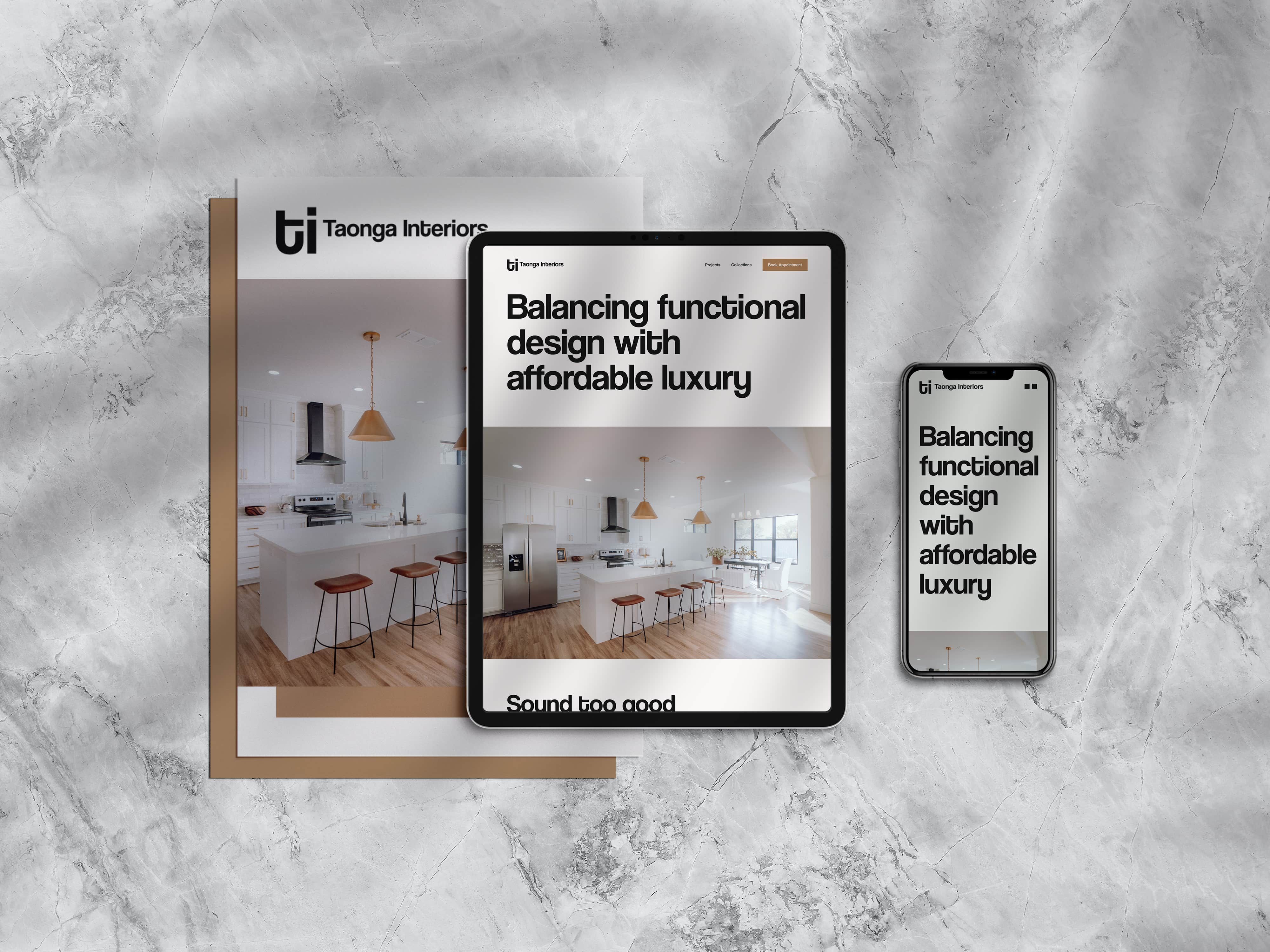
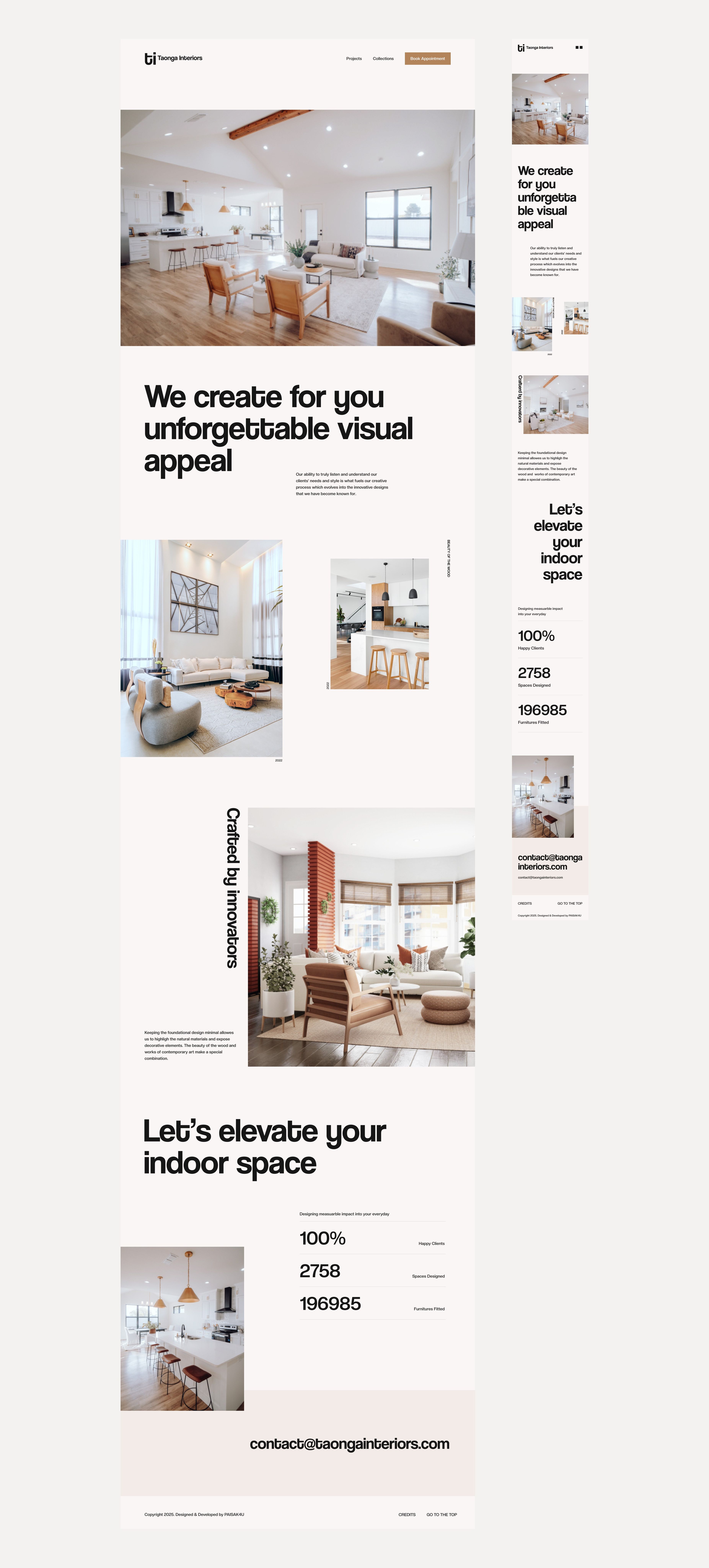
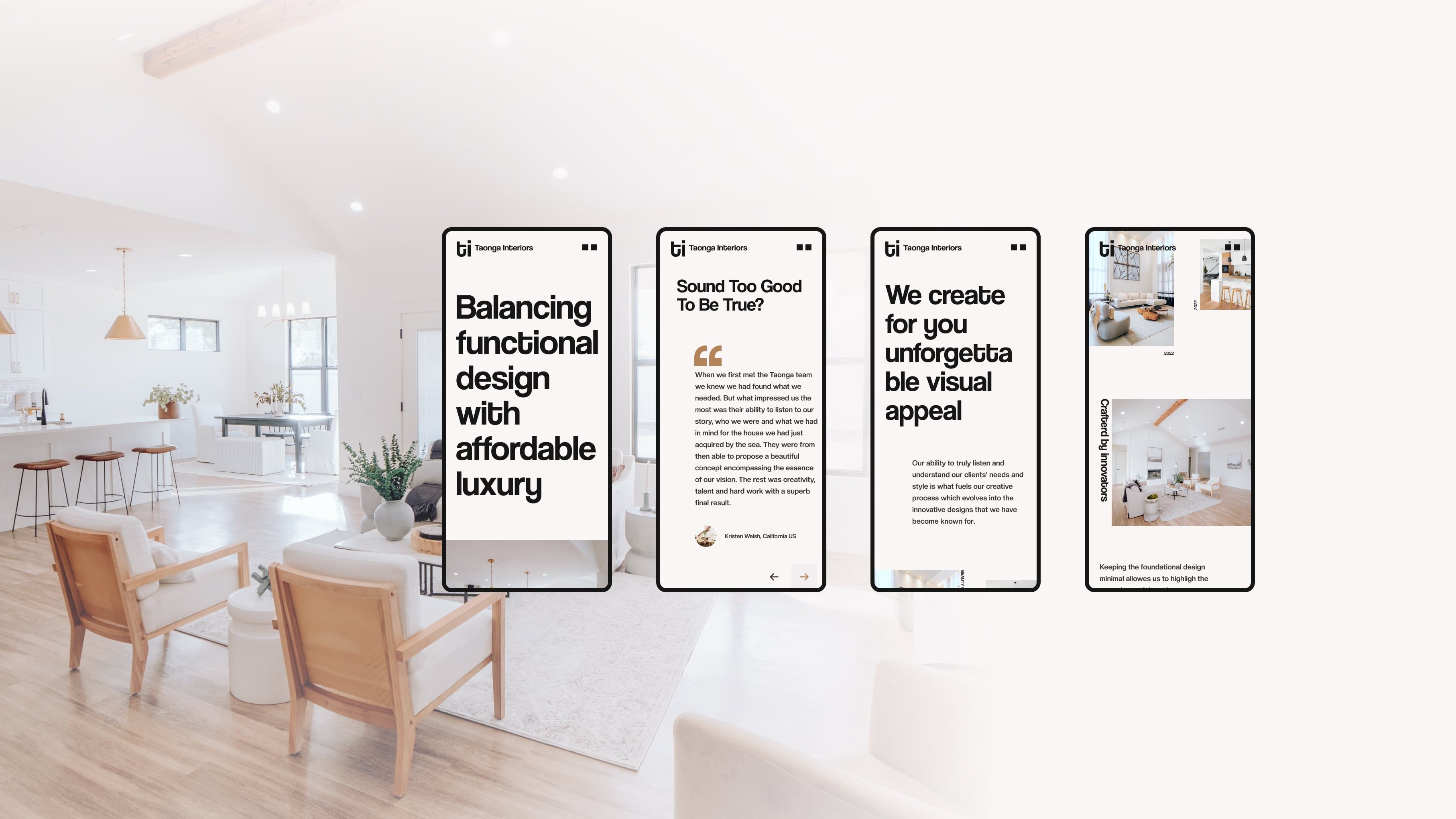
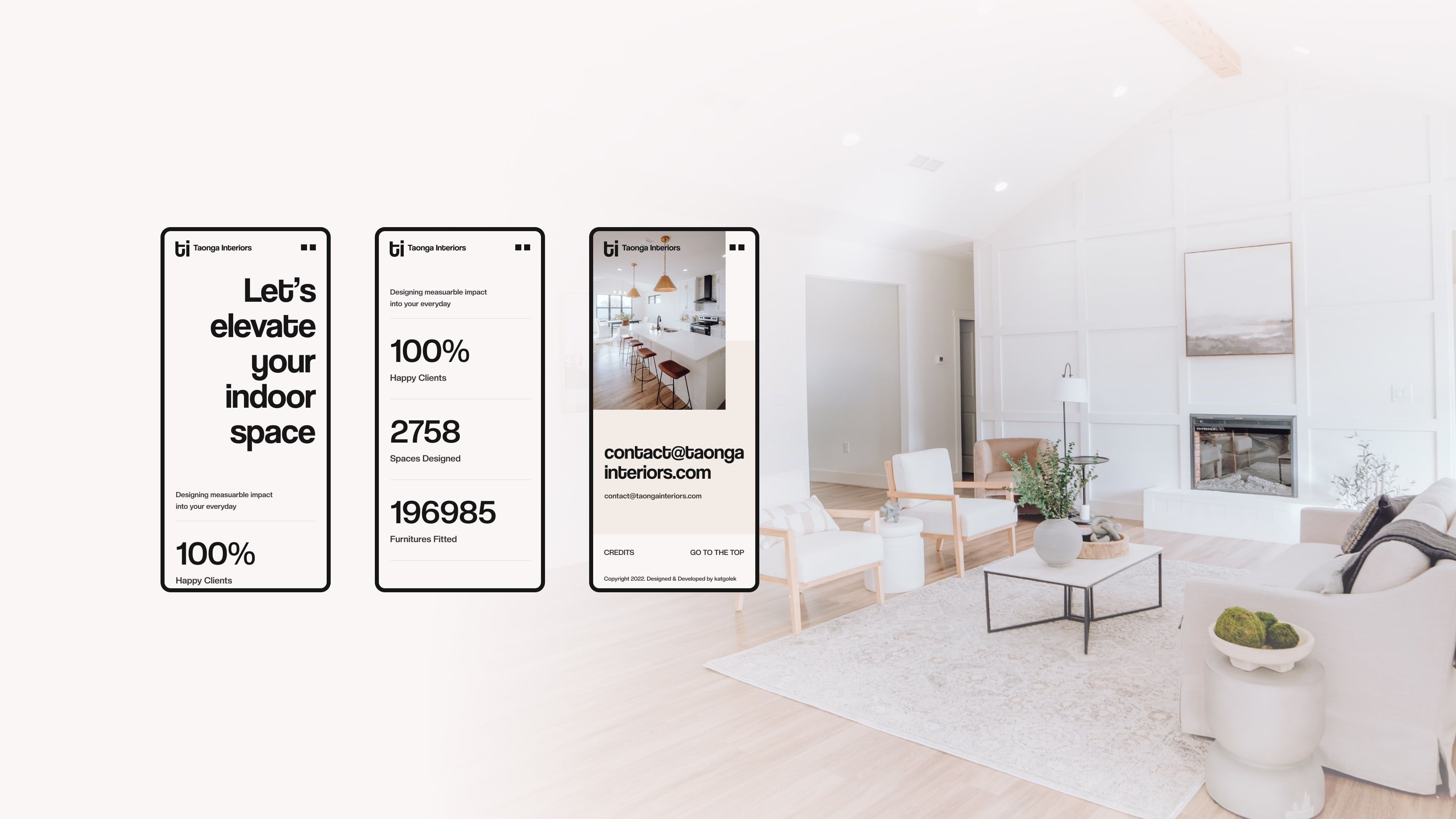
The page has to show the studio’s work first, then give people a reason to trust it and an easy way to get in touch. It opens with one line and a full-width photograph, moves through a testimonial, the studio’s approach and its rooms, and ends with its numbers and an email address.
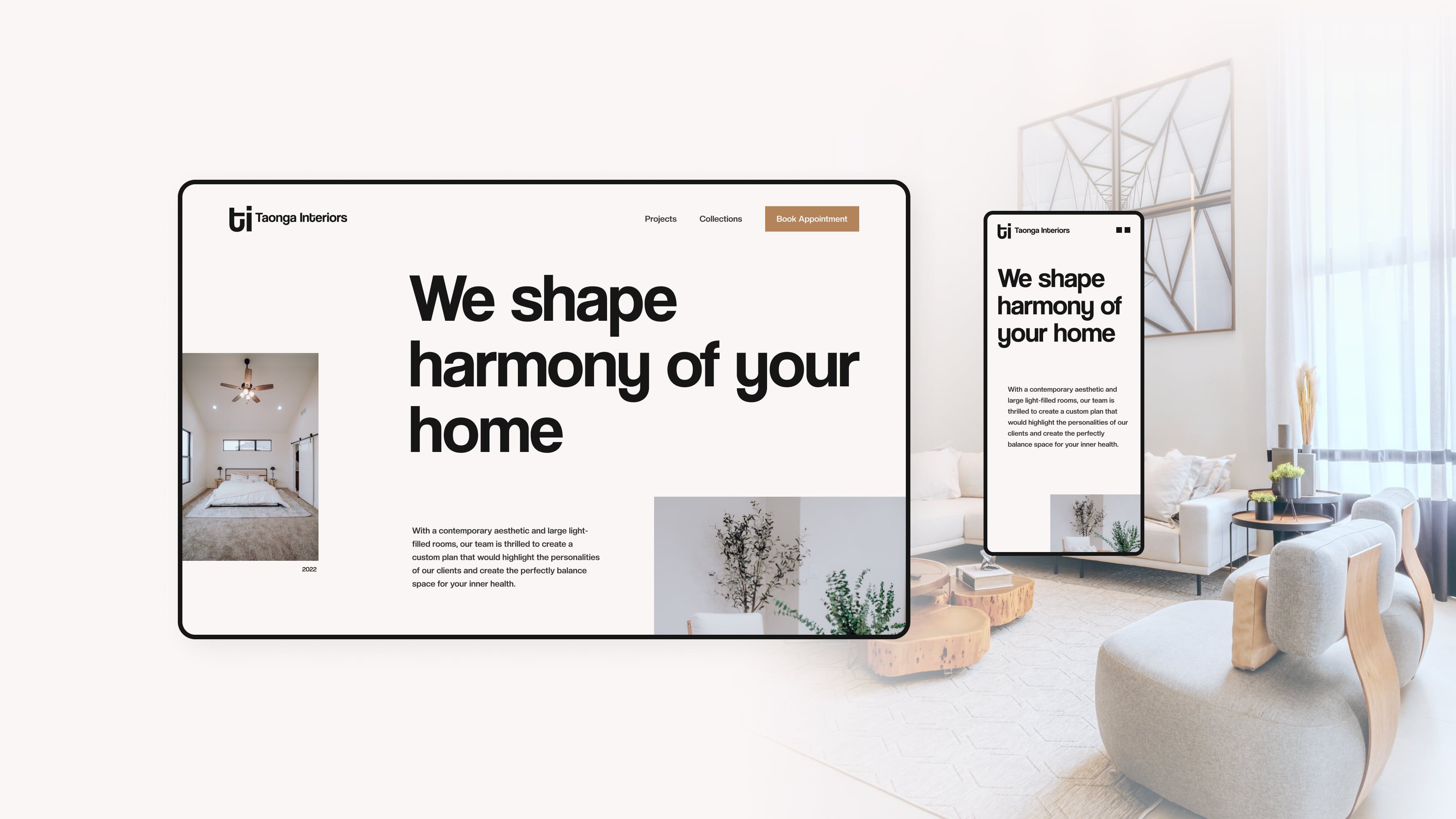
I designed it in Figma as two full compositions, a 1920px desktop frame and a 414px mobile frame. Generous spacing, a small visual vocabulary and restrained type give the photography room to lead. On mobile the order stays the same, and each section is laid out again for the narrow screen.
It’s quiet on purpose, and it still has a clear hierarchy.



Design system
Turning the visual language into a working system.
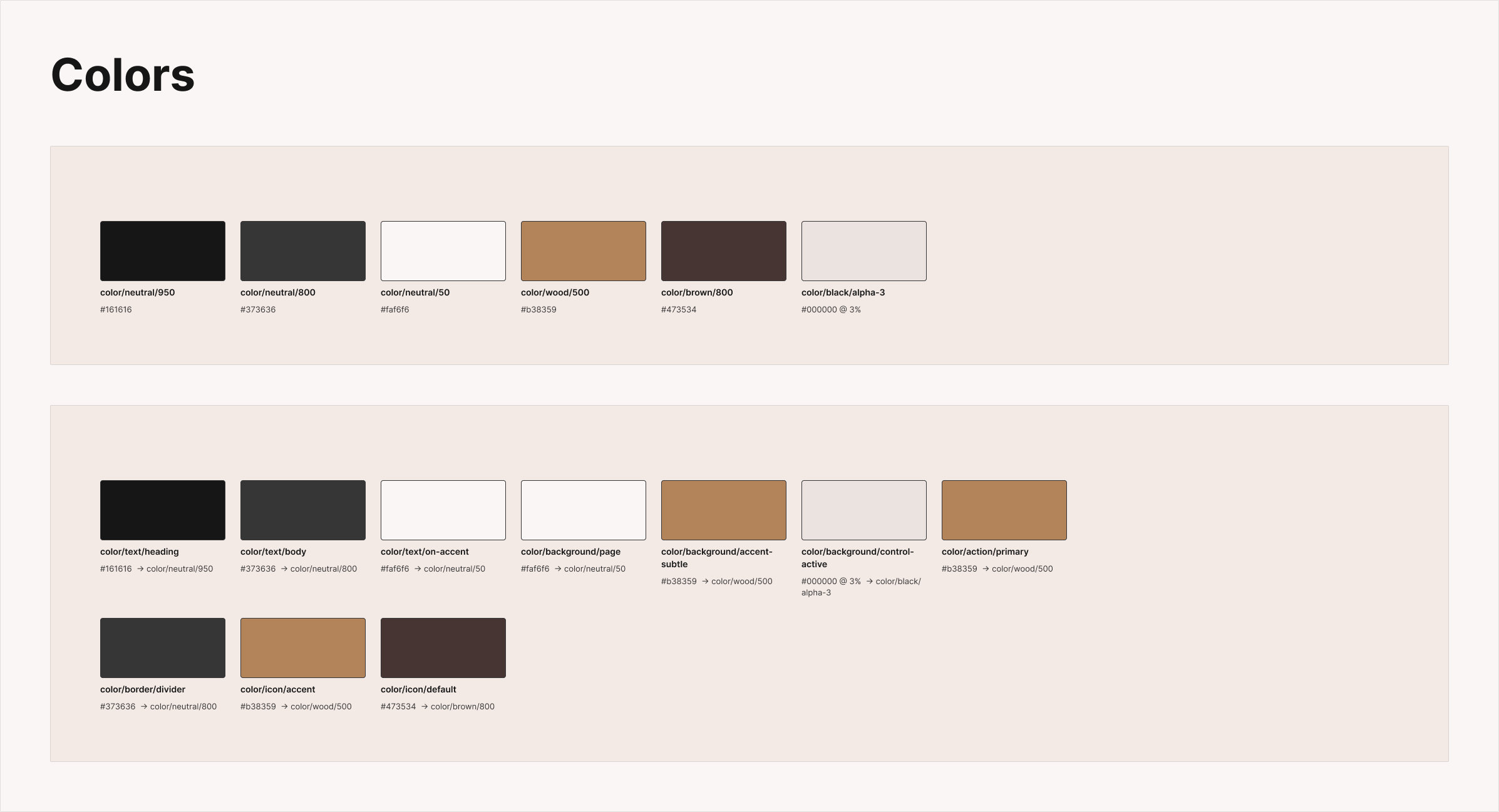
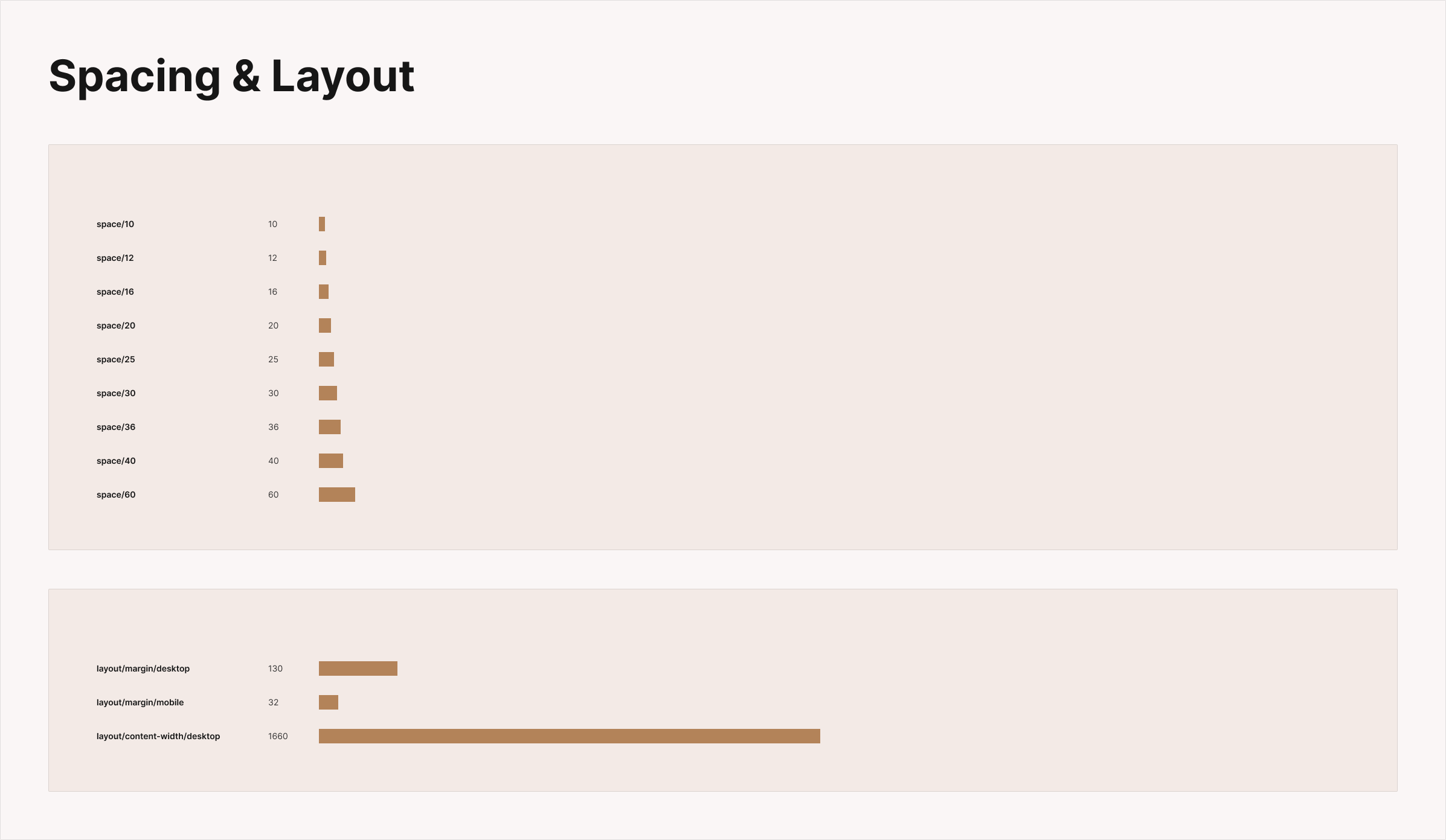
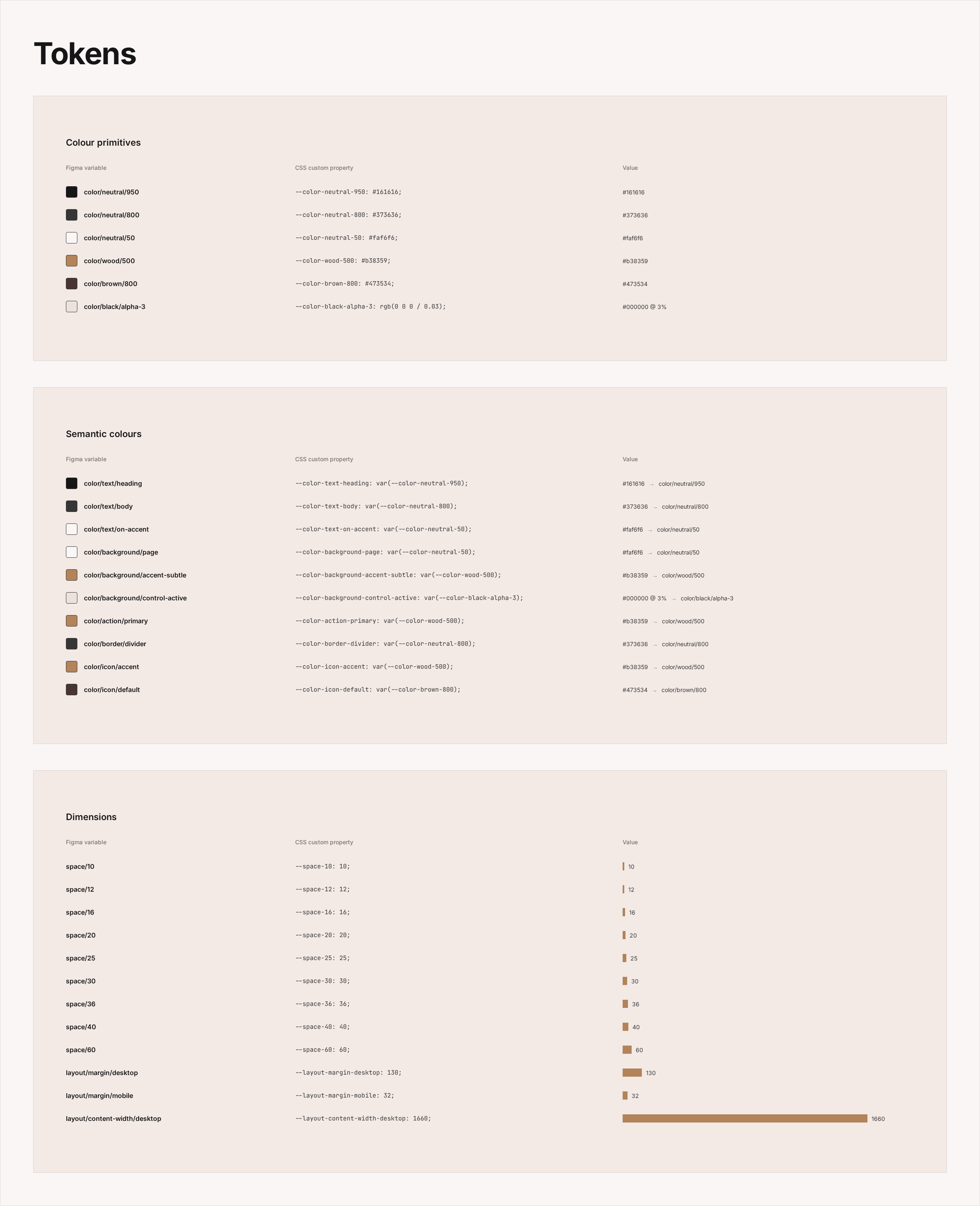
The design system sits on Figma variables in three collections: primitives for the raw palette, semantic colours that say what each colour is for, like heading text or the primary action, and dimensions for the spacing scale and the layout margins.
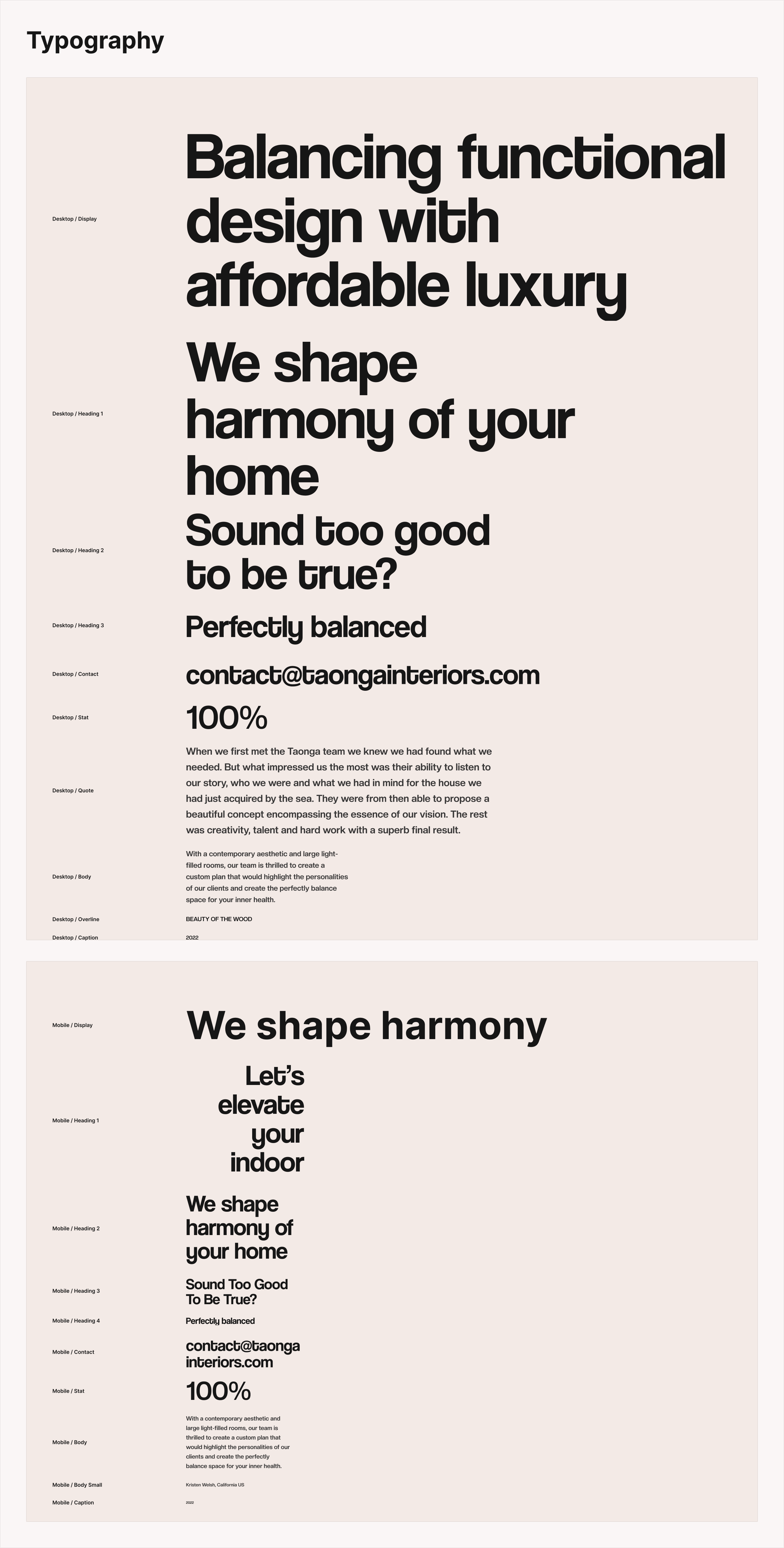
Type is a set of desktop and mobile text styles, from Display down to Caption. The header, buttons, statistics and carousel controls are documented components, and the desktop and mobile screens are built from instances of them.
Figma and the code share the same tokens. The Figma variables carry their CSS custom properties as code syntax, so color/text/heading in Figma is --color-text-heading in the build, and the components only use the semantic layer.




Frontend implementation
Translating the system into a precise, lightweight implementation.
The site is a static Astro page written in TypeScript. React is used for one component, the testimonial carousel, which is rendered as HTML with the page and only loads React when it scrolls into view. The scroll animations are a small TypeScript script and CSS transitions, and the photos are served as AVIF and WebP at sizes worked out from the Figma frame widths.
Components use the shared tokens, and the layout uses a unit of one Figma pixel scaled to the page width, so a position in the code is the same number as in the file.
Vitest and Testing Library cover the carousel and the content data. Playwright checks the page in a browser at both widths, including navigation, responsive layout and motion, and runs a fidelity test that compares 78 elements with their positions in the Figma frames. It fails if any of them is more than 1.5px out.


Accessibility
Accessible without changing the visual direction.
Accessibility is part of the implementation. The page has landmarks and a logical heading outline, every control can be reached from the keyboard with a visible focus ring, and the carousel is a labelled region that announces each testimonial as it changes.
The statistics count up as they scroll in, but they’re marked up as a description list and screen readers get the real numbers, not one that’s still counting. With reduced motion switched on, the animations are skipped and the page stays still.
axe-core runs in Playwright at both widths, with the mobile menu open as well, and finds no violations.

Outcome
One visual language, carried from Figma into production.
Taonga Interiors brings UX design, a design system and frontend implementation together in one project. The Figma layouts, the variables and components, and the Astro build all describe the same page.
Its structure is written down in tokens and components, the layouts hold at both sizes, and tests check that the build still matches the file.
This is how I like to work between design and frontend. The design system connects the two, so nothing gets lost in a handoff.