


- Client
- The Makeup School
- Role
- UX/UI Designer — design system and developer handoff
- Scope
- Mobile website, registration and shop states, Figma design system and handoff documentation
- Year
- 2026
- Tools
- Figma
Context
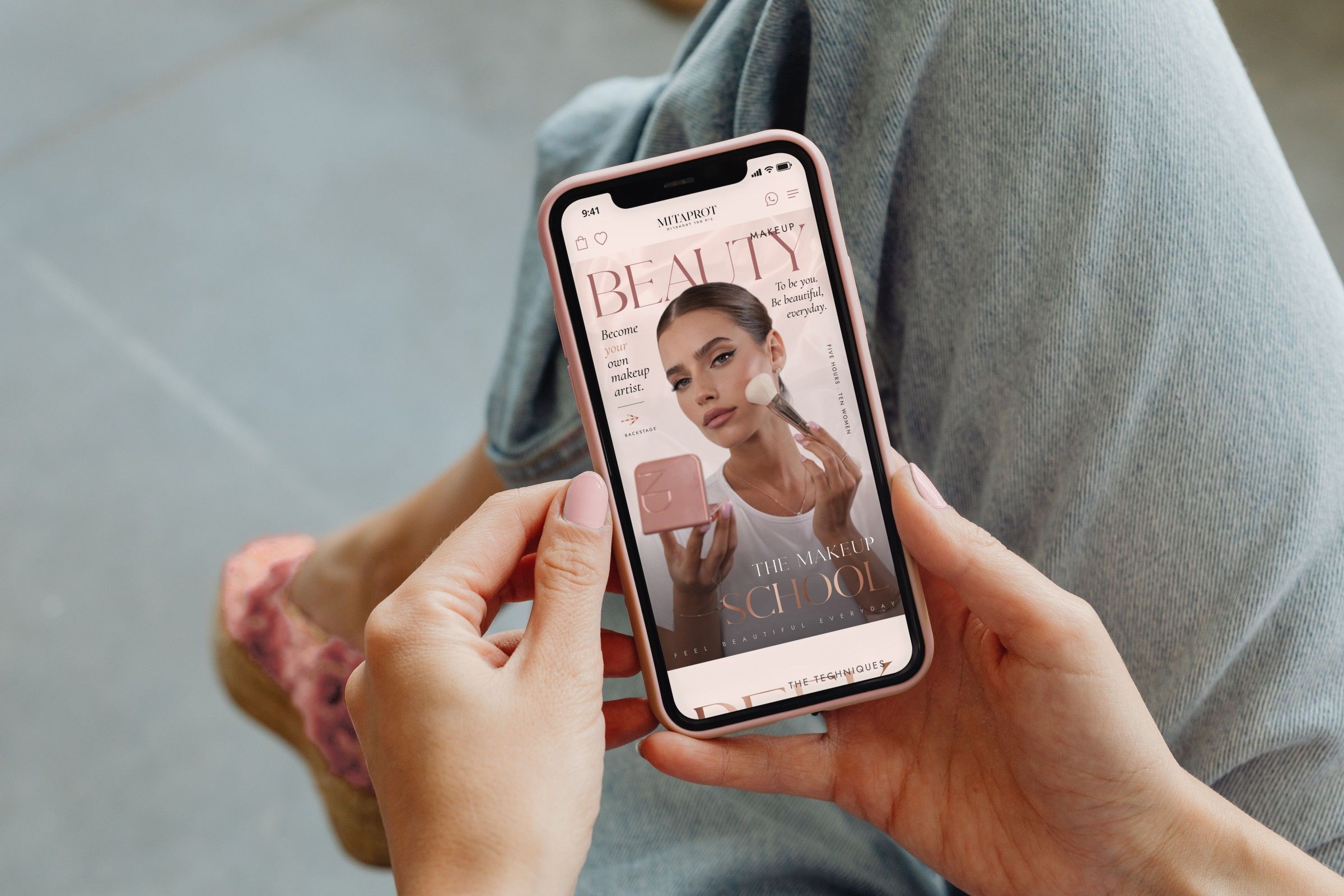
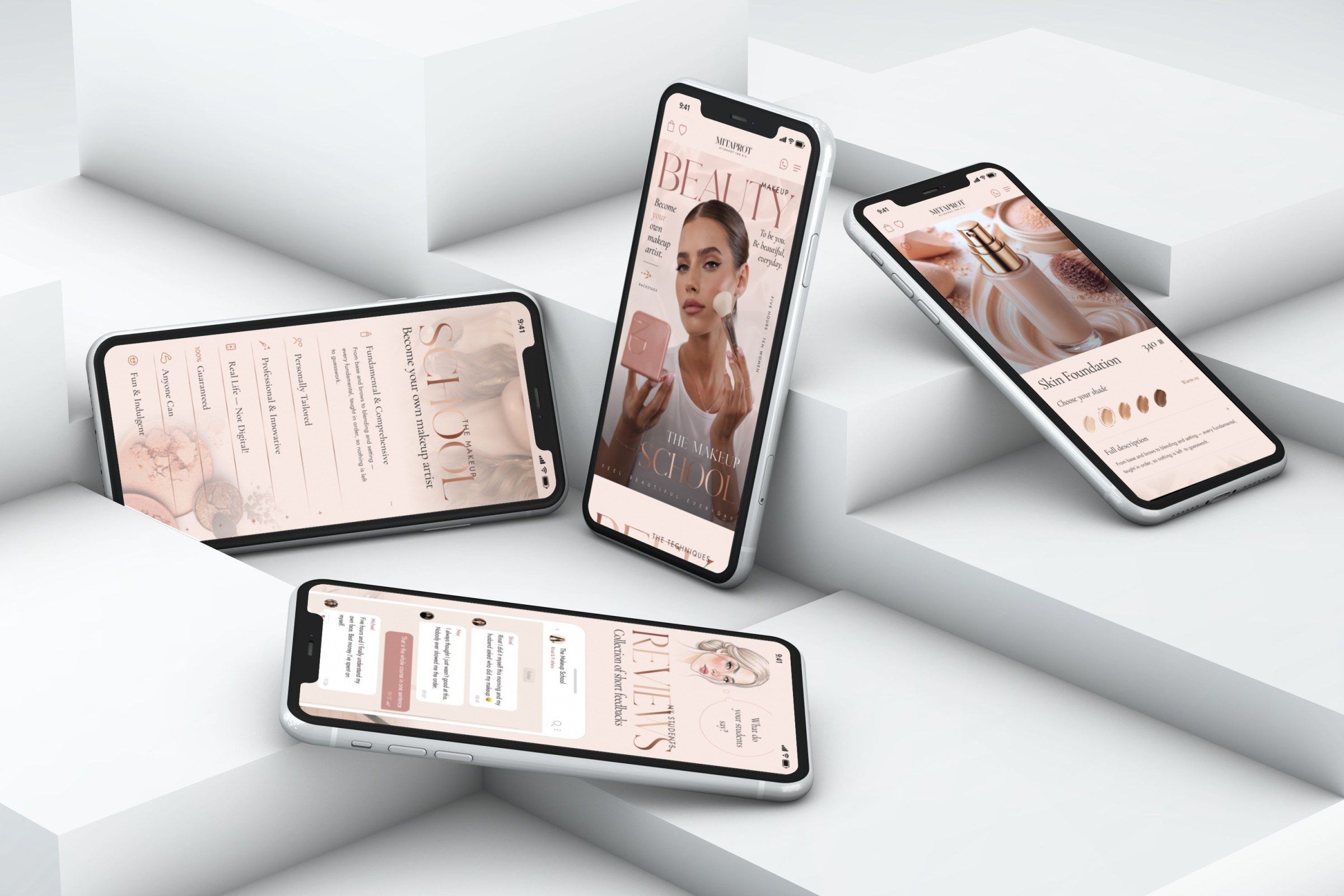
I designed the mobile site for a makeup school and its shop, along with a Figma design system and the handoff files for building it.
Rinat Gindi is a bridal and on-set makeup artist in Israel. She also teaches a five-hour makeup course to groups of ten women and sells makeup kits and single products. I first worked with her in 2022, on a landing page for her bridal service, and in 2026 she came back to me for the mobile site of her school and shop.
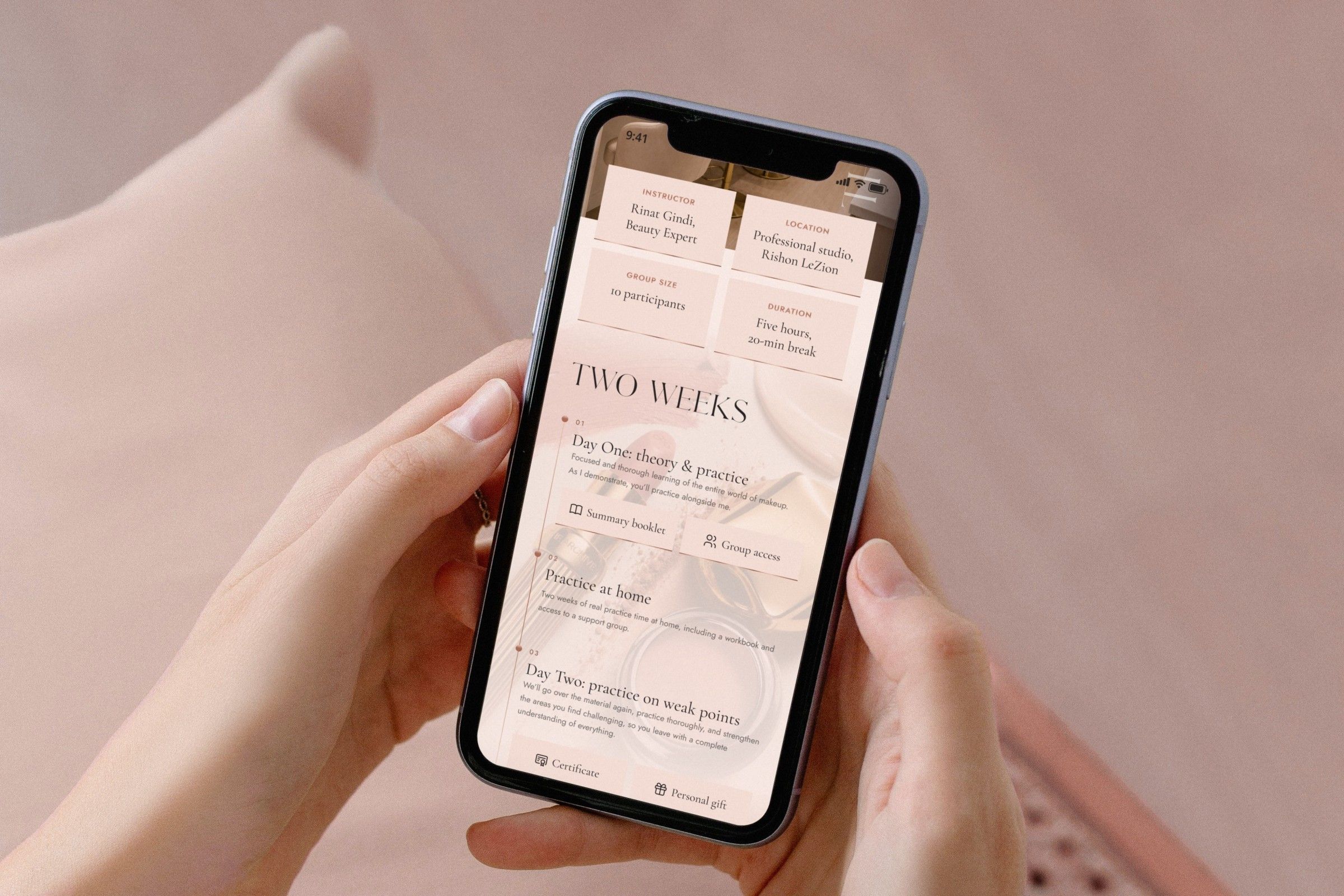
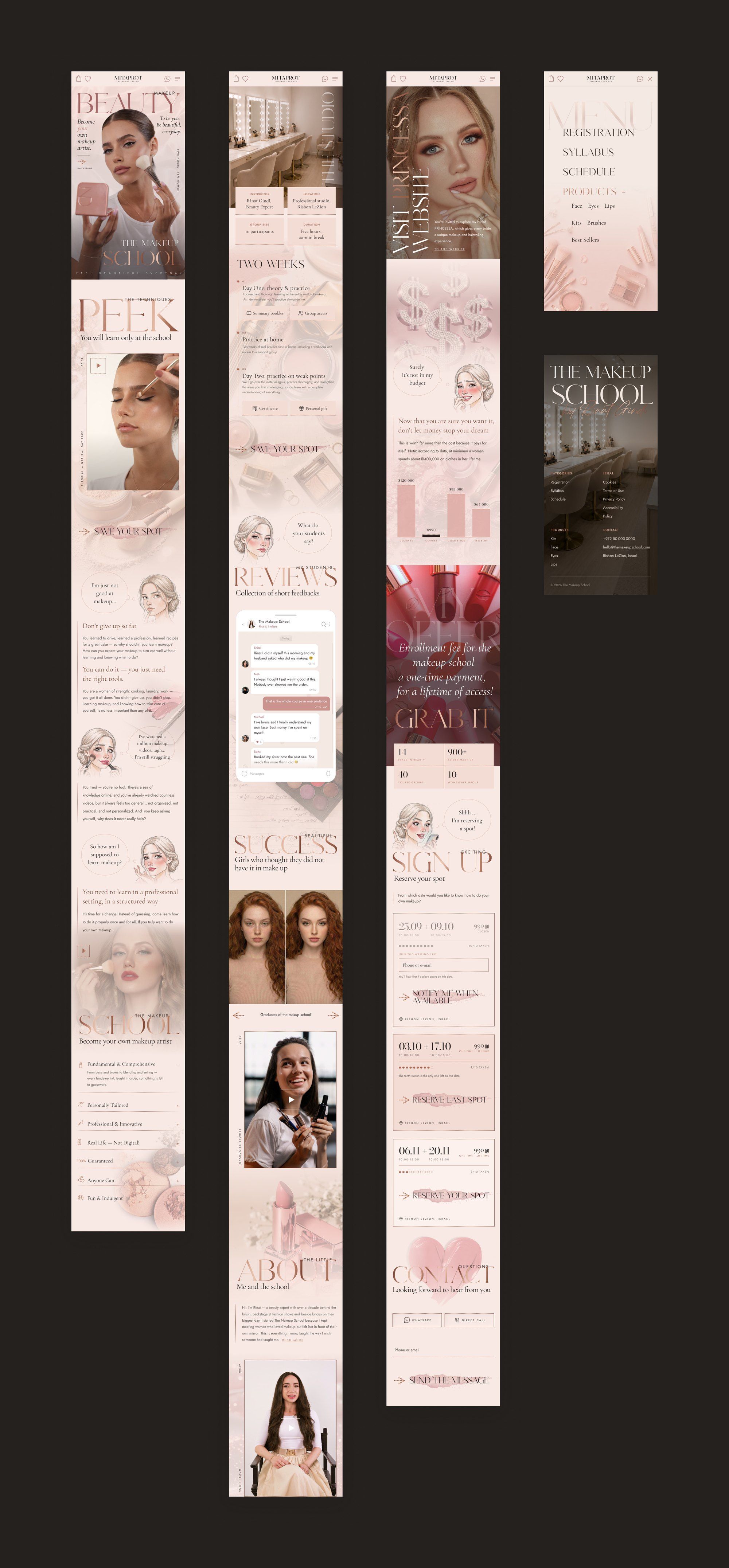
The client supplied the brief, including the order of the sections, the photos, illustrations, logo and copy. My job was to turn that material into one consistent interface and get it ready for her developer to build. I designed the home page, the product menu, product pages for kits and for single products, the shopping bag, the wishlist, the navigation and the registration states, all at 414px. The component system and the handoff notes were made alongside the screens.
The brief also set the design direction. Rinat wanted the site to feel professional and editorial, with a fashion look, and still be friendly enough that the school wouldn’t feel intimidating. The colours were to be warm skin and blush tones, with the pink kept restrained so the site didn’t look childish. She asked for gold only in small accents and for makeup motifs in place of flowers. The illustrated girl who speaks for the visitor in each section had to look editorial too, with nothing cartoonish about her.


Registration and shop
When a course date or a product runs out, the page offers a different next step.
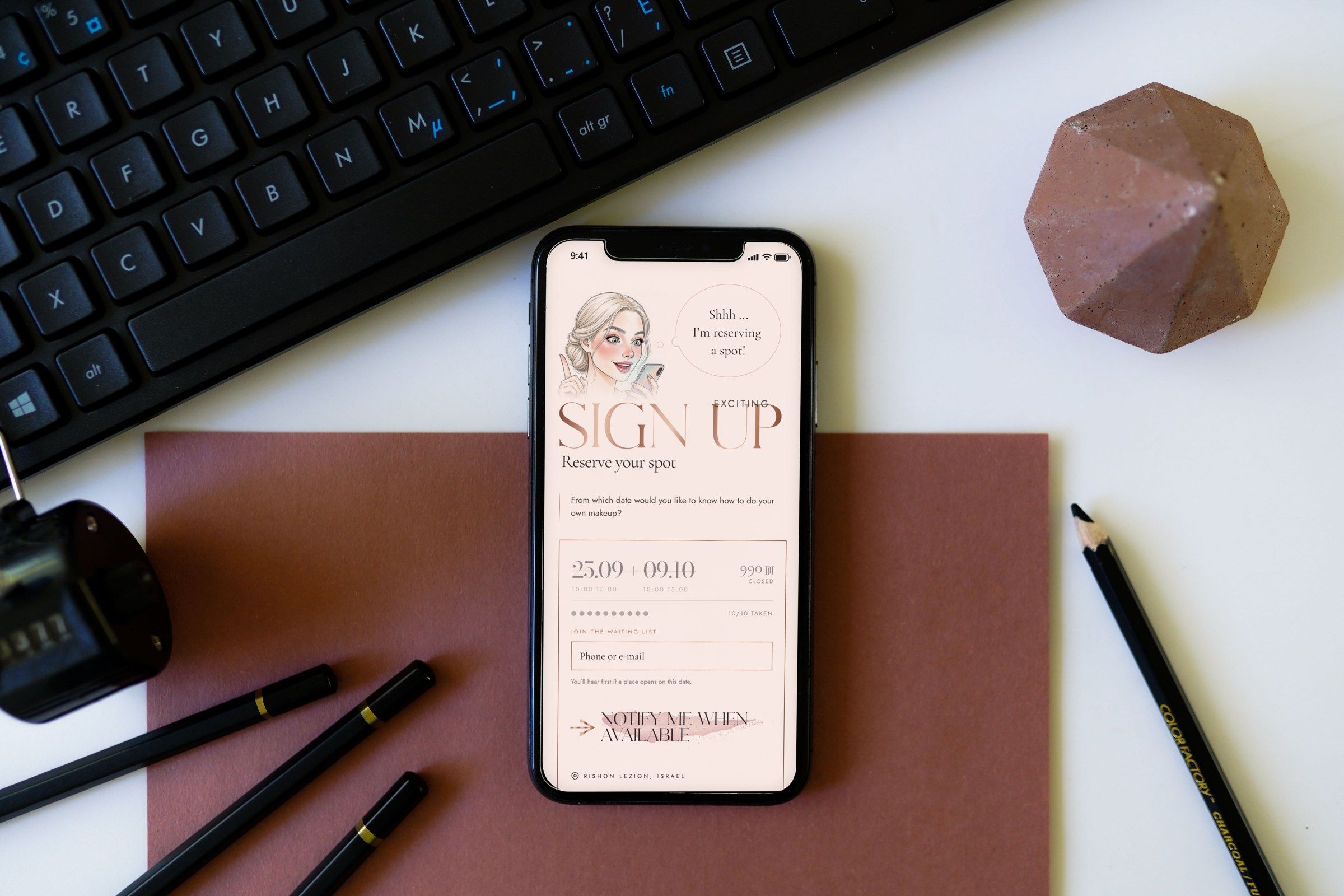
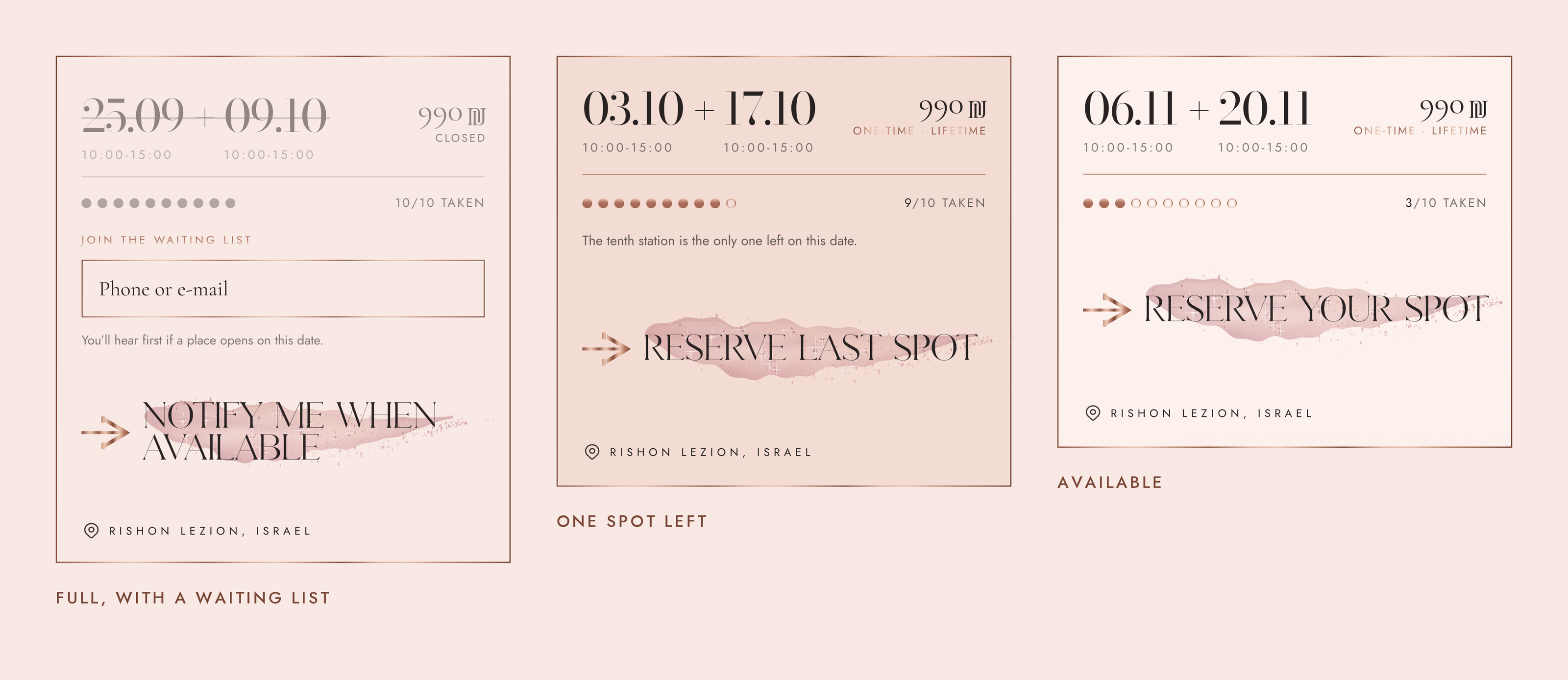
Each course date has ten places. Before booking, people need to see which dates are open, how many places are left and what they can do if a date is full. I designed three states for the course card: open, one place left and full.
Ten dots stand for the ten makeup stations in the studio, so you can see how full a date is at a glance. When nine places are taken, the last dot is highlighted and the button changes to Reserve last spot. A full date keeps its dates on the card, crossed out, and the booking button is swapped for a waiting-list field that takes a phone number or email.
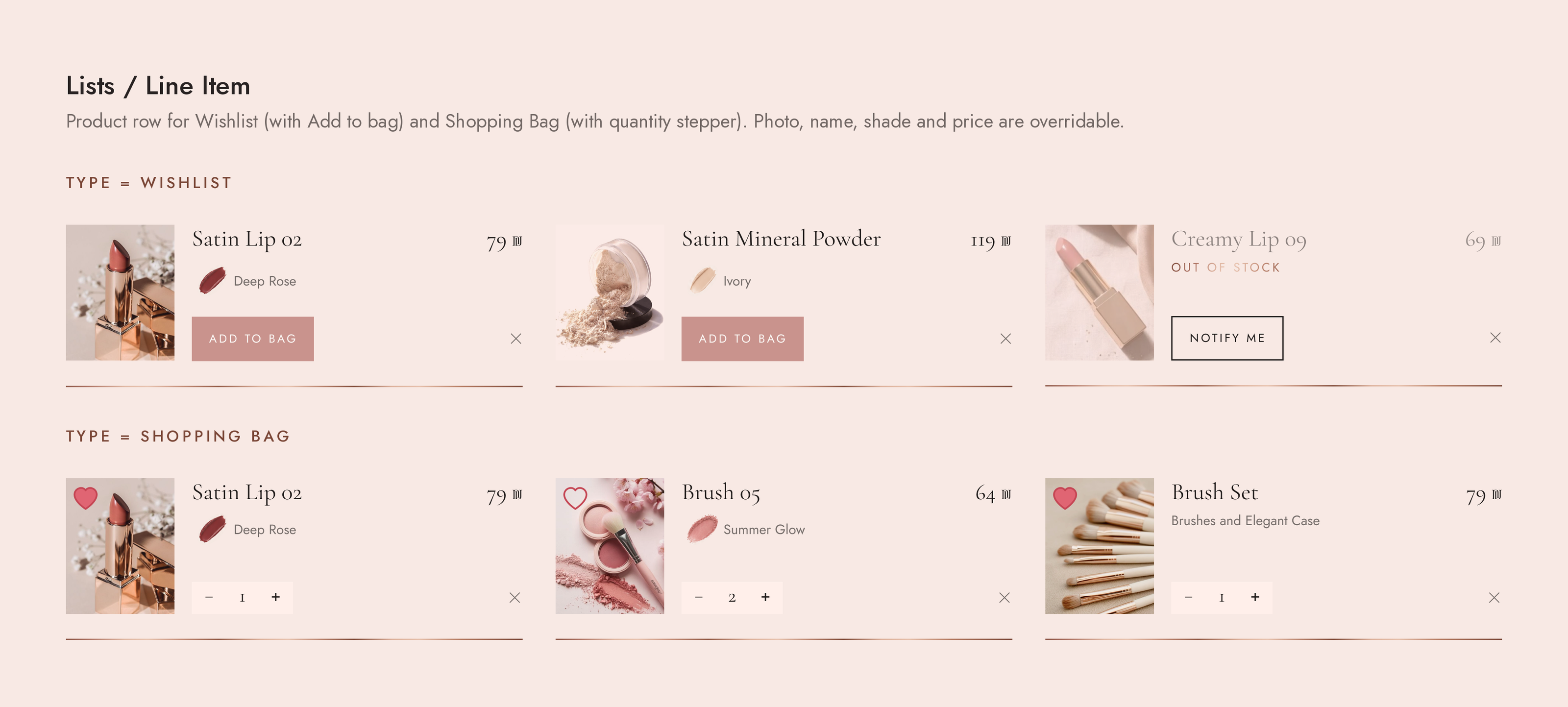
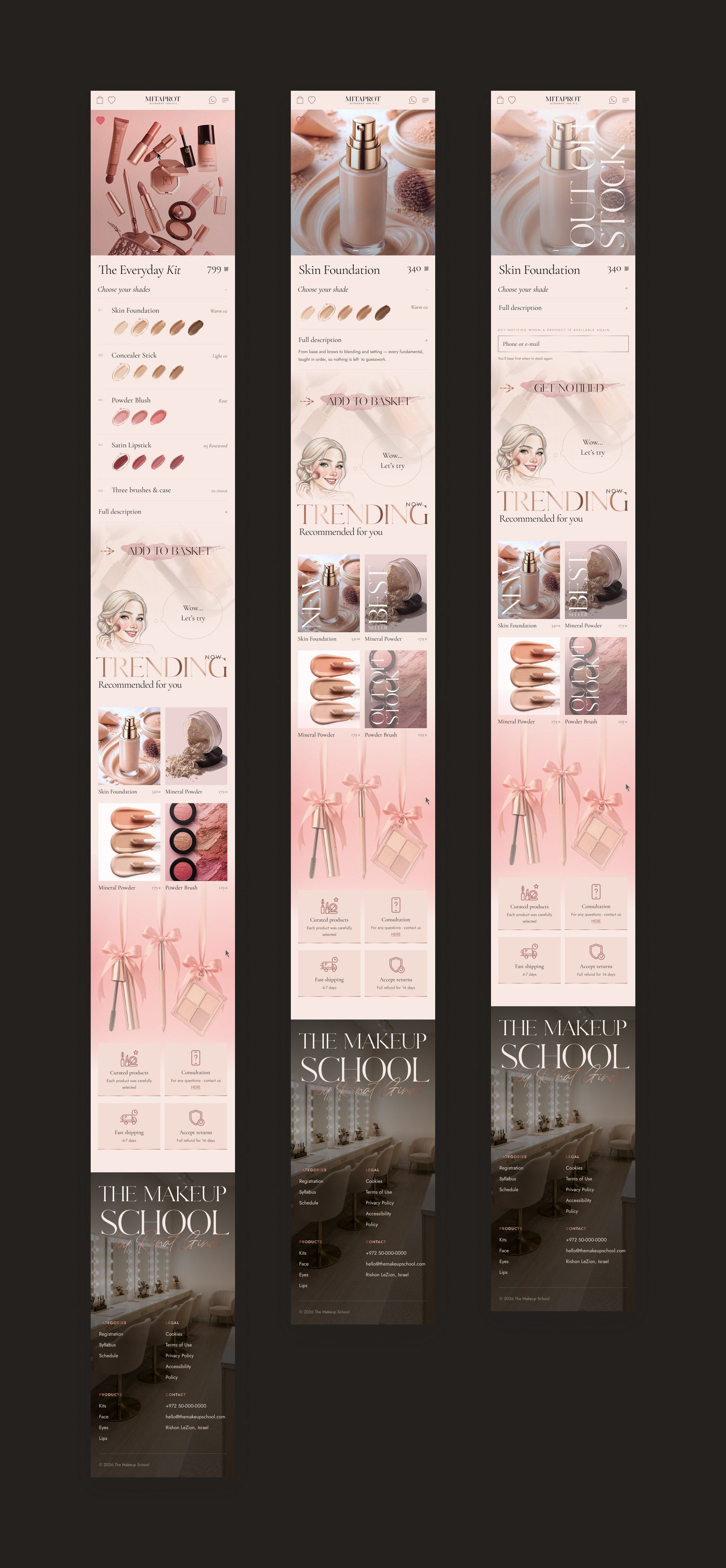
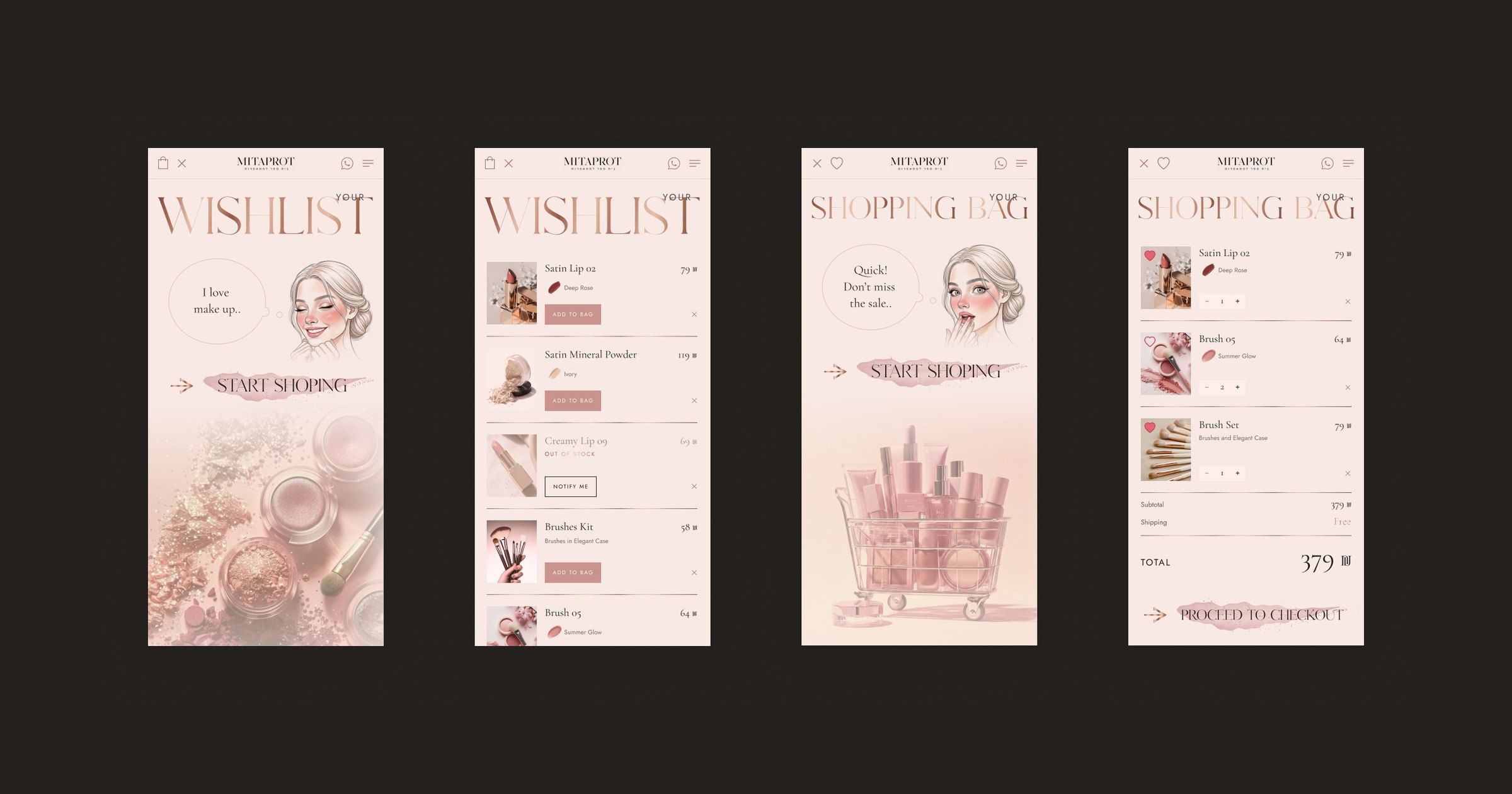
The shop has a two-column product menu, product pages, a wishlist and a shopping bag. Kits and single products get different product pages. A kit page lists every product in the kit, with a shade choice where there is one. A single product has a shorter page.
When something sells out, the product page swaps the buy button for a field where you can leave a phone number or email to hear when it’s back. In the wishlist the product stays on the list and Add to bag changes to Notify me, so nobody loses what they saved.




Design system
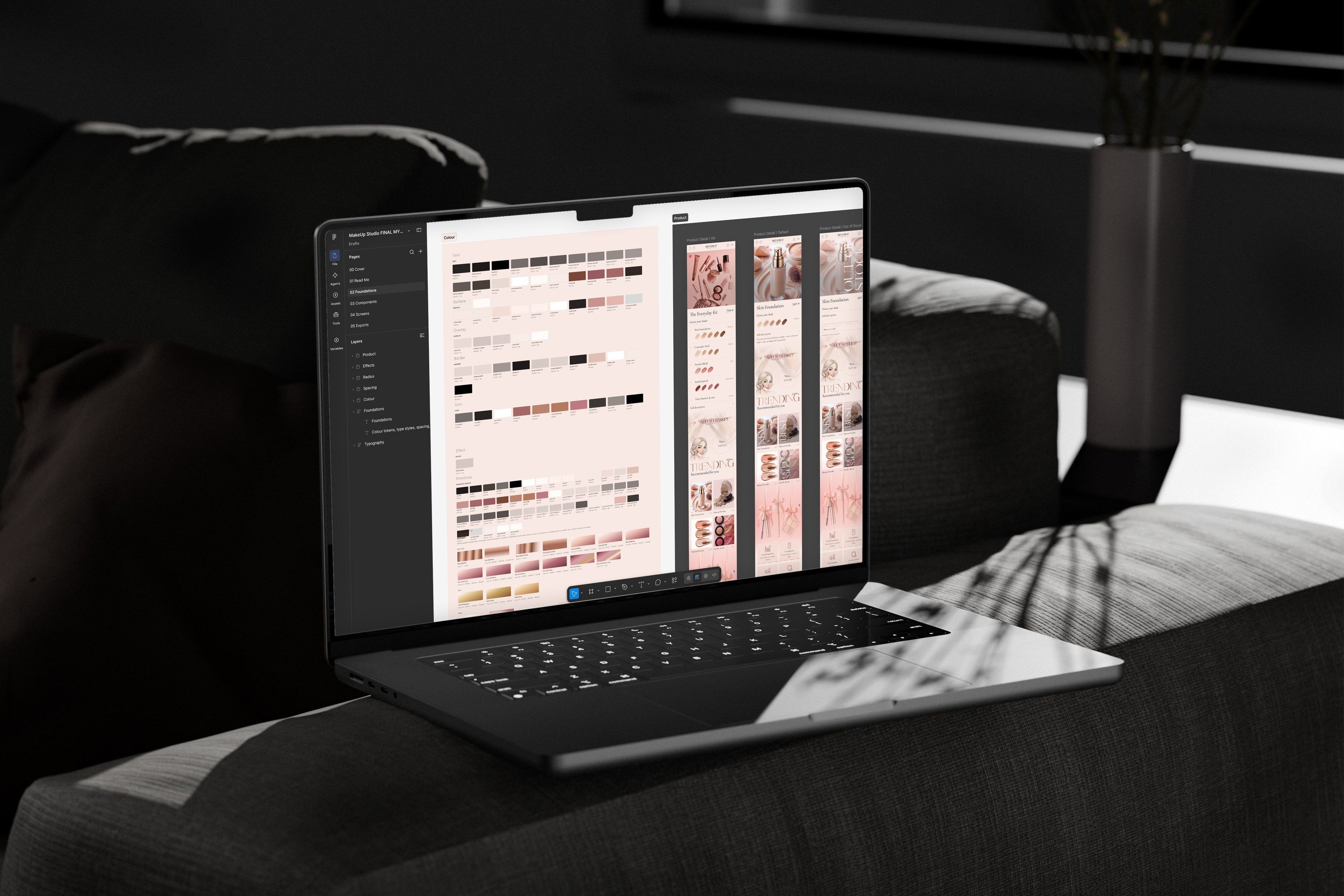
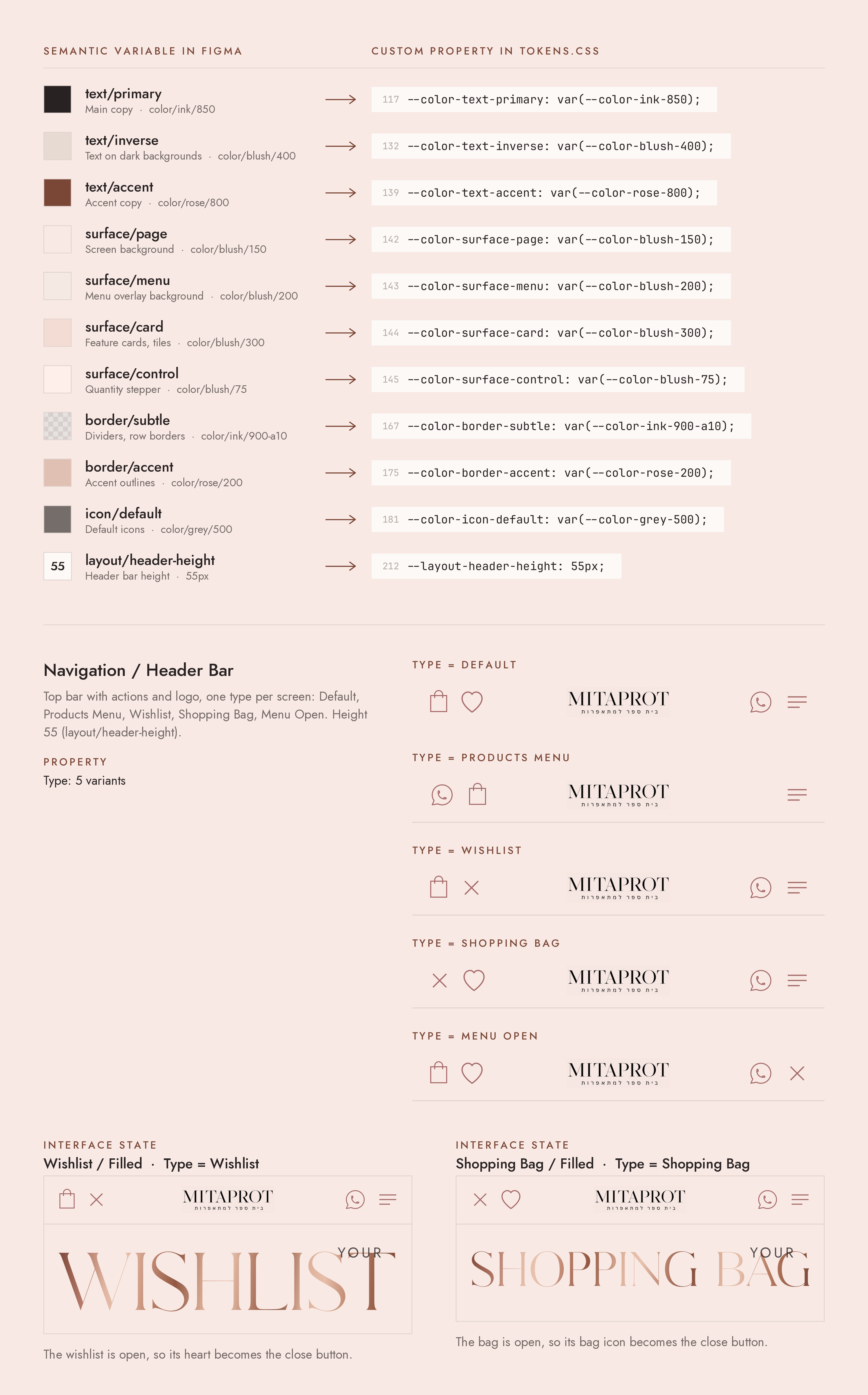
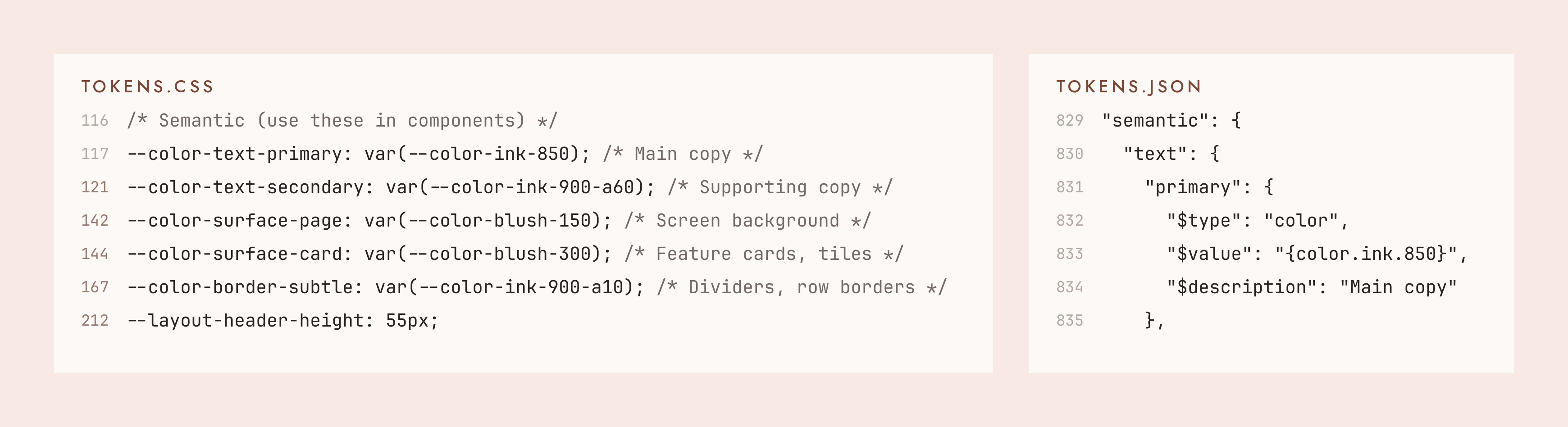
Figma variables and CSS custom properties share one naming scheme.
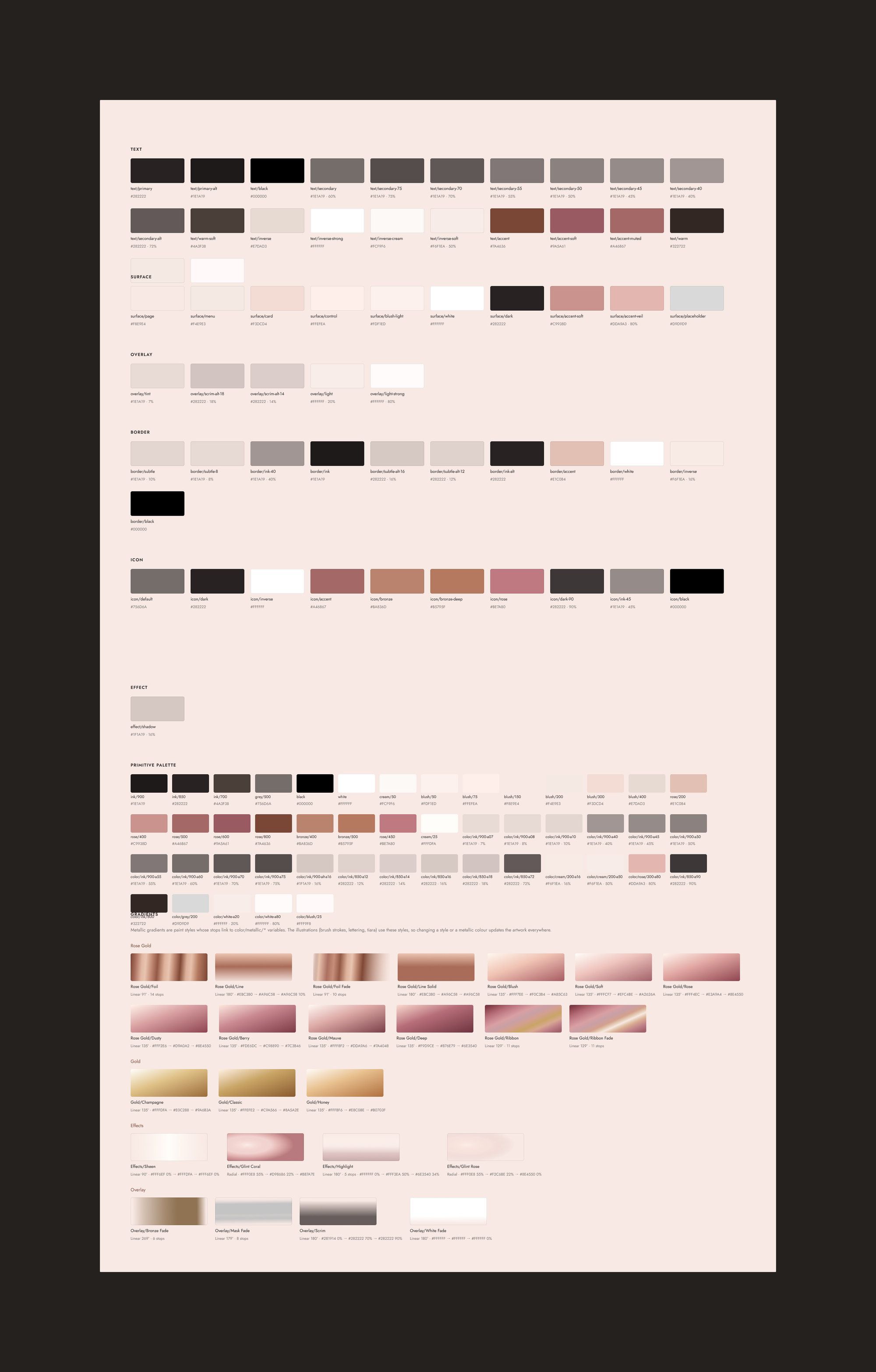
Colour is set up in two tiers. 169 primitive variables hold the raw palette, and 103 semantic variables map it to roles such as surface/card and text/inverse. Screens use only the semantic tier. Each semantic variable carries its CSS name as code syntax in Dev Mode, and tokens.css and tokens.json follow the same naming, so surface/card in Figma is --color-surface-card in code. Typography is defined as text styles named by role and size, and the metallic gradients are paint styles bound to color/metallic variables.
The library has 16 component sets and 14 standalone components, each documented with a description. I added variants only where the interface state changes. The Header Bar has five types, each mapped to the screens it belongs to, and the wishlist and the bag share one Line Item component with a variant for each context.
The handoff included the course cards split into live text and SVG artwork. Dates, times, prices and labels can be updated in code, while the frames, capacity dots and dividers stay as fixed assets.