



- Produced by
- PAISAK4U
- Role
- UX Engineering Lead — product concept, interaction design, information architecture, design system, accessibility, React implementation, AI workflow and presentation renderer
- Scope
- Interaction model and information architecture, the app and deck design systems, a React and TypeScript build, and a local AI workflow with grounding and fallbacks
- Year
- 2026
- Tools
- Next.jsReact 19TypeScriptZustandFastAPIPydanticSanityOllamapptxgenjsFigmaClaude Code
- Case study
- View case study in detail
- Design
- View in Figma
Context
Research shouldn’t become a manual reporting exercise.
Quarterly UX research kept ending its life in slide decks. Each cycle meant pulling SUS scores, KPIs and findings out of files, rebuilding the same slide structures and checking that the numbers had survived the copy-paste.
UxProof is a self-initiated product, and that recurring workflow was where I started: what do researchers need to find, compare, decide and communicate every quarter? It gave the product its own model. Research periods, SUS scores, task results, findings and recommendations are first-class objects, because they’re the units researchers actually work with.
I designed and built it end to end: the interaction model, information architecture, design system and accessibility, the React implementation, the AI workflow and the presentation renderer. It runs on my own research practice, with real uploads and real decks, and its patterns are informed by my work on production AI systems.


Product principle
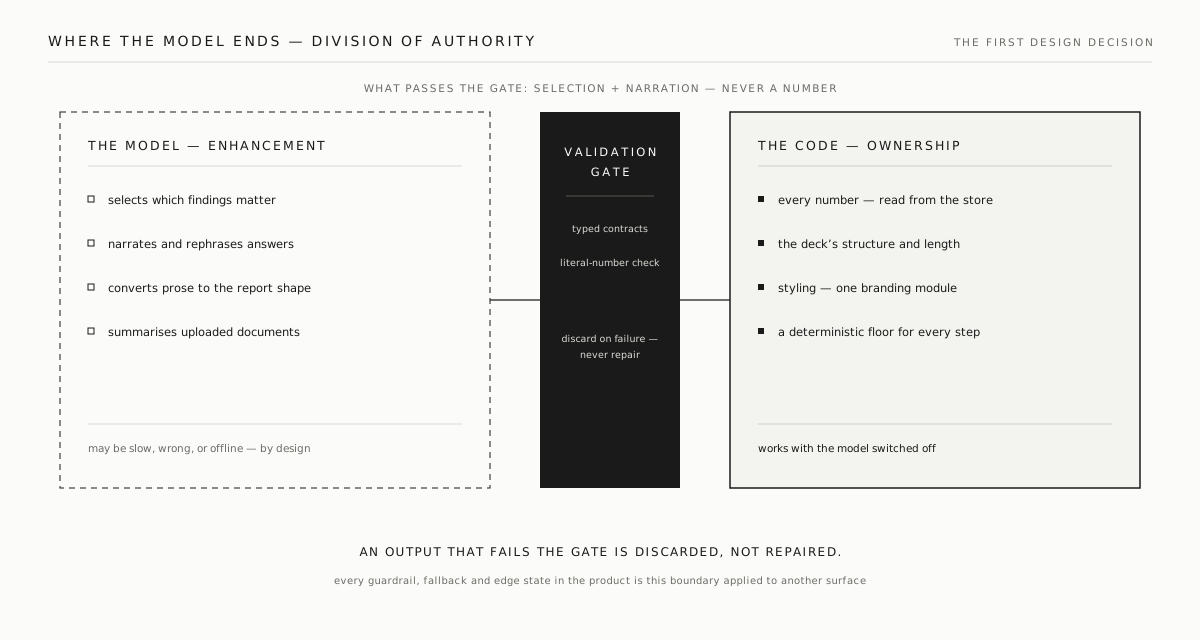
The model interprets. The product owns the facts.
A tool that presents research to a client has to get the numbers right every time, so the first thing I designed was a boundary between what the model is allowed to do and what the product keeps for itself.
The model can pick out the findings that matter, interpret the evidence, write the narrative and turn prose into a report. It never owns the research numbers, the slide structure, the styling or the call on whether an output is valid. A typed validation layer sits between the two. Model output that fails the contract, or can’t be traced to stored evidence, is discarded, and nothing tries to repair it.
That decision shaped everything after it. The interaction states, the fallbacks, the accessibility behaviour, the rendering rules and the deck design all follow the same split.

Interaction design
The chat is a product interface, not a prompt box.
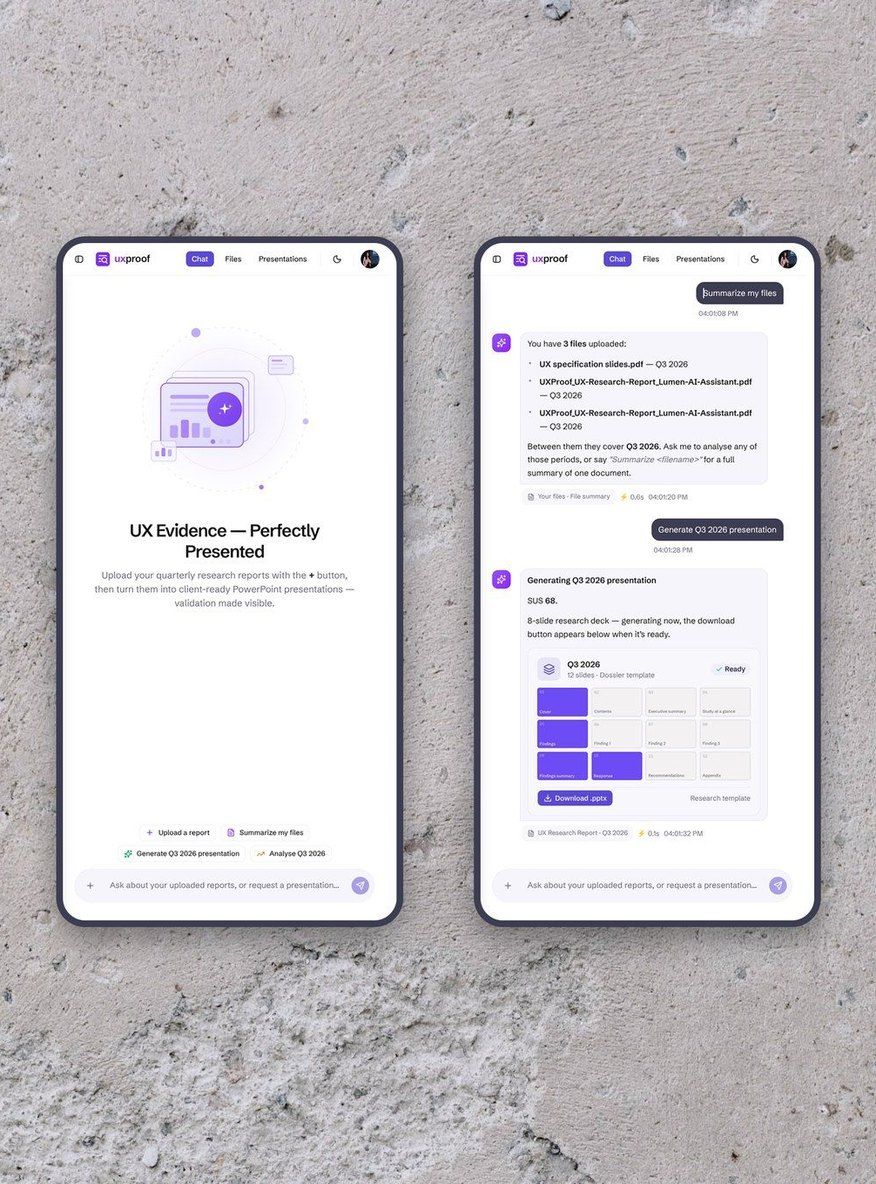
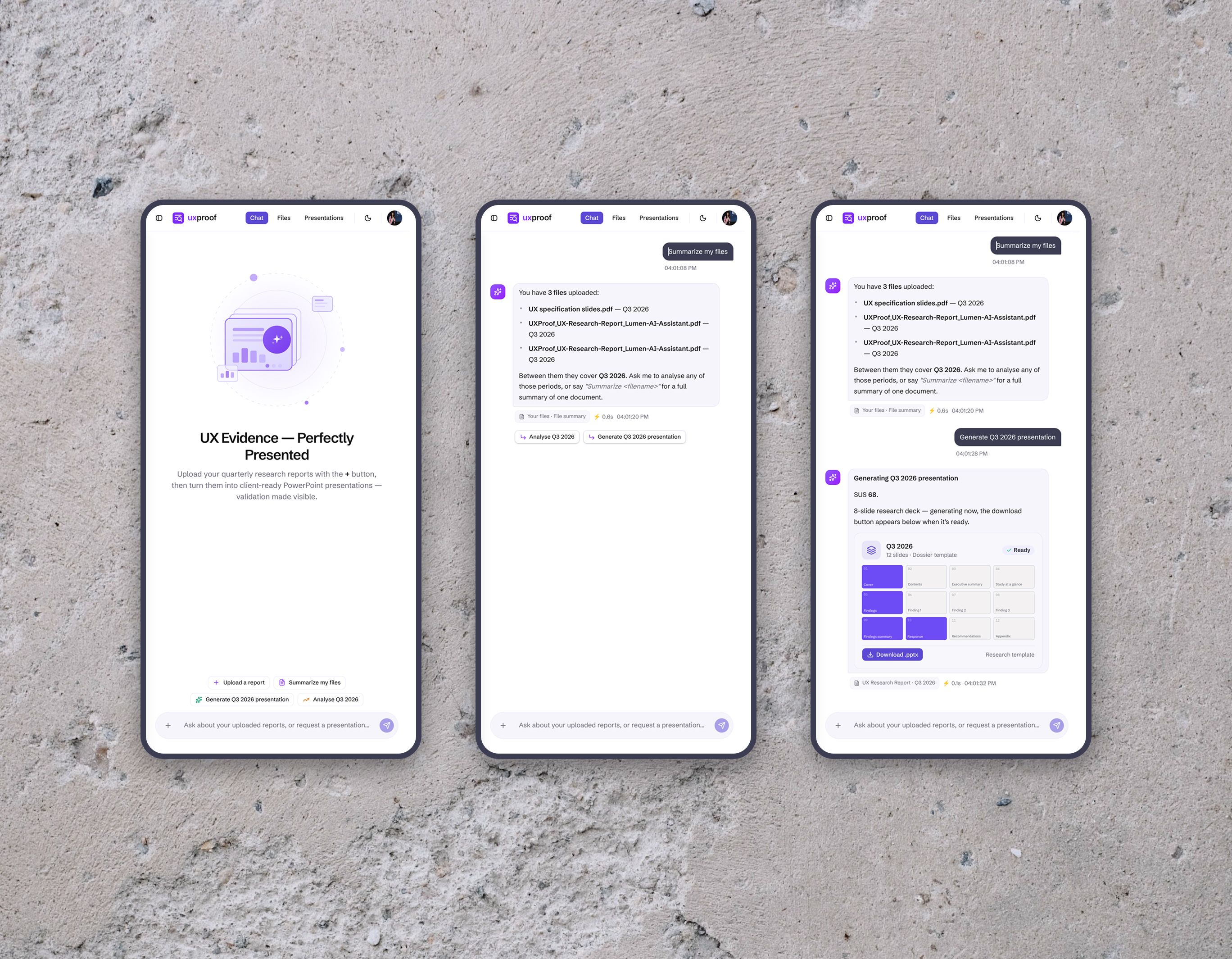
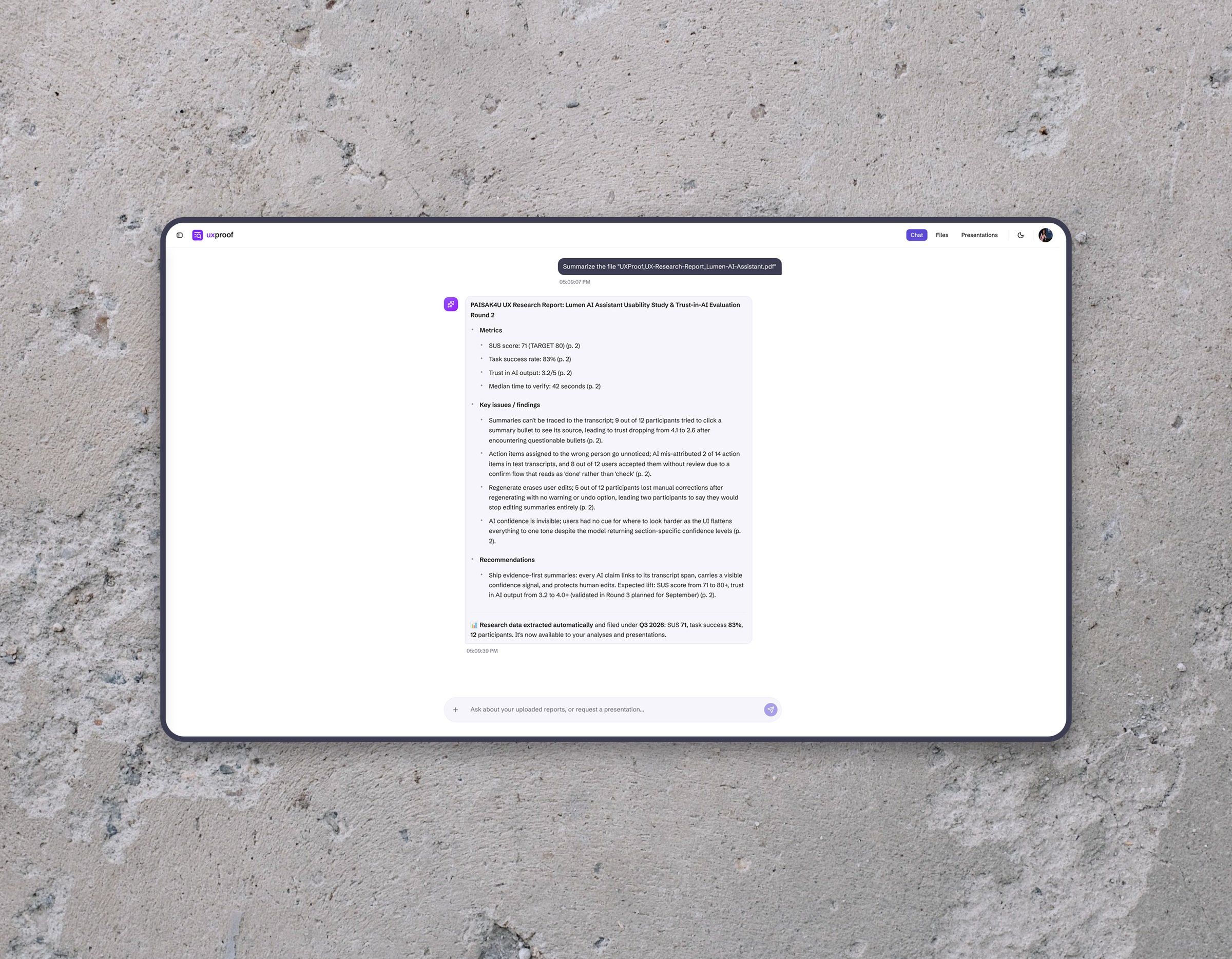
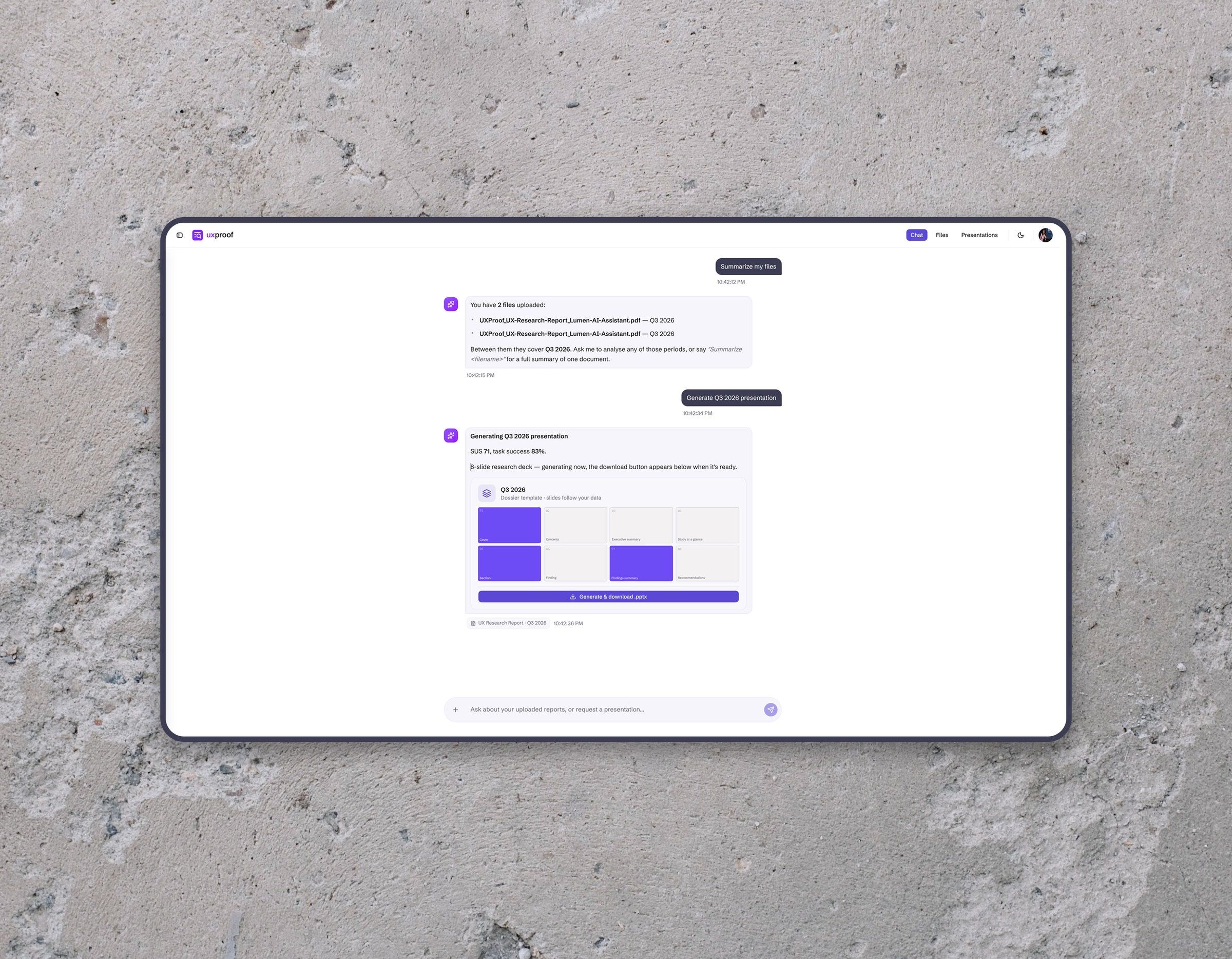
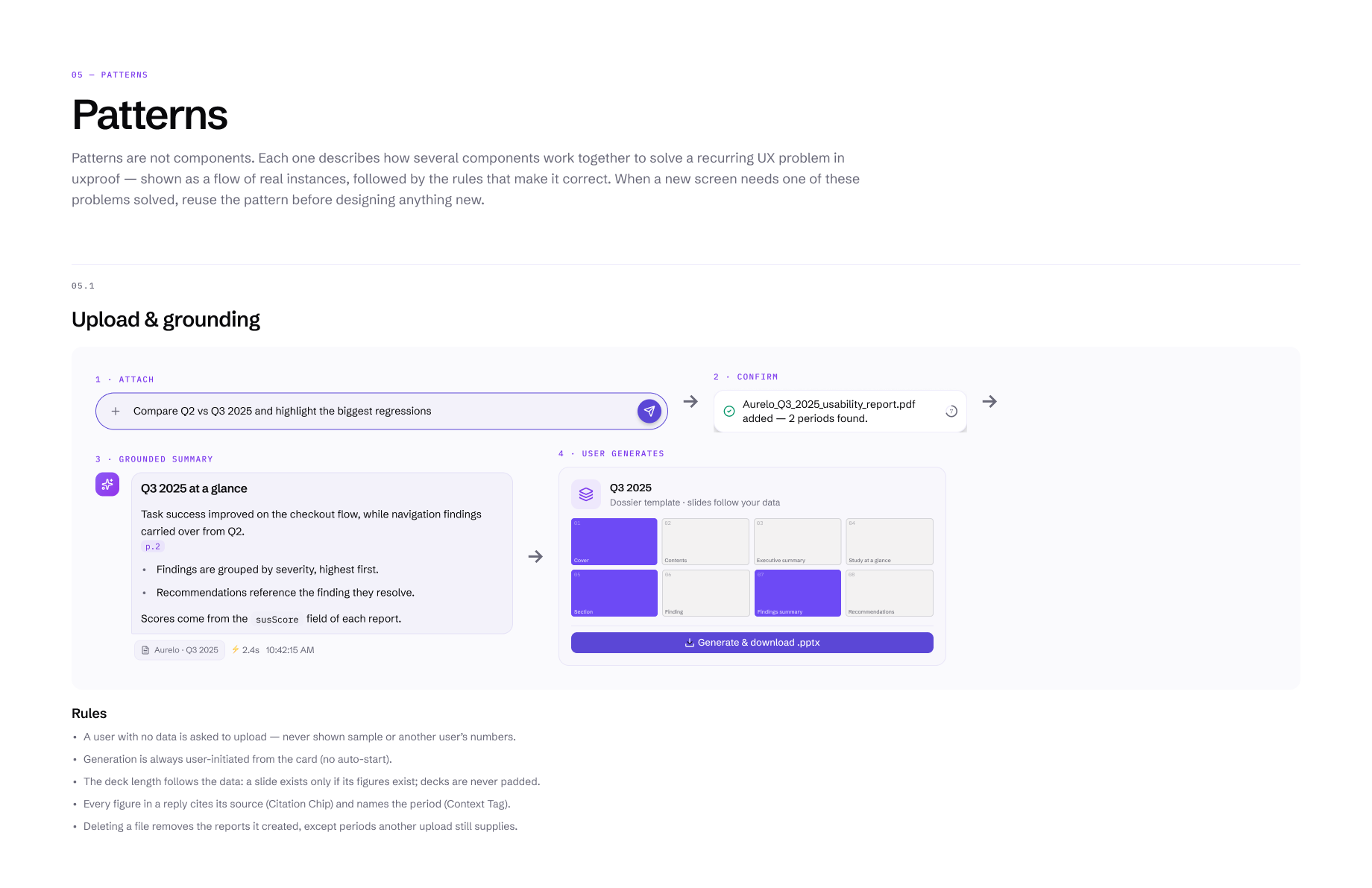
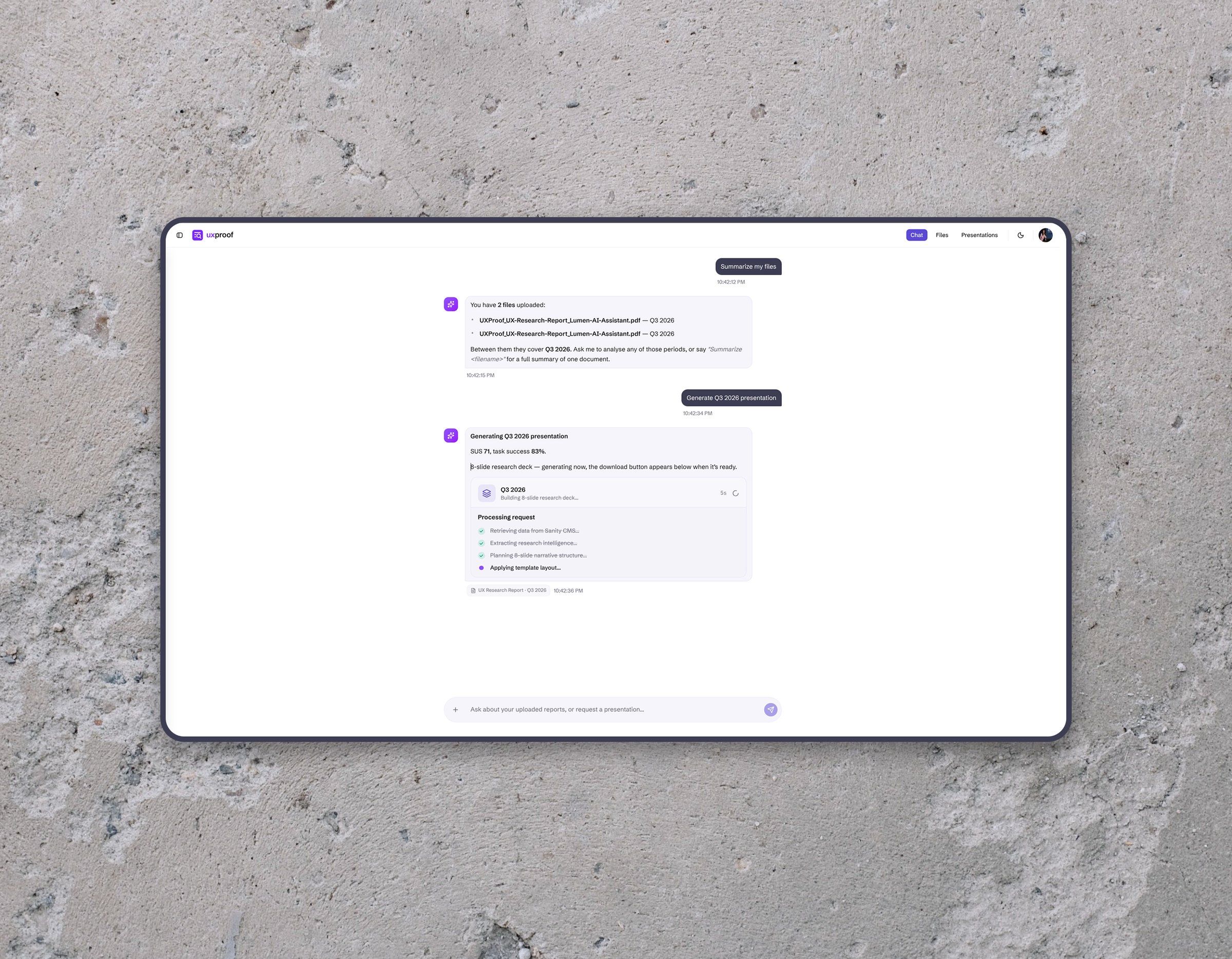
The workflow starts in the chat and follows how researchers already think about their material. Files become evidence, evidence becomes reports and research periods, reports become the context of the conversation, and the conversation leads to analysis and finally a presentation.
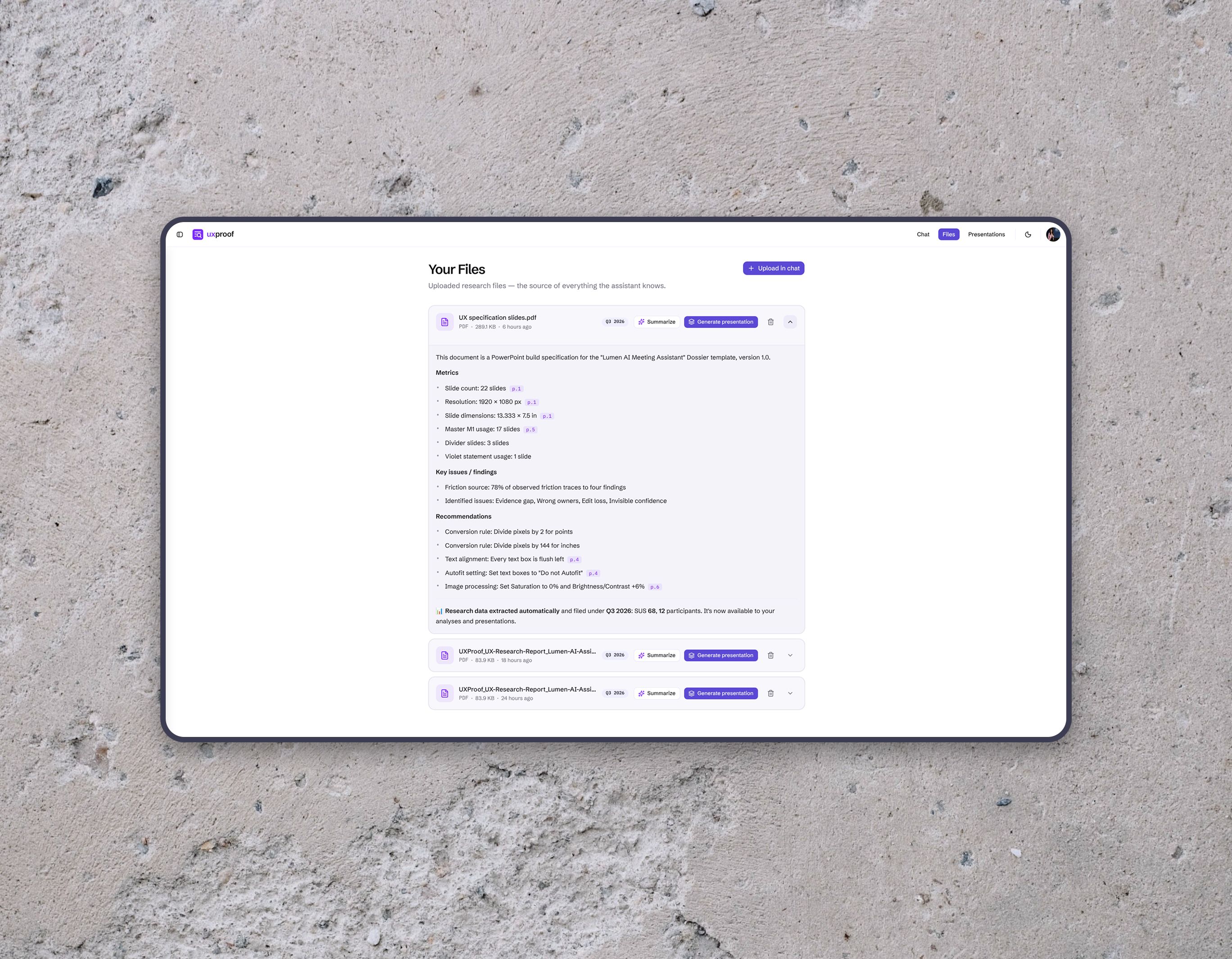
Files go in through the plus button in the composer. Structured data, such as the quarter, the year and the SUS score, is parsed into reports, and prose documents are converted by a local model. After that it’s plain language: “Analyse Q3 2025”, “Compare Q2 vs Q3”, “Generate the 2025 presentation”.
Plain language is ambiguous, so the interface resolves it. A bare “yes” after the assistant offers a presentation becomes a generation request. A follow-up question that names no period picks up the one being discussed. A workspace with no data asks for an upload before anything runs. They’re small decisions, and together they keep the chat on the task.



AI behaviour
AI is an enhancement, never a dependency.
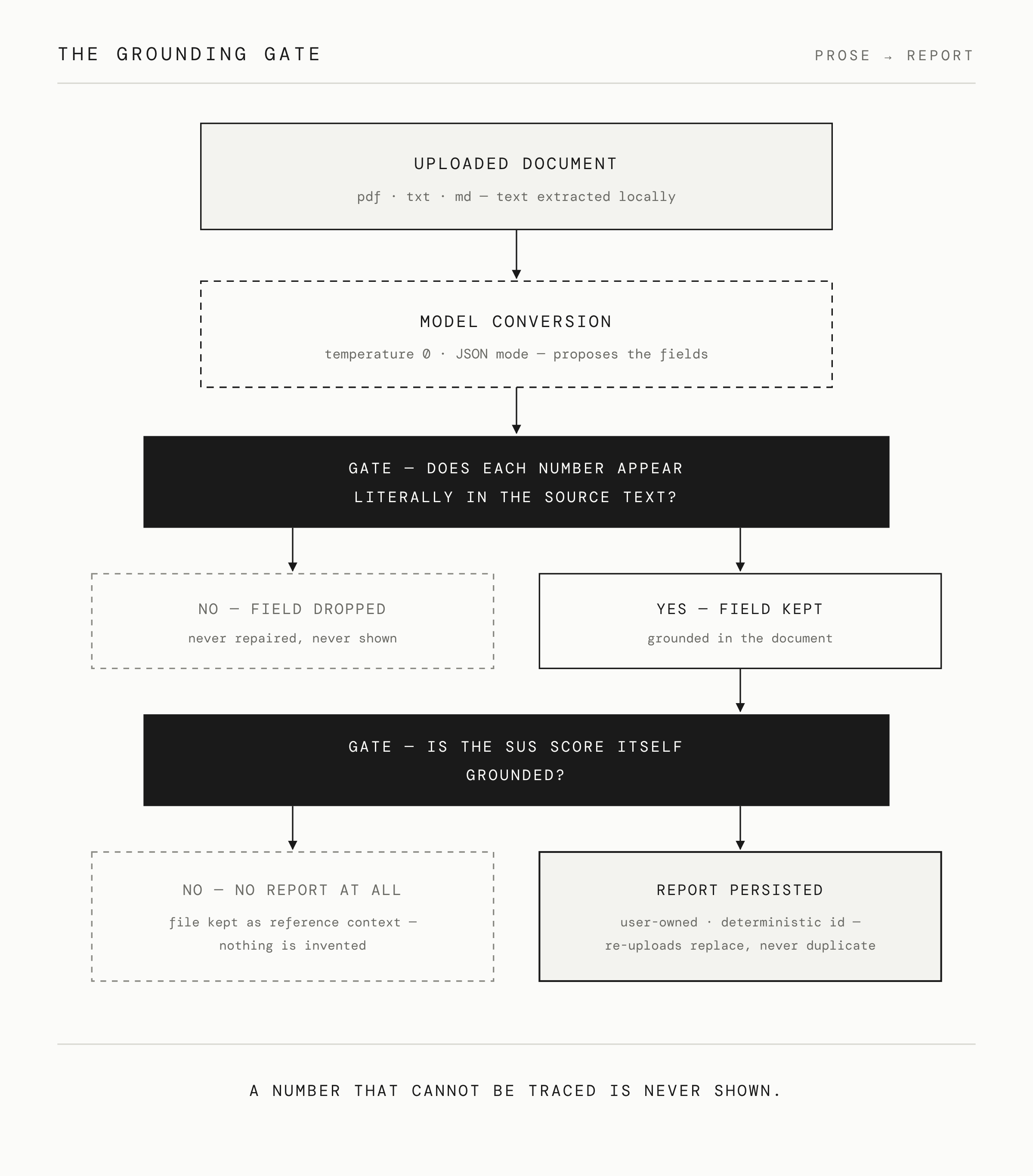
Structured uploads are parsed deterministically. Prose documents are converted by a local model under a literal-value check: every number has to appear verbatim in the source text or it’s dropped, and a report without a grounded SUS score isn’t created at all. Chat answers and document summaries follow the same rule, and a reply whose numbers can’t be traced to stored data is replaced by its template.
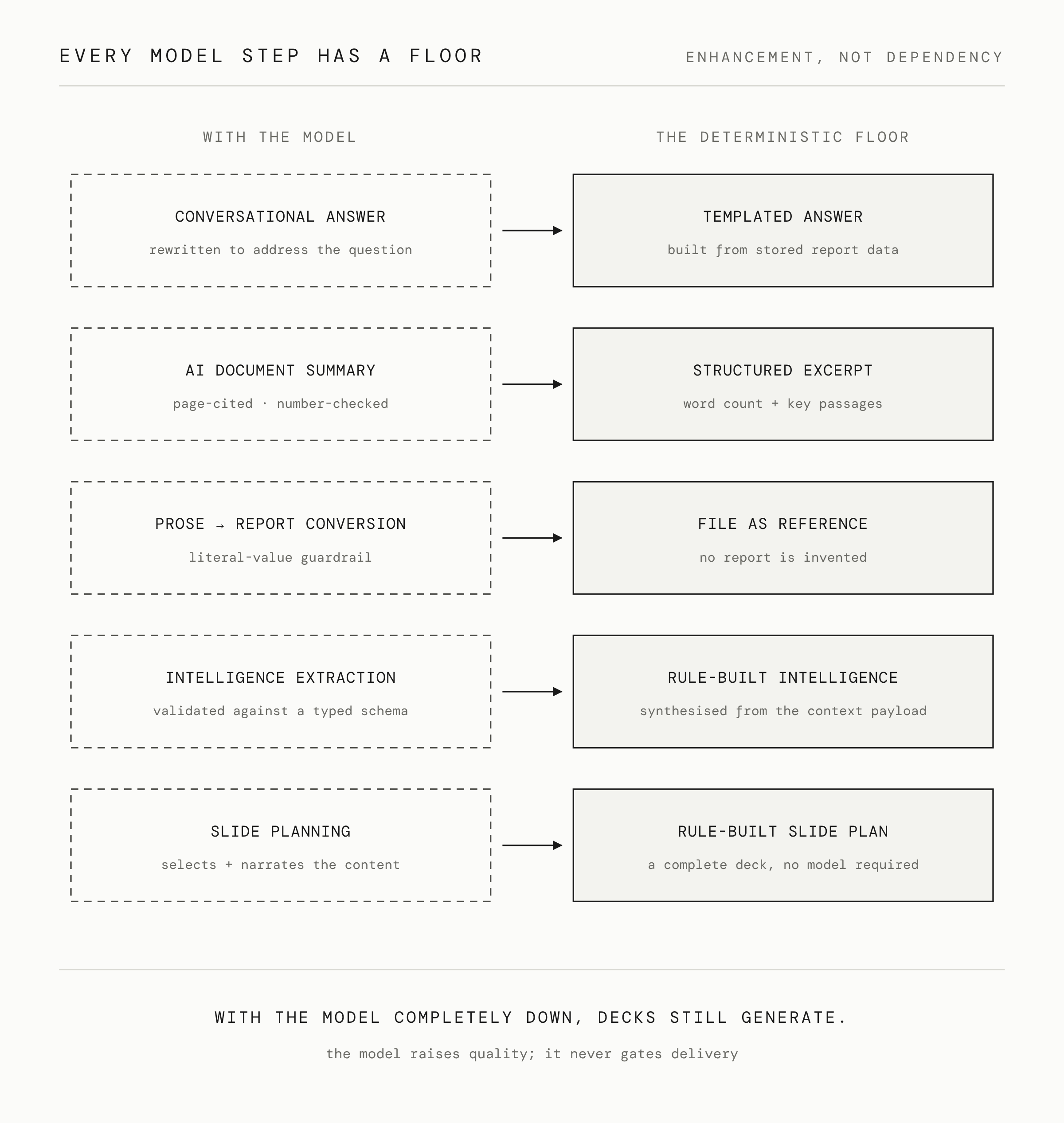
Every model step has a deterministic fallback. Conversational answers fall back to templates, summaries to excerpts, and extraction and planning to rule-based versions. With the model completely offline, the core workflow still works and decks still generate.
When the model is wrong or unavailable, the product deals with it, and the researcher still gets something they can use.


Design system
Constraints make the interface more coherent.
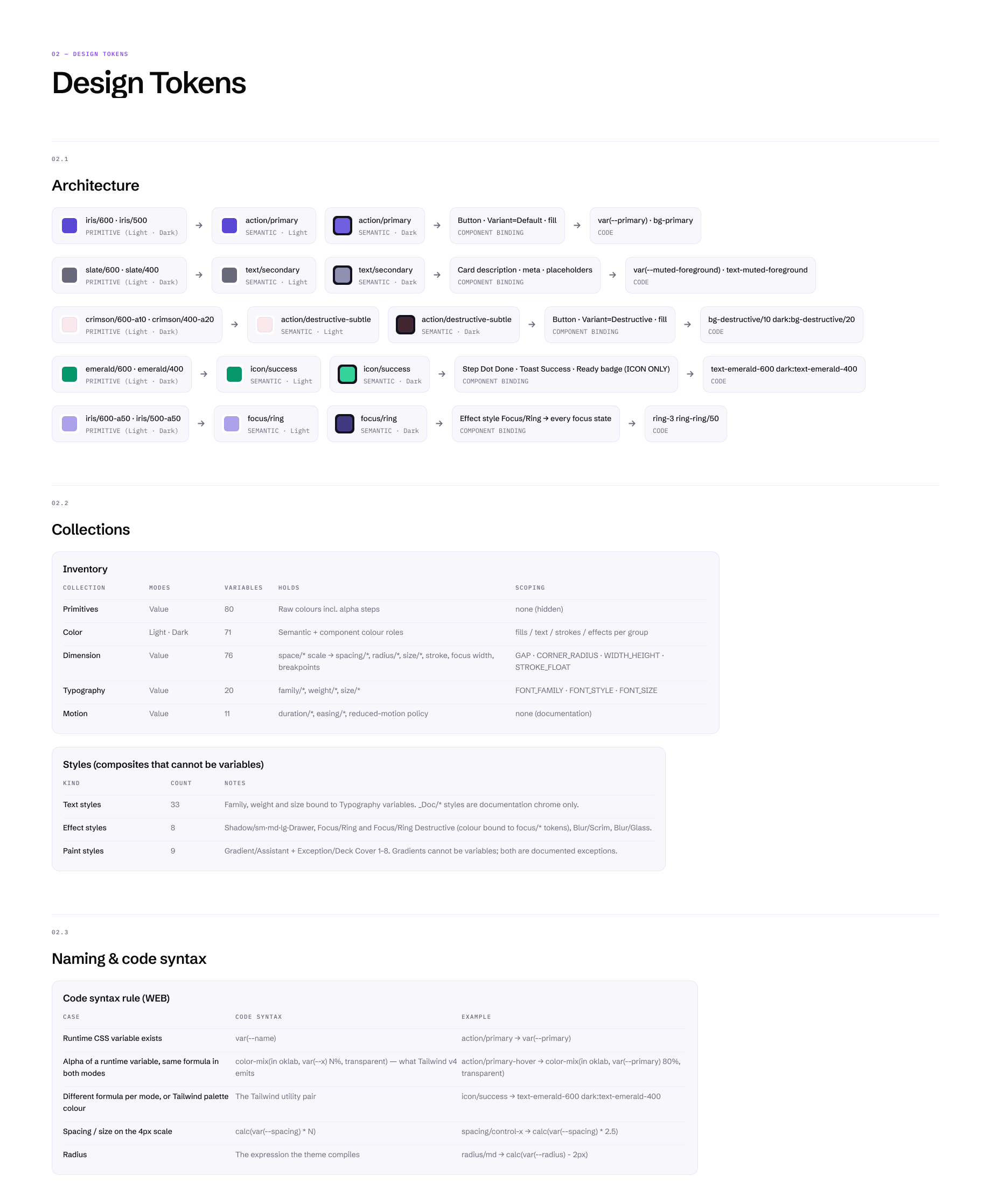
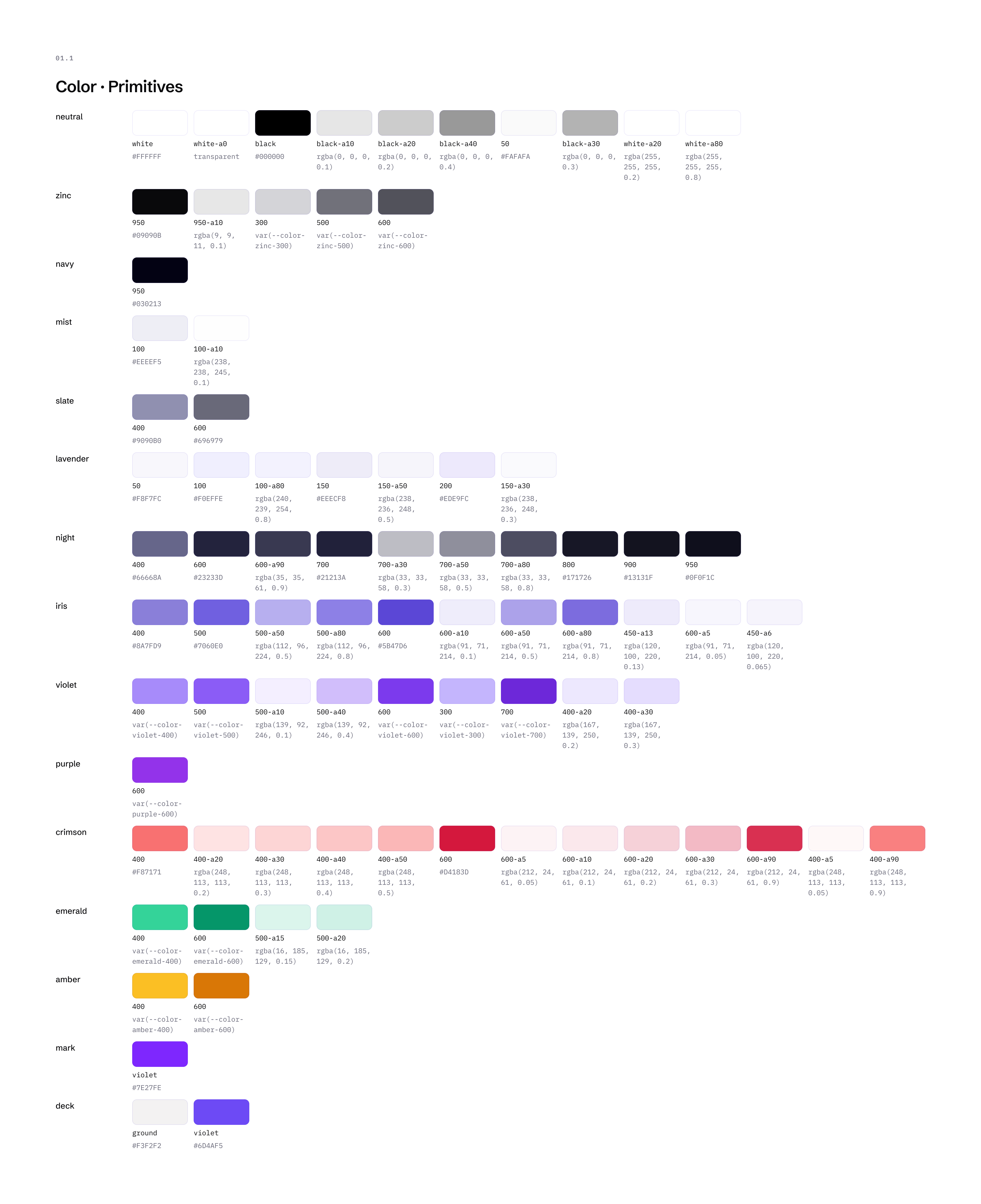
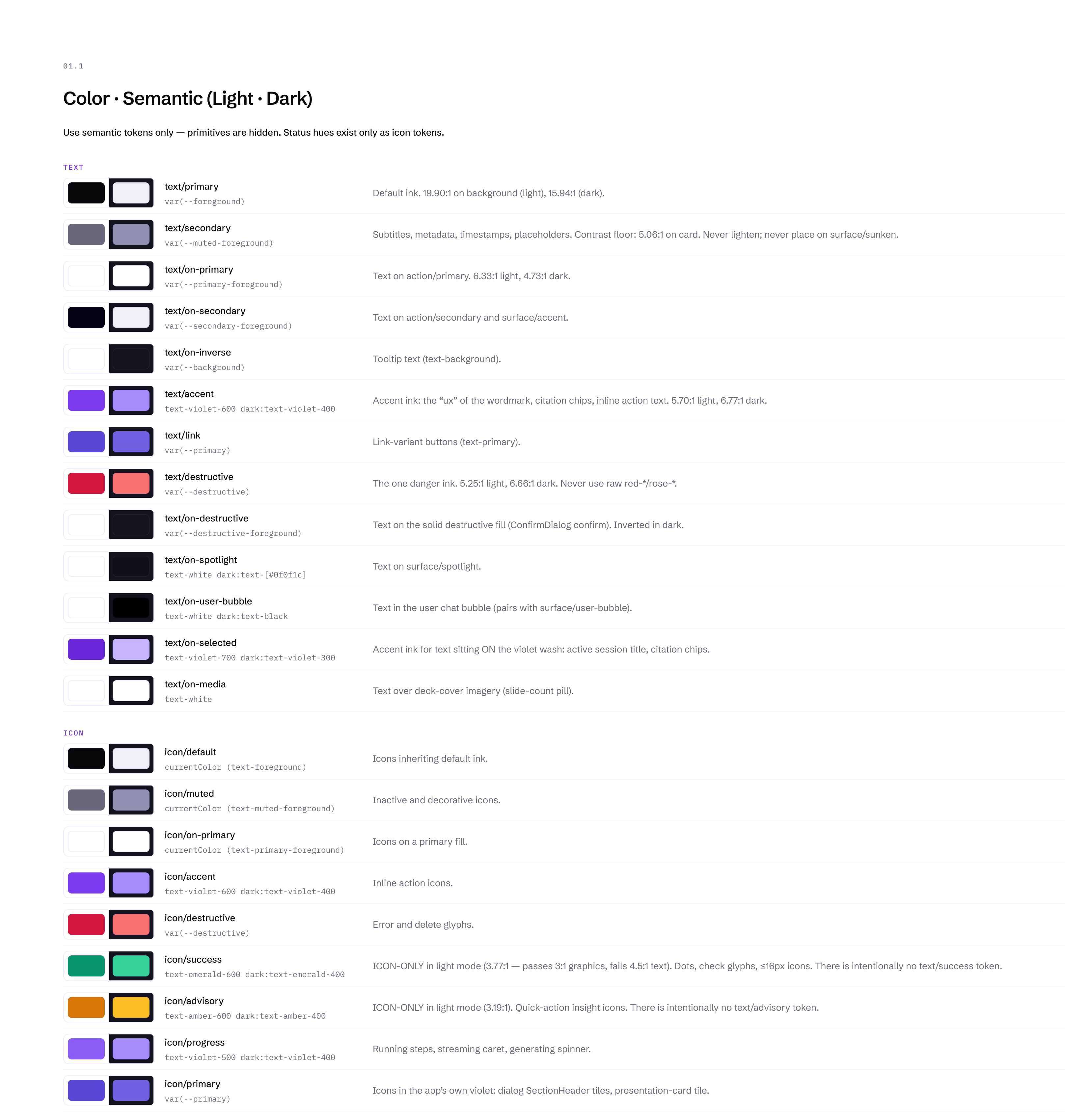
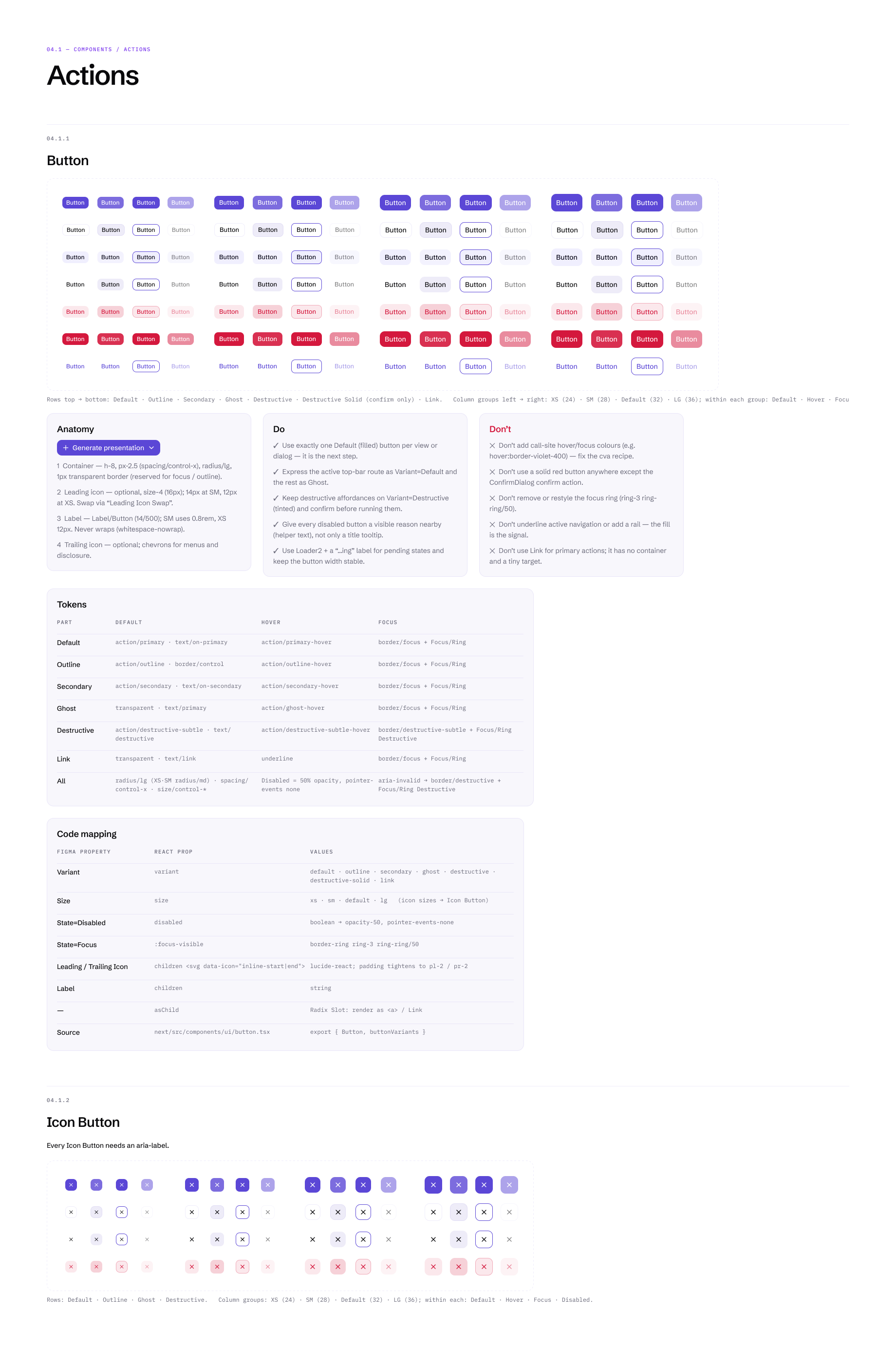
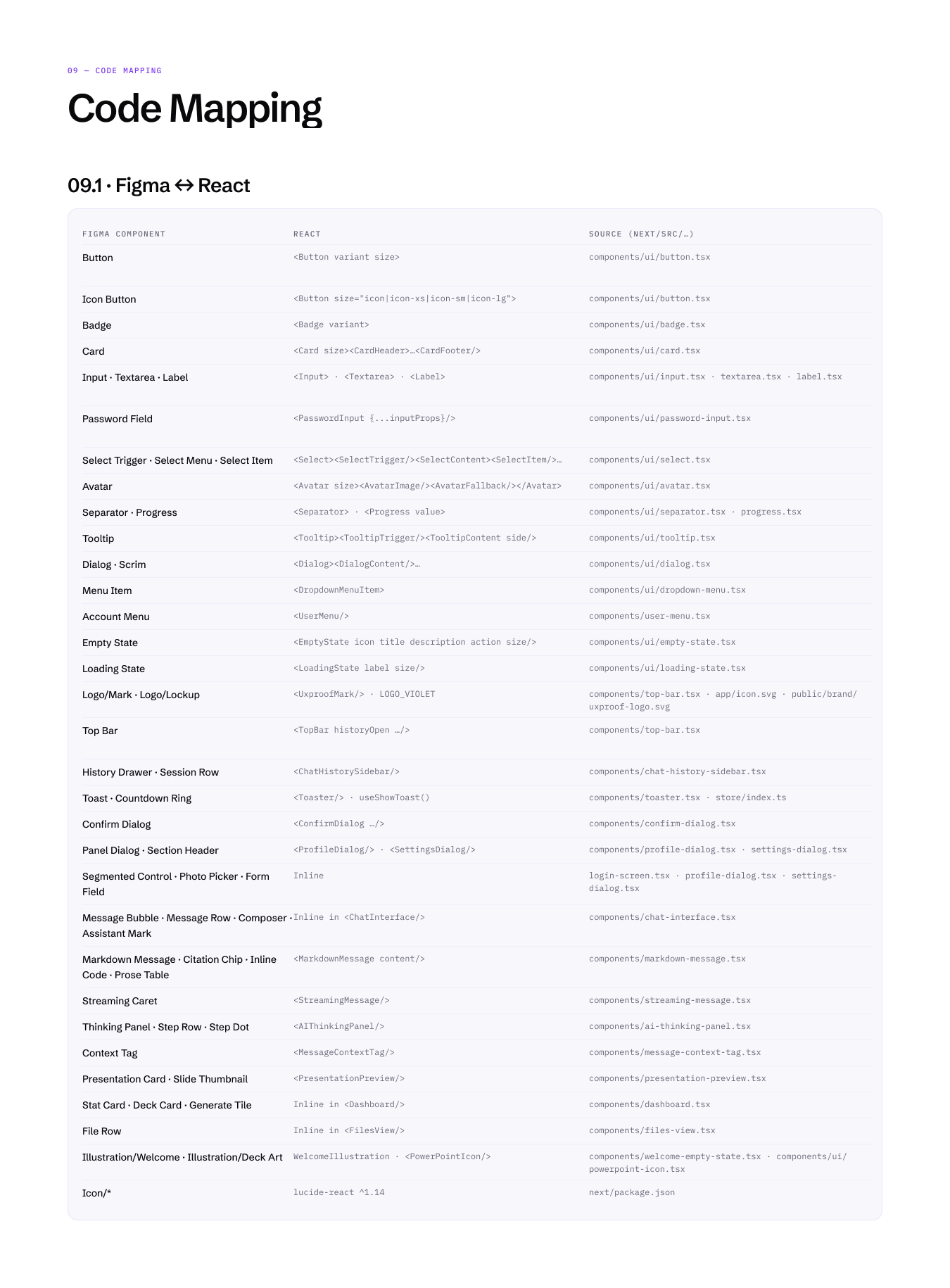
The application’s design system lives in Figma and in the code on the same tokens: 258 variables in five collections, colour in light and dark modes, and each variable carrying the CSS variable it maps to. Every Figma component is mapped to the React component and the source file that implement it.
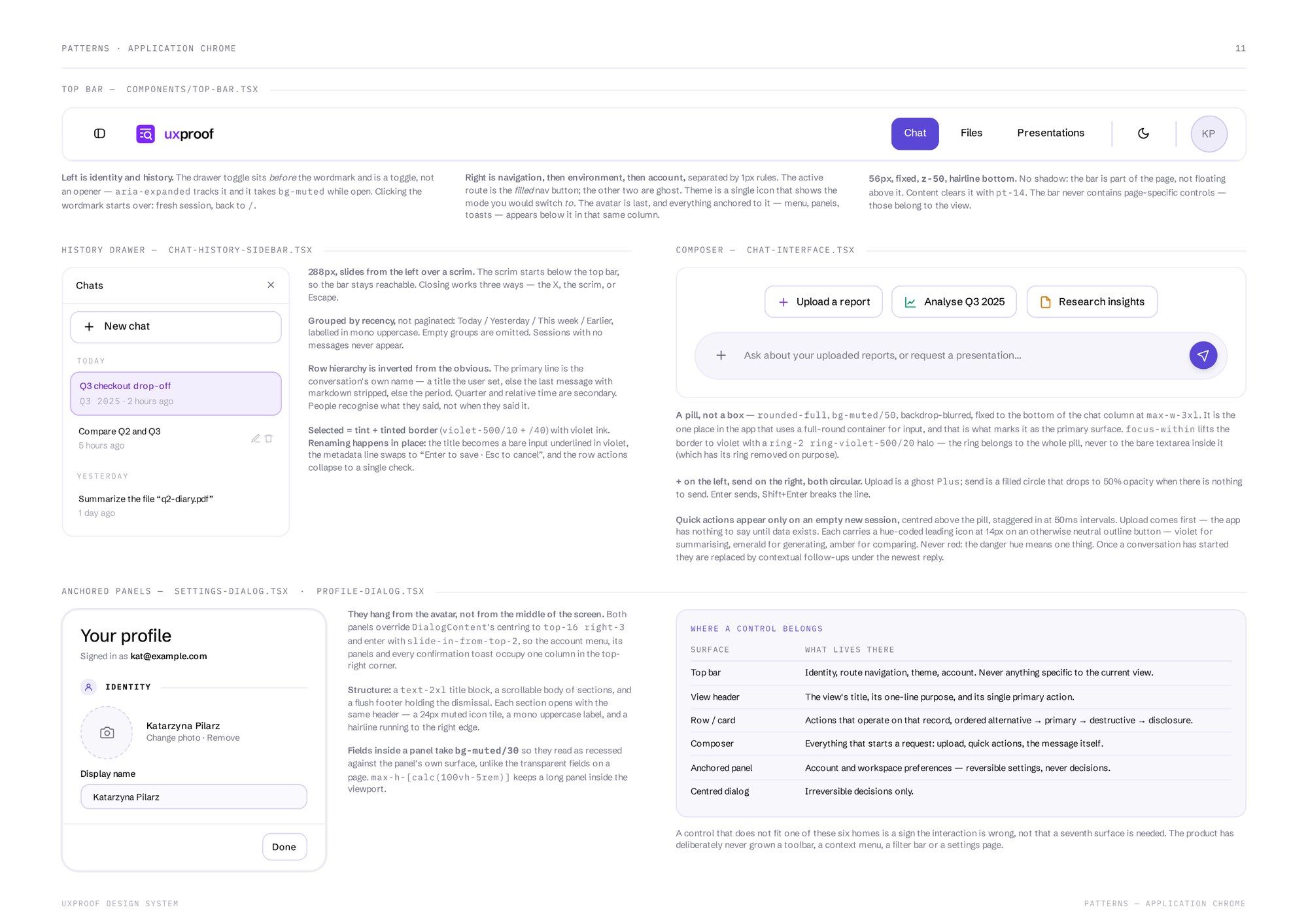
The system also decides where interaction can happen. A control can live in one of six places: the top bar, a view header, a row or card, the composer, an anchored panel or a dialog. If something doesn’t fit, I redesign the interaction. That’s why the product has no toolbar, context menu, filter bar or settings page.
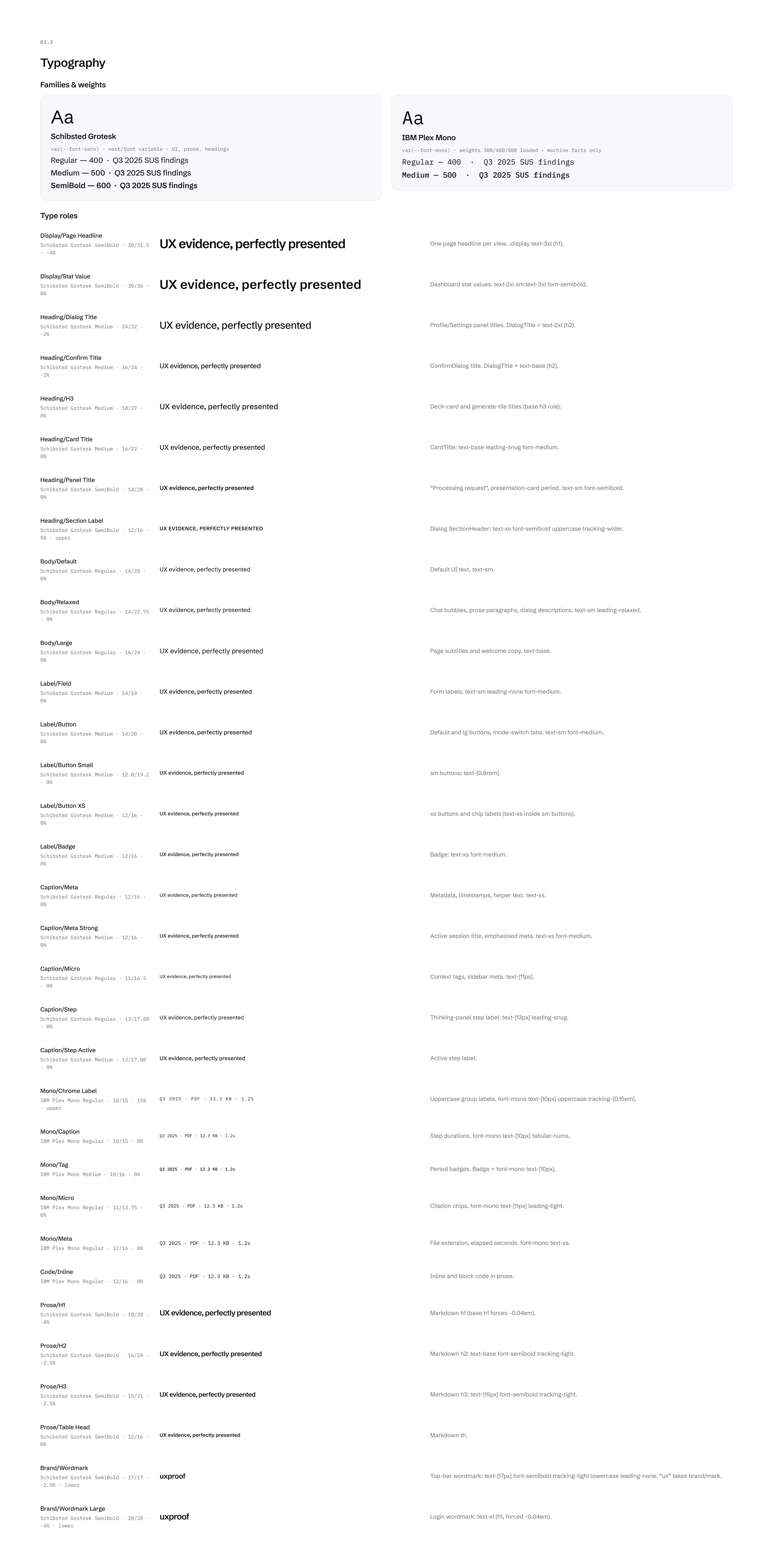
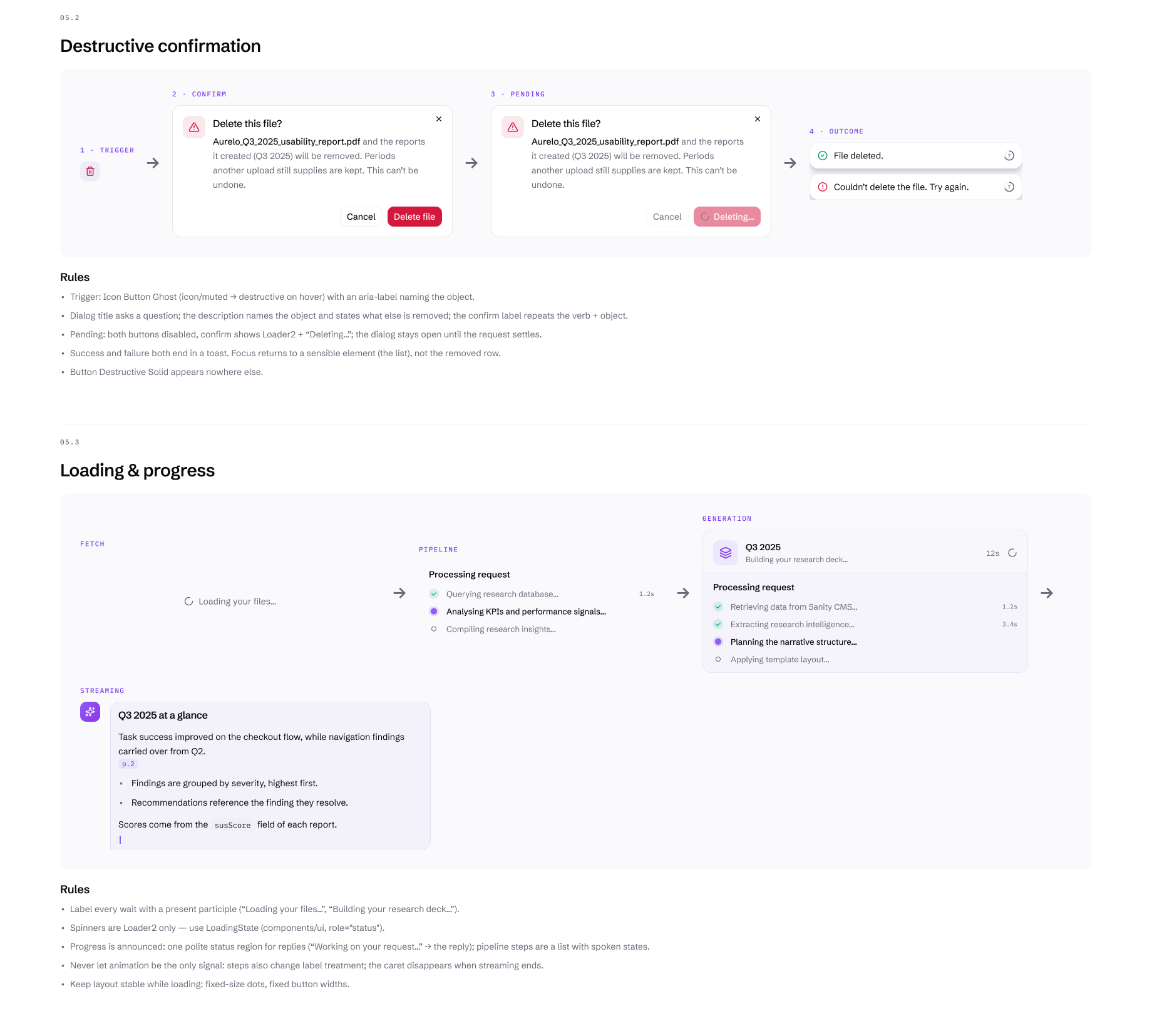
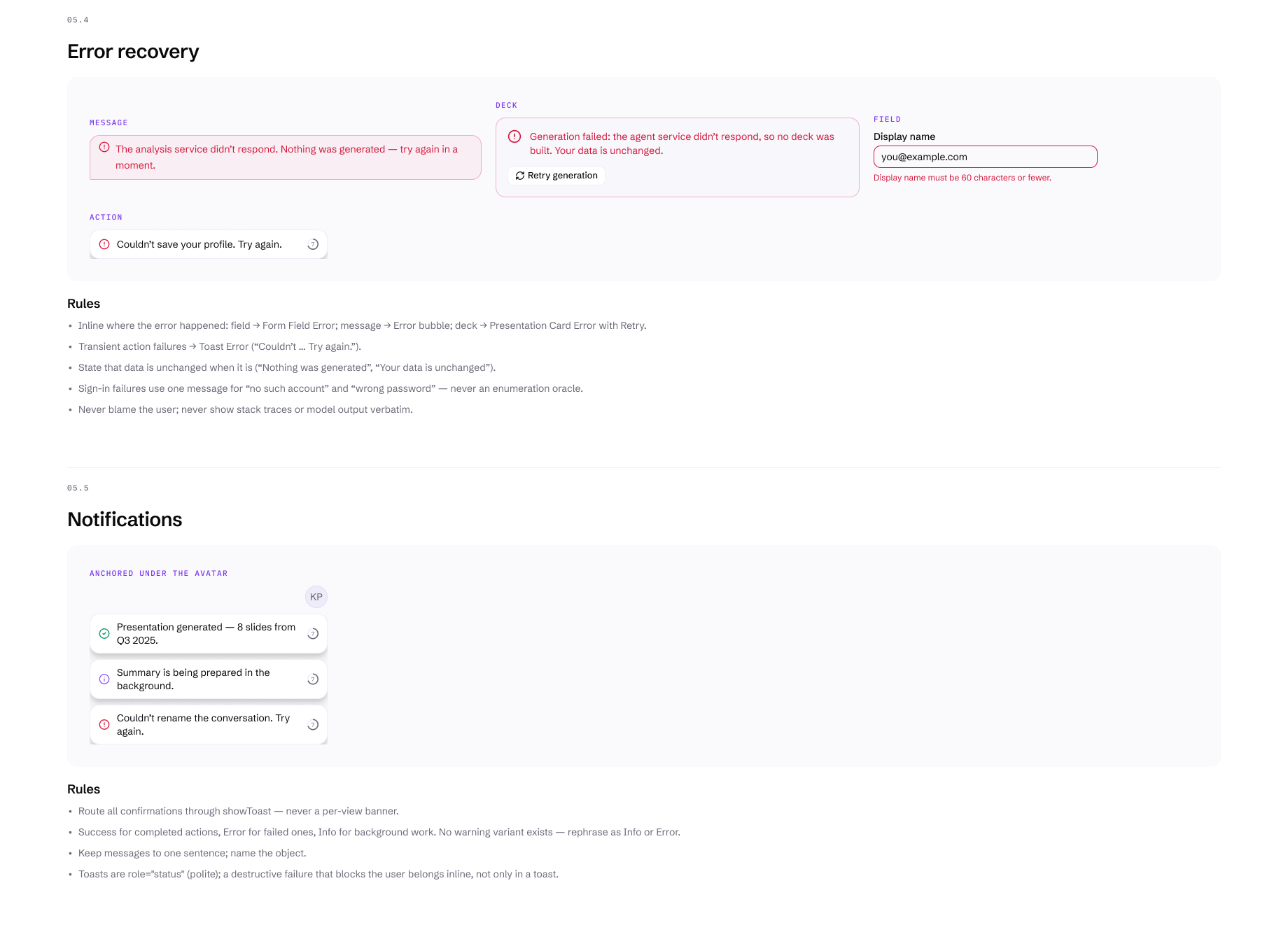
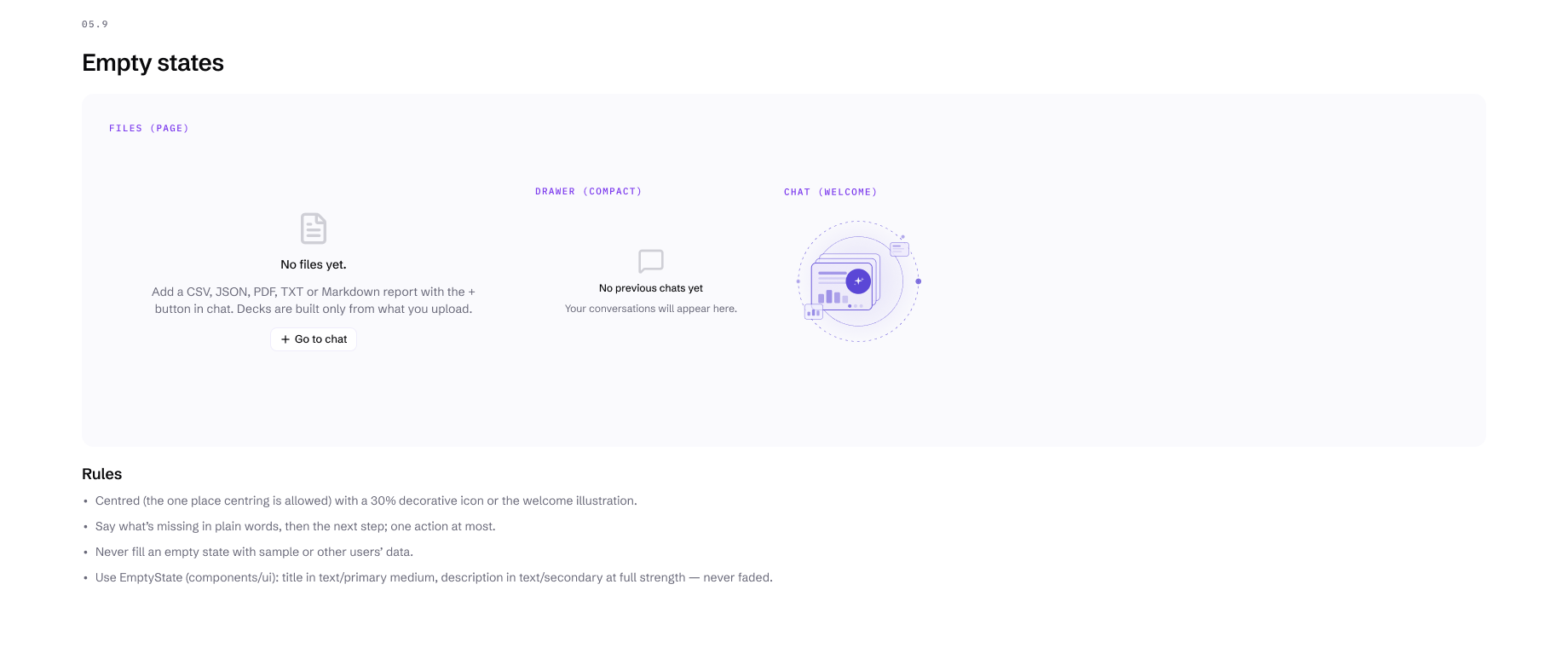
Type is two families, Schibsted Grotesk for the interface and IBM Plex Mono for data such as periods, file sizes and timings, across 33 named roles. Each view has one filled button, and destructive actions stay quiet until you confirm them. Patterns cover the recurring flows: uploading, loading, errors, empty states and deleting.
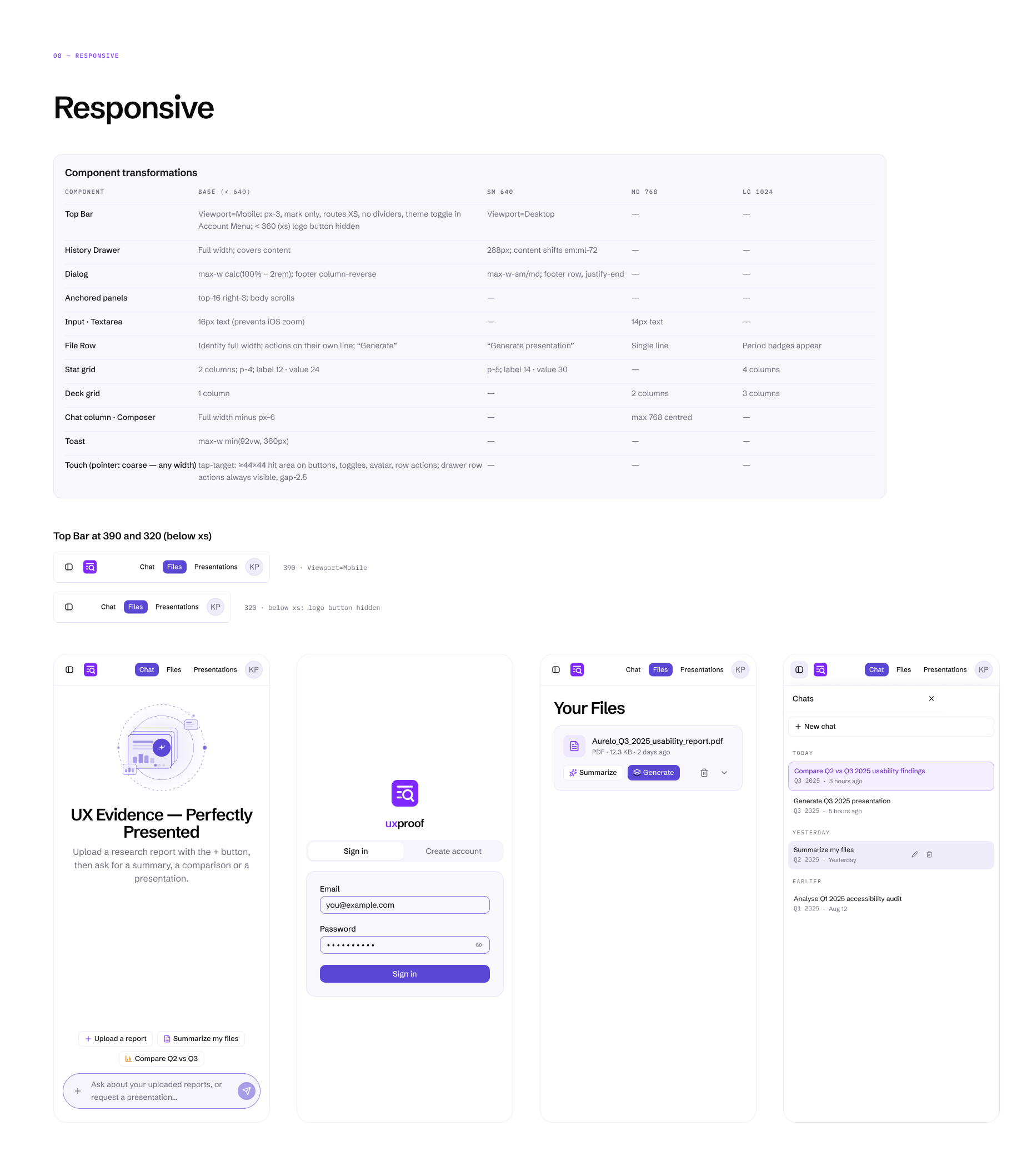
On a phone, the theme switch moves into the account menu, the history drawer goes full width and “Generate presentation” shortens to “Generate”. The slide strip stays four across, so a deck keeps its shape on any screen.
Because every rule is a limit, new screens stay consistent with the rest.













Engineering architecture
Explicit boundaries keep the product predictable.
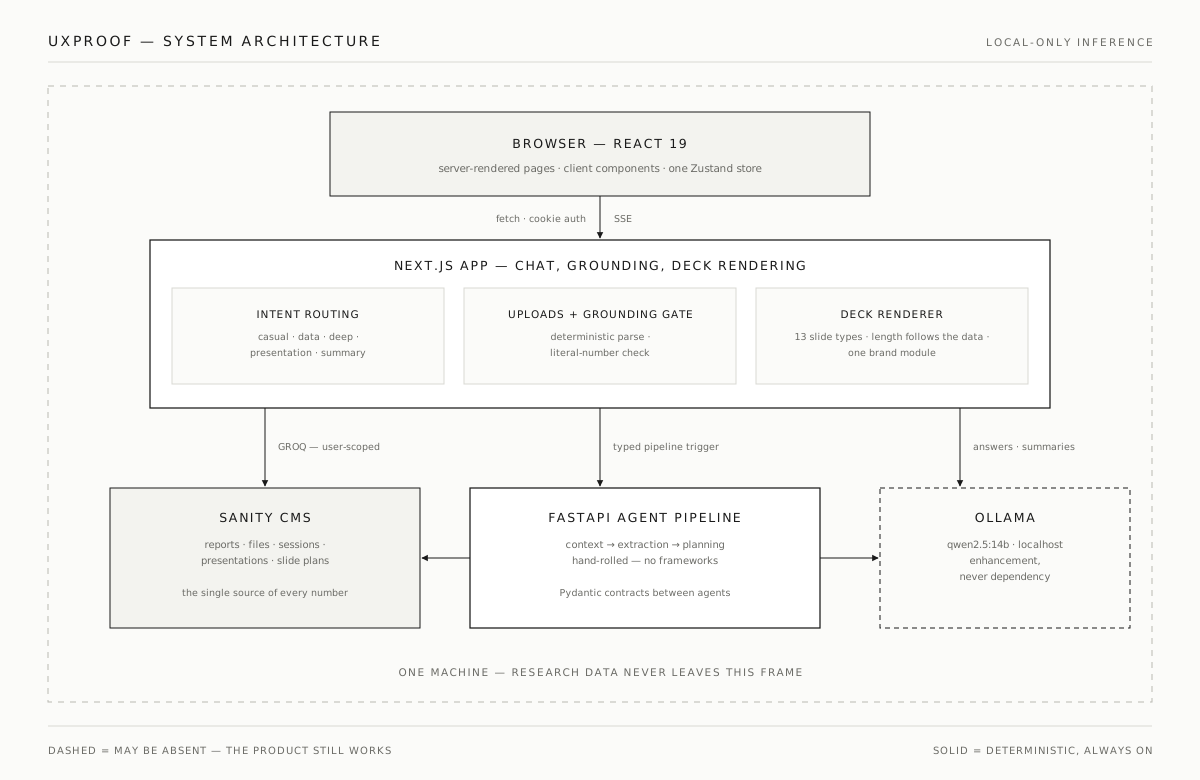
The architecture follows the product’s ownership model. The Next.js app owns the interface, uploads and deck rendering. A FastAPI service generates the slide plan, a headless CMS stores reports, sessions and plans, and model inference runs locally at a few explicit points. Research data is confidential, so all of it runs on one machine.
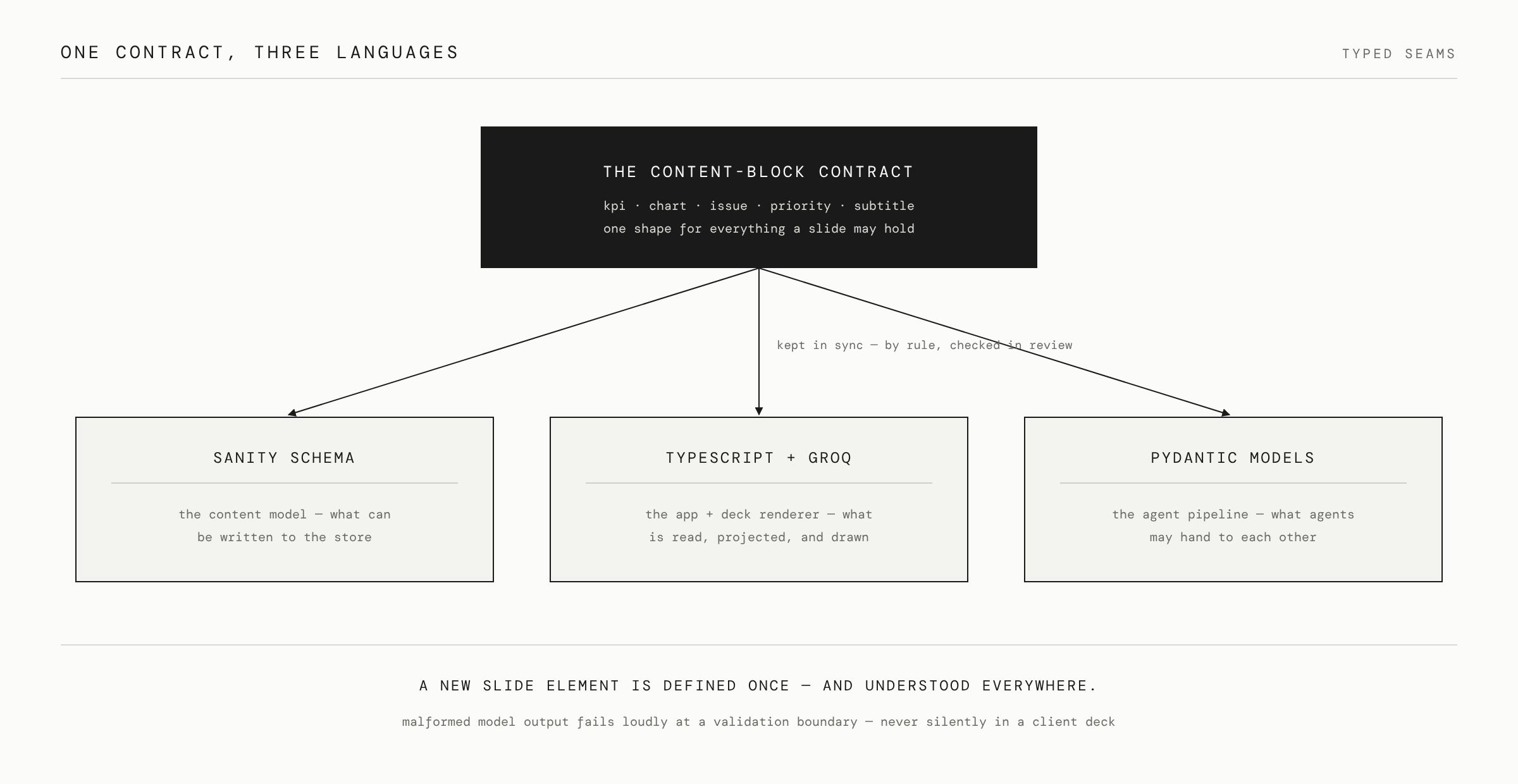
Deck content comes from a multi-agent workflow. Three agents run in sequence, for context, extraction and planning, and hand each other typed Pydantic contracts. The same content-block contract is mirrored in the CMS schema, the TypeScript types and the agents’ models, so malformed model output fails at a boundary and never reaches the interface or a client’s deck.
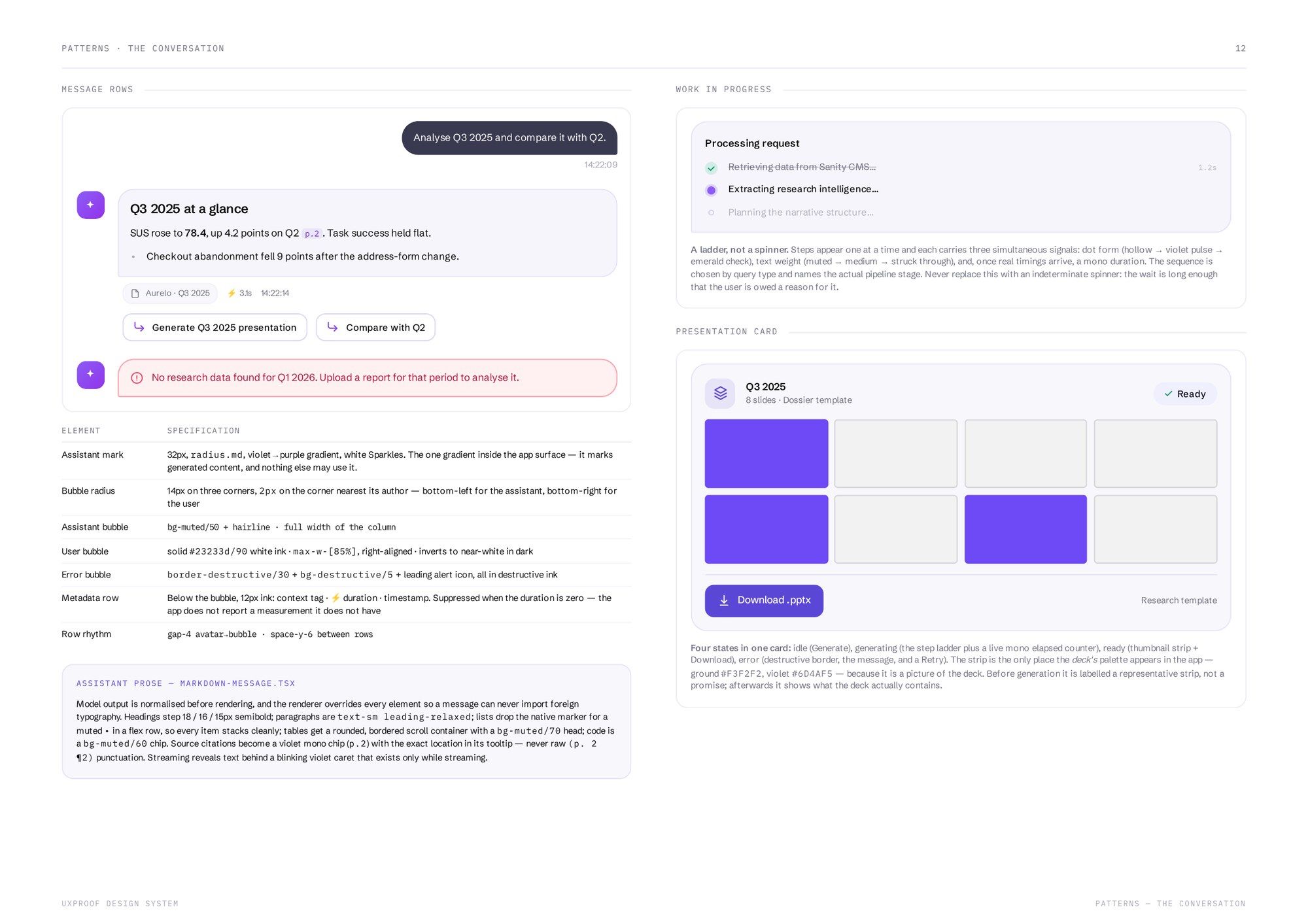
The agents are visible in the product too. While a deck is being generated, the chat names each step as it runs and ticks it off when it’s done, so the researcher can follow what the AI is doing.
Deterministic code owns the facts, validation, structure and rendering, and AI is used for interpretation where it helps.



Accessibility
Accessibility is part of the interaction model.
The main chat flows work entirely from the keyboard. Every icon-only control, such as upload, send, history and account, has a real label. Focus rings are visible on every interactive element, and actions revealed on hover, like deleting a conversation, also appear on keyboard focus, so nothing in the product needs a pointer.
State changes are announced as well as shown. Toasts are polite live regions, errors are alerts, expandable summaries expose whether they’re open, and the active conversation is marked for assistive technology. Uploads render optimistically, generation cards move through clear idle, working, done and error states, and a restored session never quietly re-runs an old generation.
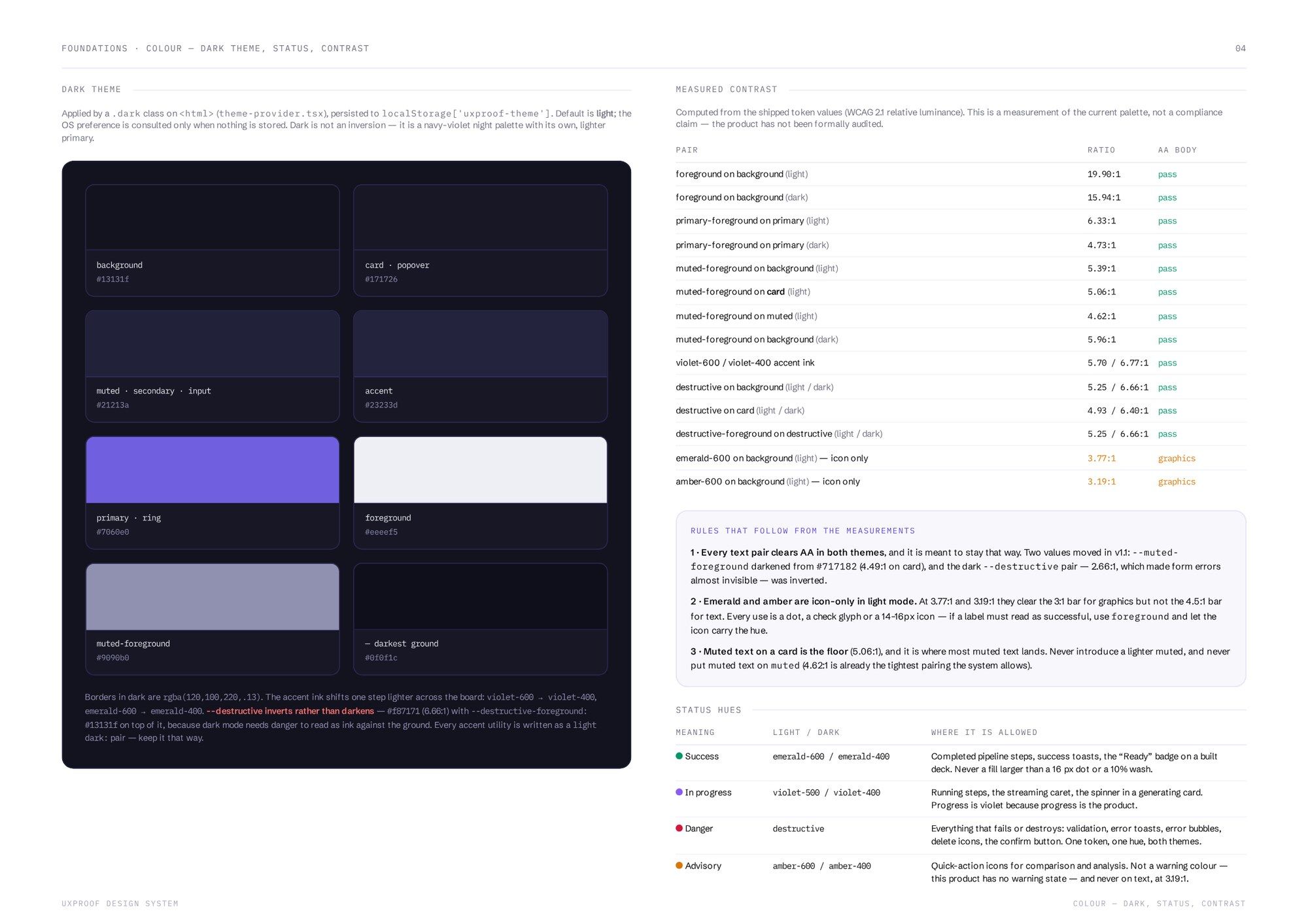
Contrast is measured against the shipped tokens. Every text pair is calculated from the values in the product and listed with its ratio, failures included. Two colours changed as a result. Muted text was darkened until it cleared 4.5:1 on every surface it appears on, and the dark-mode error pair, which measured 2.66:1 and made form errors nearly invisible, was inverted. The two hues that still fall short are used for icons only, by rule.

Presentation system
The output is deterministic too.
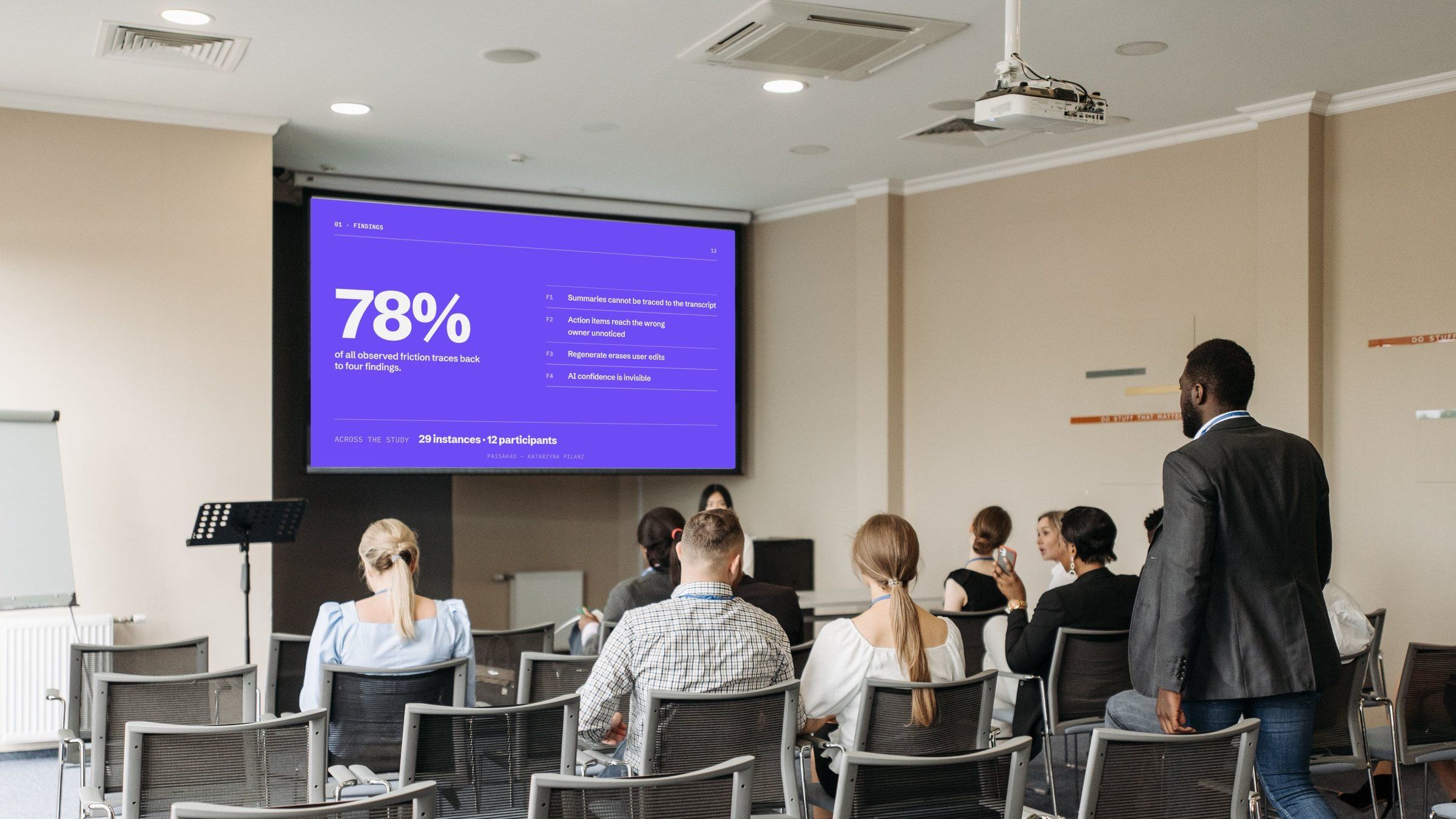
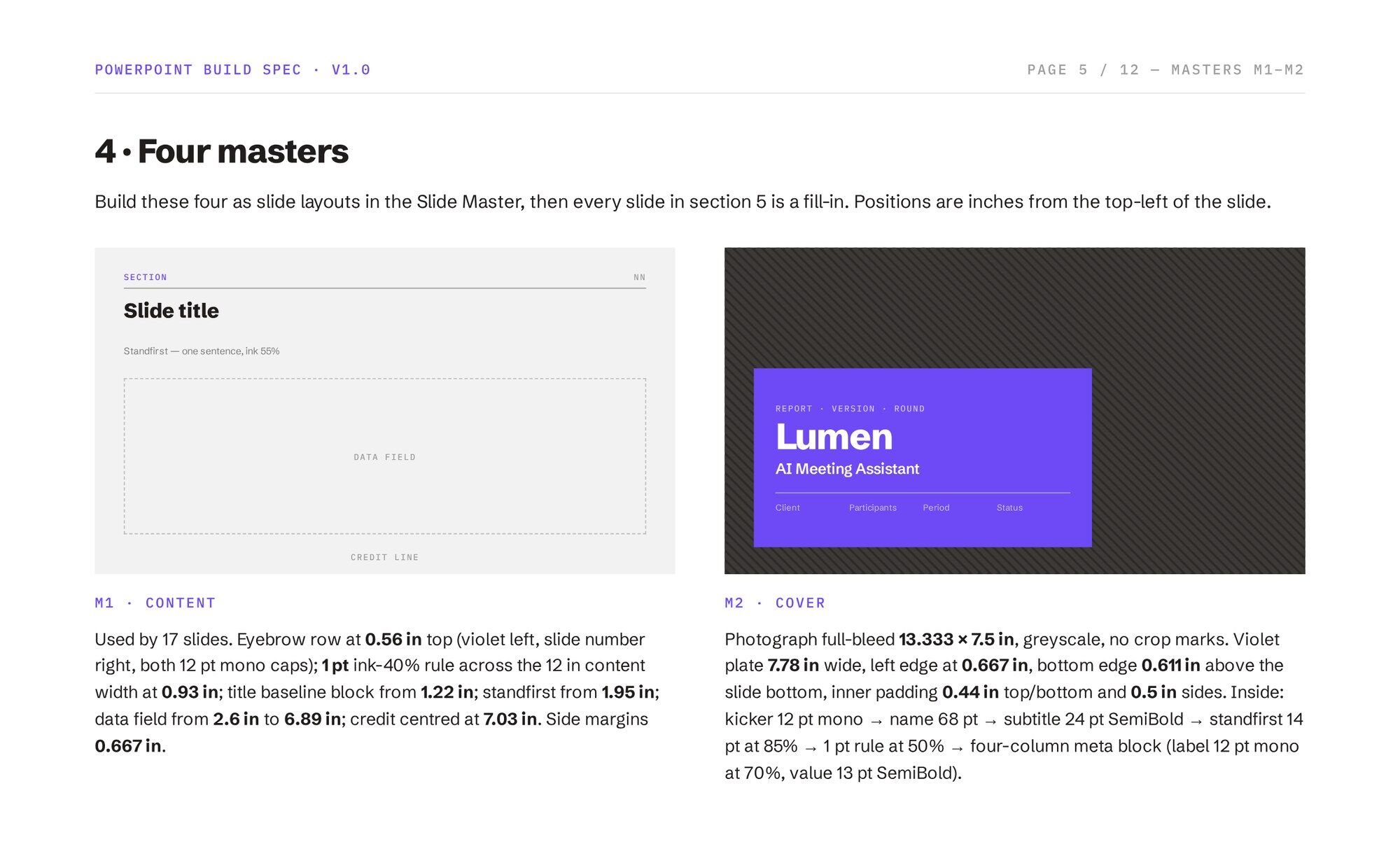
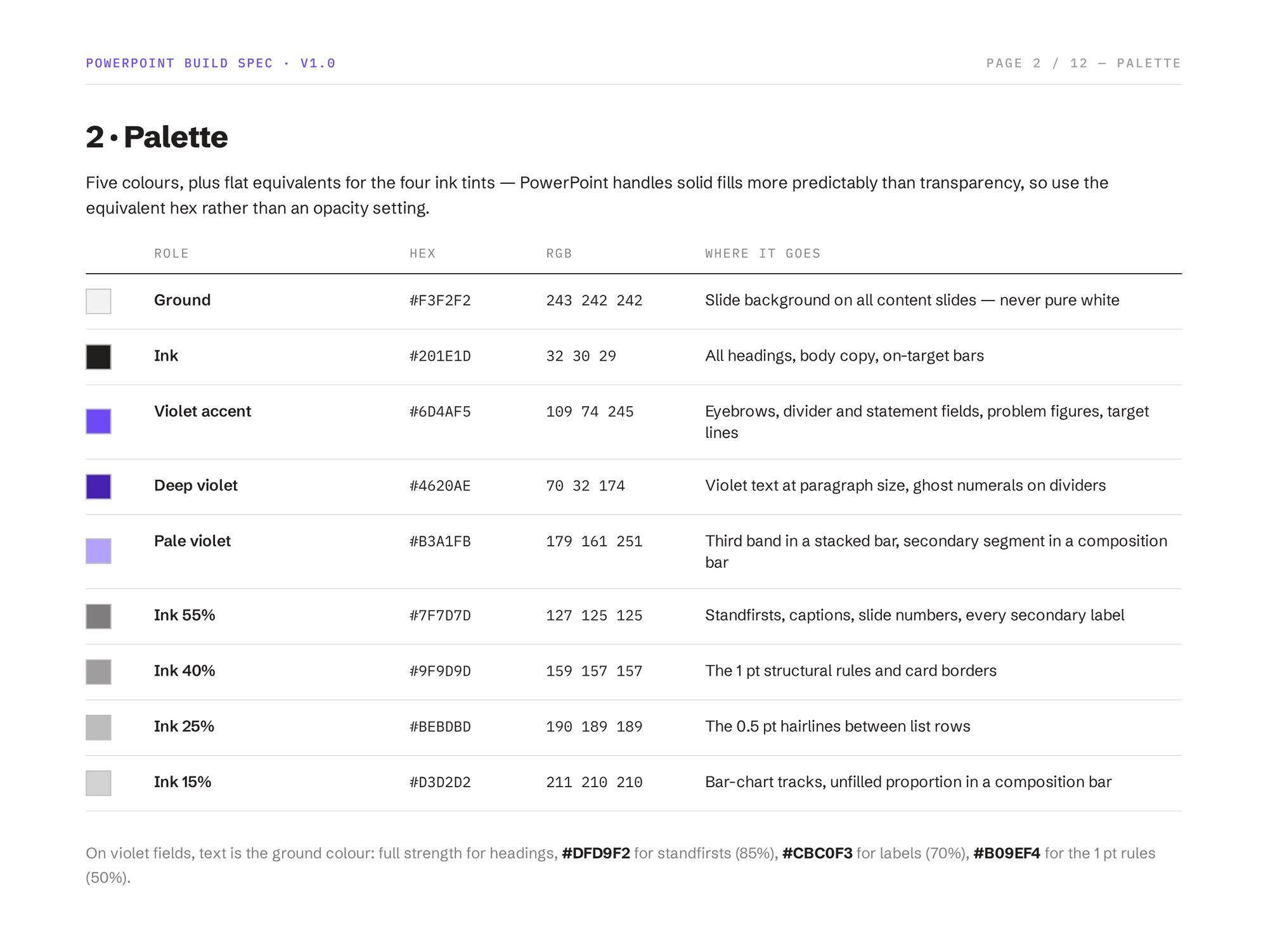
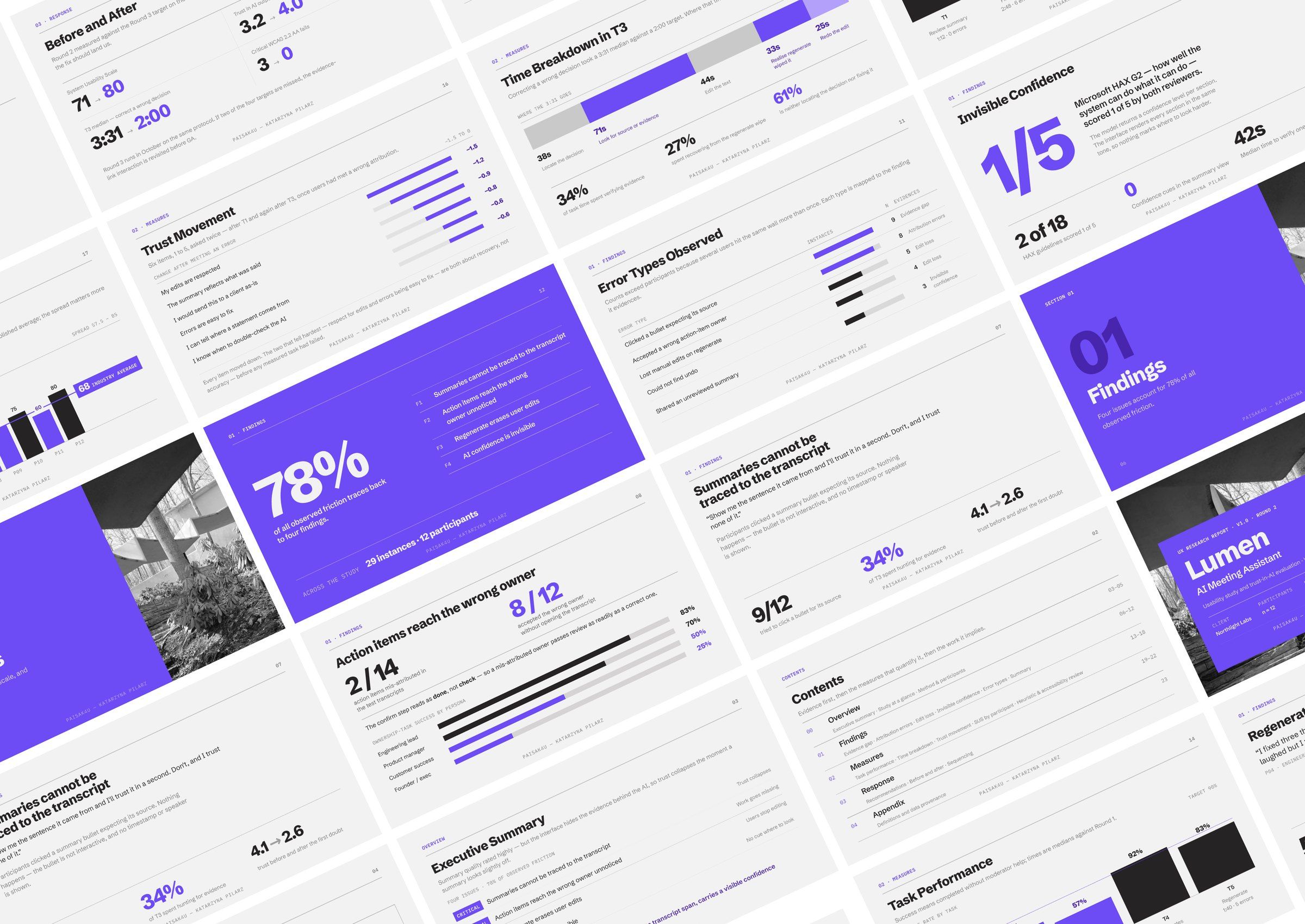
The generated deck has its own design system, kept separate from the app’s. It has thirteen slide types built on four masters, and a small fixed palette.
The model chooses and narrates the content, and the template controls the layout, type and colour. A slide only appears when the figures behind it exist, and at most one figure per slide is violet, so the problem is easy to spot.


AI-assisted engineering
AI accelerates implementation. It does not own the design decisions.
I used an agentic AI workflow to speed up implementation: scaffolding components, exploring alternatives, proposing refactors and writing test plumbing. The decisions that need UX and engineering judgement stayed with me, including interaction behaviour, information architecture, edge states, accessibility, visual quality and consistency across the system.
Those decisions are written into the repository as invariants that every change is checked against. Numbers are never written by the model, every model step has a fallback, the deck template has one source of truth, and pages stay server components while interaction lives in client components. An audit agent reviews changes against those rules, and the tests produce versioned readiness reports.
When generated code kept introducing one-off spacing values and accent colours, I stopped correcting them one at a time. I wrote the rule into the project brief and the branding module, so every later change, generated or written by me, is held to the same constraint.
AI generates → UX engineering evaluates → the design system constrains → tests verify.

Outcome
A working example of AI product design where the interface and the system reinforce each other.
UxProof brings research practice, product design, interaction design, a design system, React engineering and AI behaviour together in one working flow, from an uploaded file to a finished deck.
It shows how an AI product can stay predictable when the model underneath it isn’t. Facts are grounded in the source, every model step has a deterministic alternative, interaction states are explicit, contrast is measured, and the deck comes from a system with fixed rules.